SpyFalcon (Free Guide) - Virus Removal Instructions
SpyFalcon Removal Guide
What is SpyFalcon?
SpyFalcon is a virus that displays an icon in the system tray and affects the speed
SpyFalcon is the program that claims to offer spyware removal and security options. People claim that the threat is exceptionally persistent and cannot be removed, so the program cannot be deleted as any other application. The particular malware is called a trojan because it is associated with the spyfalcon.exe file running as a process in the background and using the machine's resources. In general, this is the anti-spyware program that sows various claims and aims to get monetization. However, it is not giving any value to the user, so make sure to remove it as soon as possible.
| Name | SpyFalcon |
|---|---|
| Type | Trojan/ rogue anti-spyware |
| Issues | The program claims the security of the machine with false detections. If the malware is trojan – processes run in the background causing problems with the performance |
| Ditbrution | Freeware program installs, malicious ads, websites, and even email attachments |
| Removal | The system should be cleared fully using a reliable anti-malware tool |
| System repair | Recover the machine after malware elimination with a tool like FortectIntego |
SpyFalcon is the infection that frustrates people because of the background processes and other issues that infection can create. You should be concerned if you notice anything suspicious n the machine, from the background process to files or programs installed without your permission.
The infected machine starts showing various pop-ups, and the icon of this tool appears added in the taskbar or on the desktop. This icon shows a message occasionally, which says that the compromised computer is infected with dangerous spyware parasites and asks the user to download and install a removal program, which actually is Spy Falcon, corrupt illegally distributed spyware remover.
Once the user clicks on such a message, the trojan opens a website distributing the useless program. It may also try to download the application or trick you into paying for the license version. The trojan is able to change the Internet Explorer default home page and redirect the web browser to malicious websites.
This useless system tool automatically runs on every Windows startup and can affect various parts of the machine. You must remove the intruder, and SpyHunter 5Combo Cleaner or Malwarebytes should be the best tools for that because anti-malware tools are the way to go. However, there is a need for PC repair when the virus damage gets fixed. You can rely on optimization tools for that issue.

Malware distribution methods rely on deception
The program infects the machine by showing deceiving messages, scam pop-ups, and redirects. These warnings email that the machine is affected by the virus, so users get tricked into allowing the download of the virus. Scare-ware aims to get downloads or page visits, at least with those misleading messages and promotional content.
You can notice offers and even deals for this or additional programs. Unfortunately, there are various programs that can be pre-packed in such offers and delivered with the help of bundles. You should stay away from freeware downloading sites, torrent platforms, and similar sources. The best tip is to rely on Advanced or Custom options during installations, so you can control what gets downloaded.
Remove the suspicious program or a virus with a proper AV tool
You can be tricked into installing the program from a suspicious website, or you can even experience issues with the background processes and the malicious SpyFalcon.exe file that runs in the background. This is one of the few symptoms that could indicate the infection.
If you have any questions or indications about the possible infection, you should run an anti-malware tool or security program like SpyHunter 5Combo Cleaner or Malwarebytes. Running a tool like this can help you remove SpyFalcon or any other infections. However, do not forget to double-check and fix damage using FortectIntego.
Getting rid of SpyFalcon. Follow these steps
Scan your system with anti-malware
If you are a victim of ransomware, you should employ anti-malware software for its removal. Some ransomware can self-destruct after the file encryption process is finished. Even in such cases, malware might leave various data-stealing modules or could operate in conjunction with other malicious programs on your device.
SpyHunter 5Combo Cleaner or Malwarebytes can detect and eliminate all ransomware-related files, additional modules, along with other viruses that could be hiding on your system. The security software is really easy to use and does not require any prior IT knowledge to succeed in the malware removal process.
Repair damaged system components
Once a computer is infected with malware, its system is changed to operate differently. For example, an infection can alter the Windows registry database, damage vital bootup and other sections, delete or corrupt DLL files, etc. Once a system file is damaged by malware, antivirus software is not capable of doing anything about it, leaving it just the way it is. Consequently, users might experience performance, stability, and usability issues, to the point where a full Windows reinstall is required.
Therefore, we highly recommend using a one-of-a-kind, patented technology of FortectIntego repair. Not only can it fix virus damage after the infection, but it is also capable of removing malware that has already broken into the system thanks to several engines used by the program. Besides, the application is also capable of fixing various Windows-related issues that are not caused by malware infections, for example, Blue Screen errors, freezes, registry errors, damaged DLLs, etc.
- Download the application by clicking on the link above
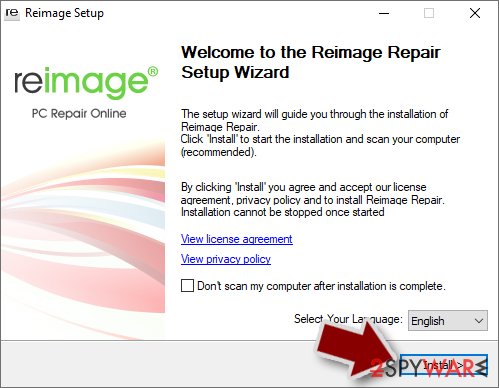
- Click on the ReimageRepair.exe

- If User Account Control (UAC) shows up, select Yes
- Press Install and wait till the program finishes the installation process
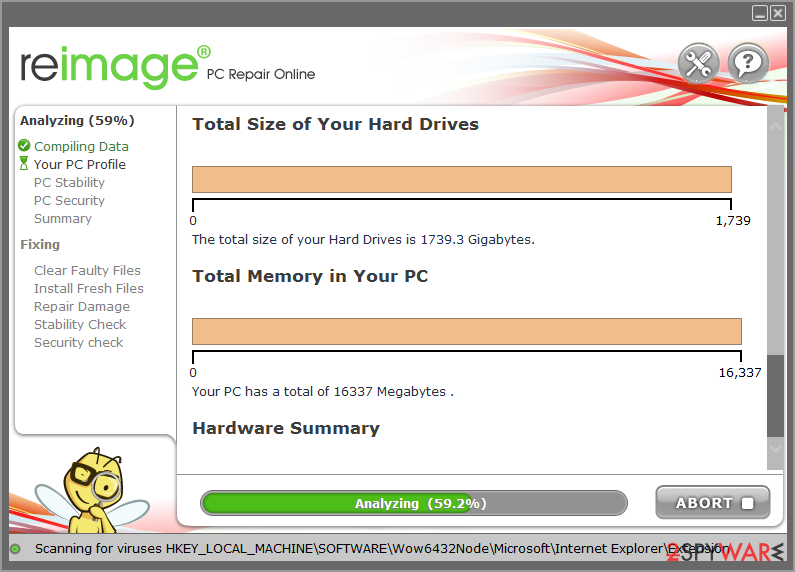
- The analysis of your machine will begin immediately
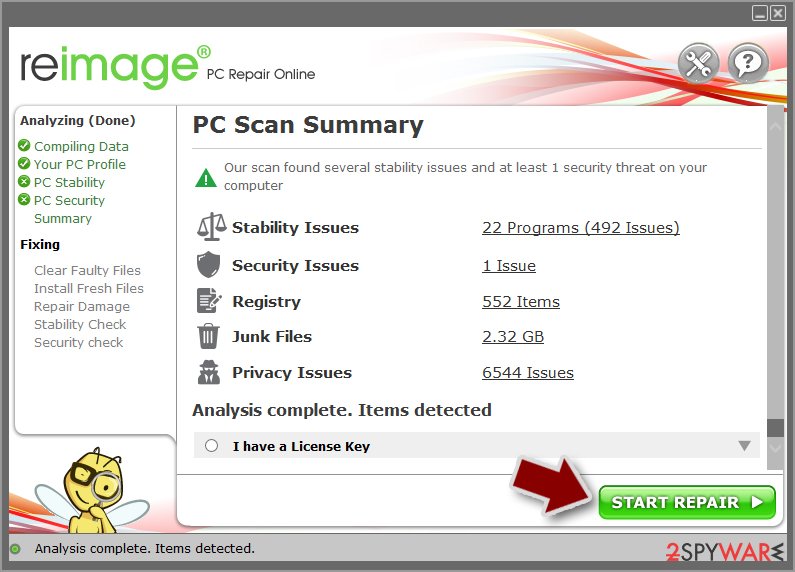
- Once complete, check the results – they will be listed in the Summary
- You can now click on each of the issues and fix them manually
- If you see many problems that you find difficult to fix, we recommend you purchase the license and fix them automatically.


By employing FortectIntego, you would not have to worry about future computer issues, as most of them could be fixed quickly by performing a full system scan at any time. Most importantly, you could avoid the tedious process of Windows reinstallation in case things go very wrong due to one reason or another.
Manual removal using Safe Mode
Important! →
Manual removal guide might be too complicated for regular computer users. It requires advanced IT knowledge to be performed correctly (if vital system files are removed or damaged, it might result in full Windows compromise), and it also might take hours to complete. Therefore, we highly advise using the automatic method provided above instead.
Step 1. Access Safe Mode with Networking
Manual malware removal should be best performed in the Safe Mode environment.
Windows 7 / Vista / XP
- Click Start > Shutdown > Restart > OK.
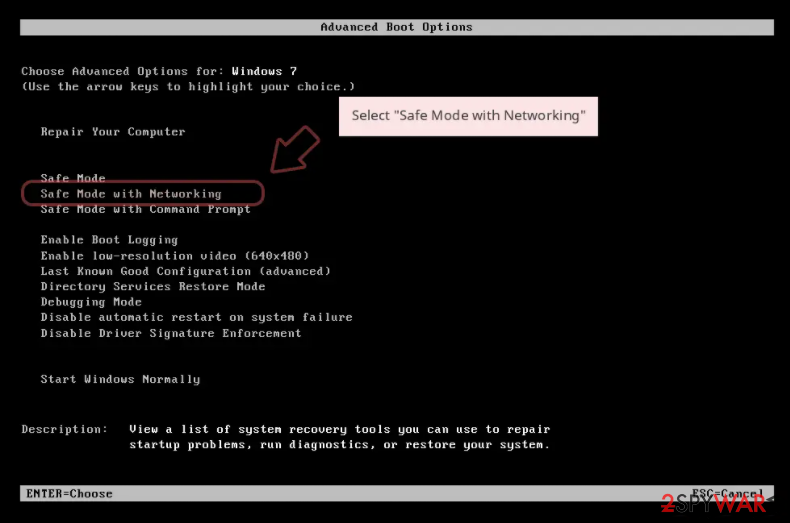
- When your computer becomes active, start pressing F8 button (if that does not work, try F2, F12, Del, etc. – it all depends on your motherboard model) multiple times until you see the Advanced Boot Options window.
- Select Safe Mode with Networking from the list.

Windows 10 / Windows 8
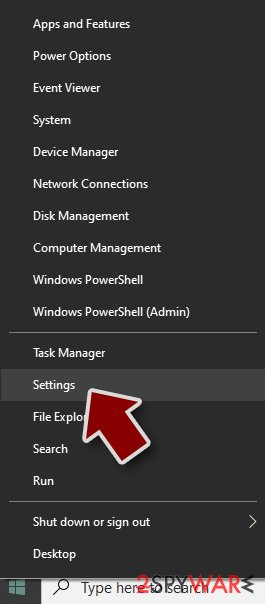
- Right-click on Start button and select Settings.
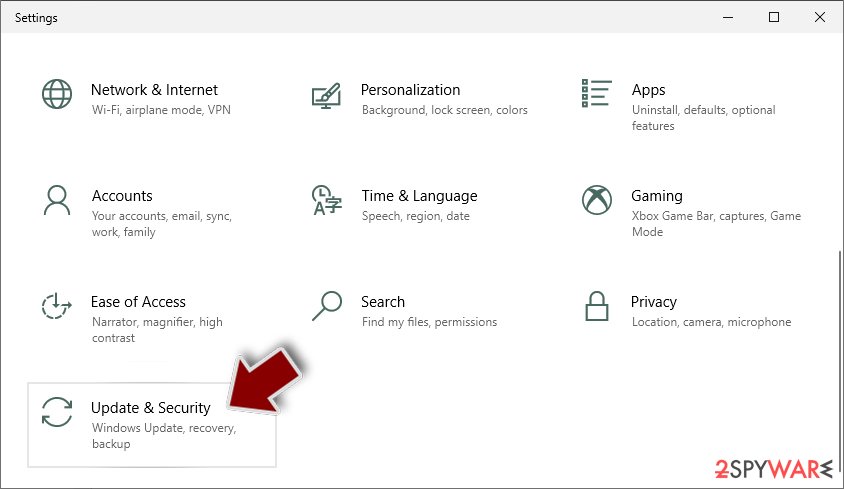
- Scroll down to pick Update & Security.
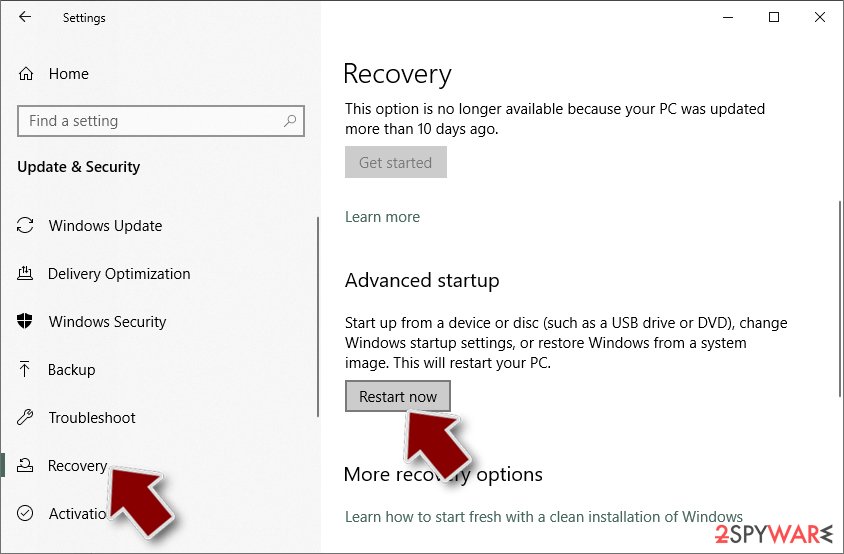
- On the left side of the window, pick Recovery.
- Now scroll down to find Advanced Startup section.
- Click Restart now.
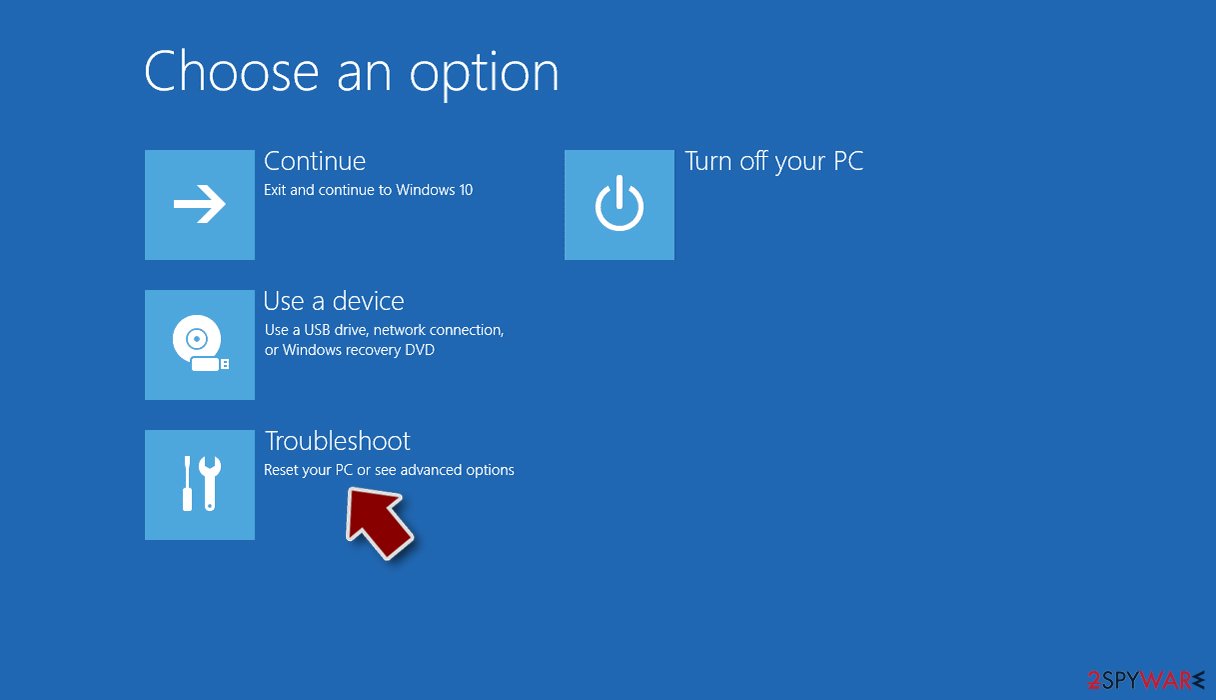
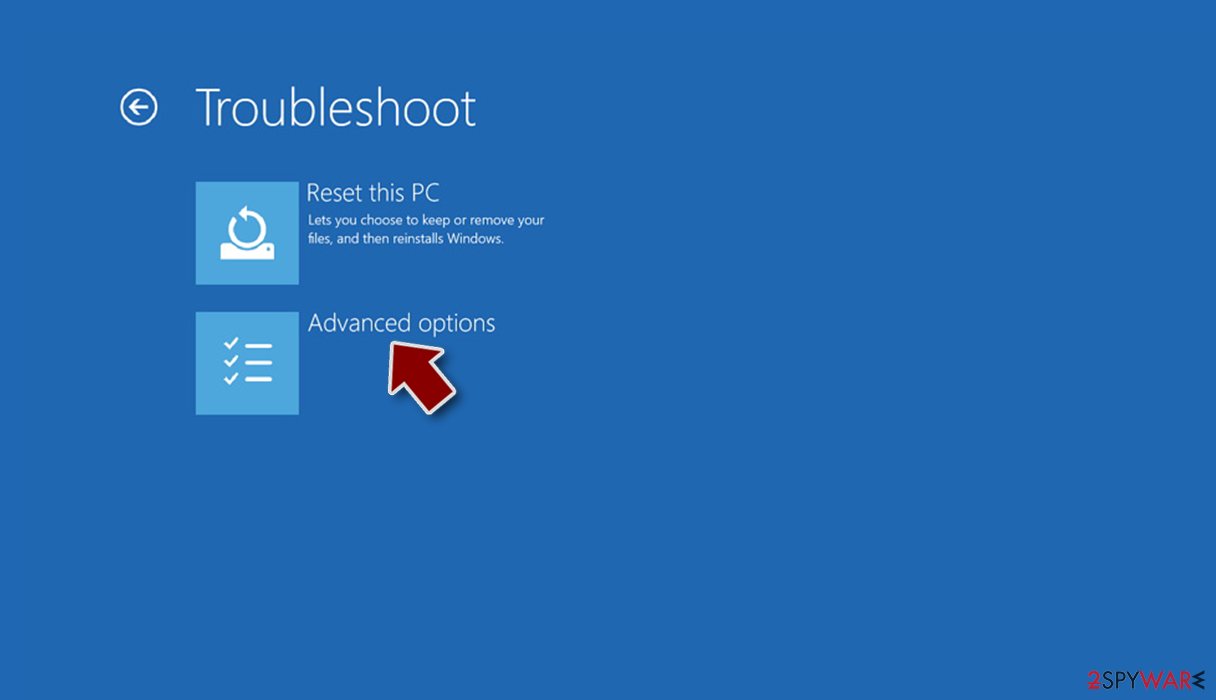
- Select Troubleshoot.
- Go to Advanced options.
- Select Startup Settings.
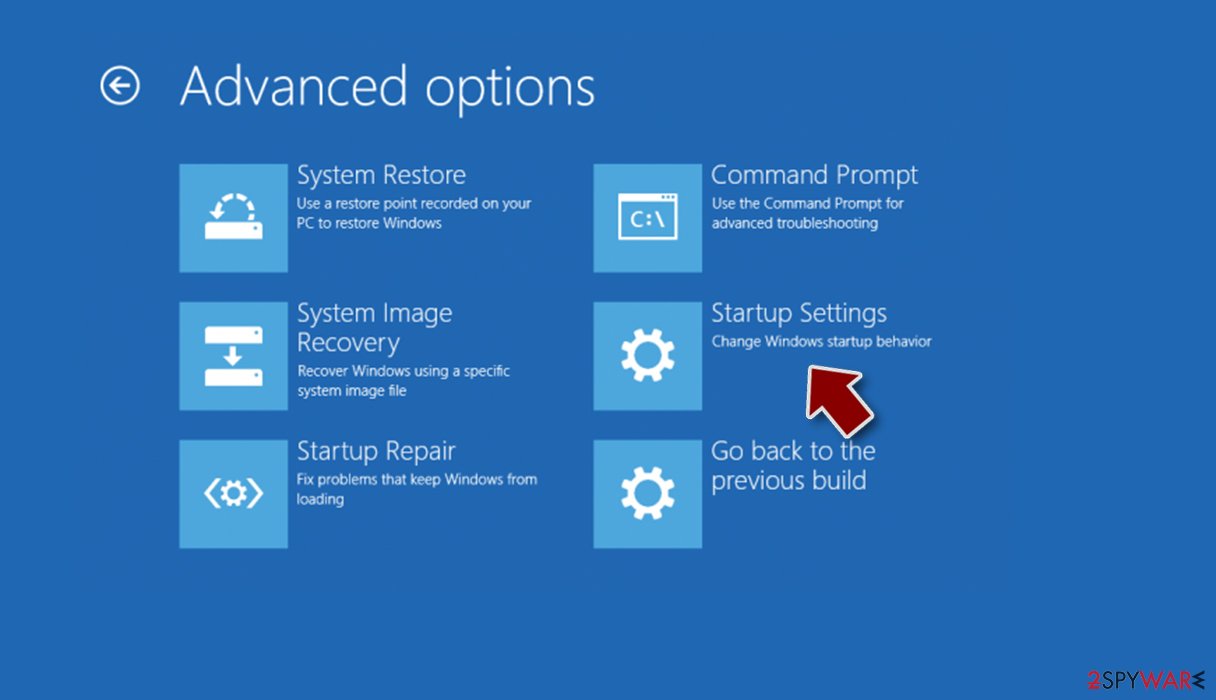
- Press Restart.
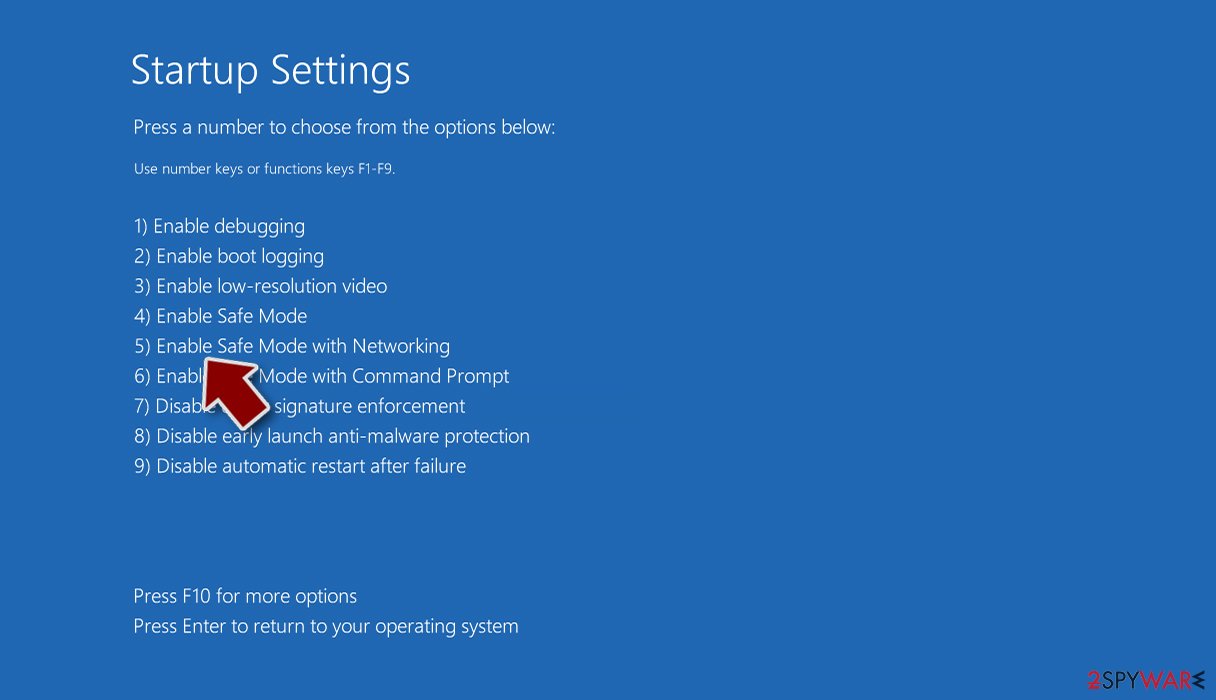
- Now press 5 or click 5) Enable Safe Mode with Networking.


Step 2. Shut down suspicious processes
Windows Task Manager is a useful tool that shows all the processes running in the background. If malware is running a process, you need to shut it down:
- Press Ctrl + Shift + Esc on your keyboard to open Windows Task Manager.
- Click on More details.
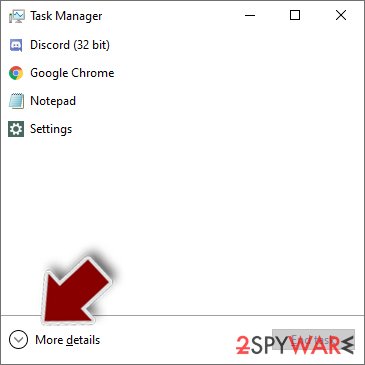
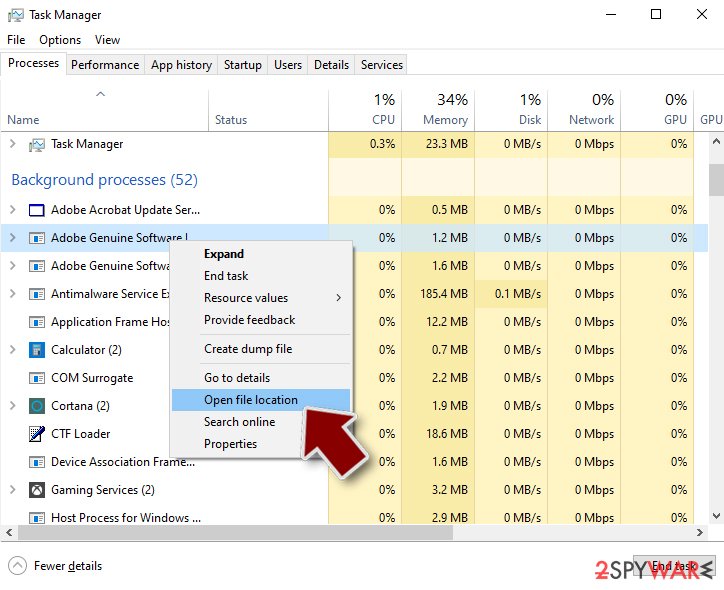
- Scroll down to Background processes section, and look for anything suspicious.
- Right-click and select Open file location.
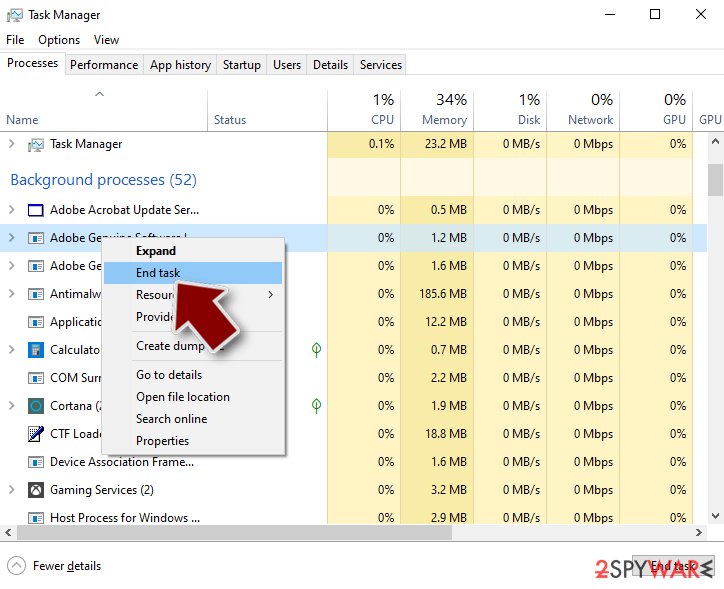
- Go back to the process, right-click and pick End Task.
- Delete the contents of the malicious folder.


Step 3. Check program Startup
- Press Ctrl + Shift + Esc on your keyboard to open Windows Task Manager.
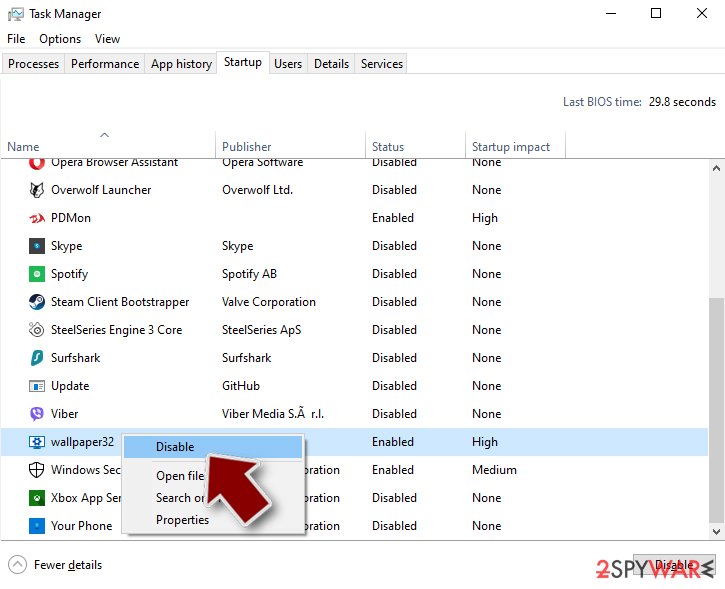
- Go to Startup tab.
- Right-click on the suspicious program and pick Disable.

Step 4. Delete virus files
Malware-related files can be found in various places within your computer. Here are instructions that could help you find them:
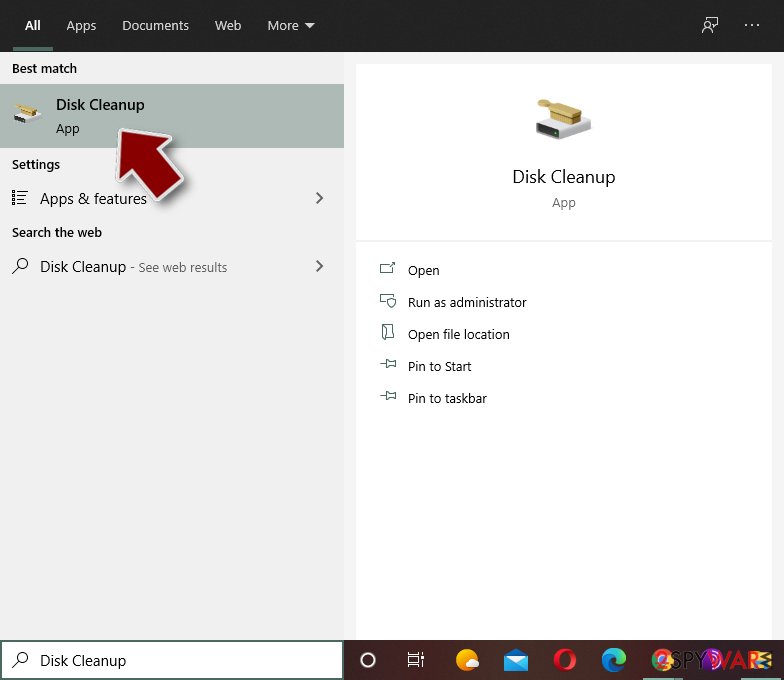
- Type in Disk Cleanup in Windows search and press Enter.
- Select the drive you want to clean (C: is your main drive by default and is likely to be the one that has malicious files in).
- Scroll through the Files to delete list and select the following:
Temporary Internet Files
Downloads
Recycle Bin
Temporary files - Pick Clean up system files.
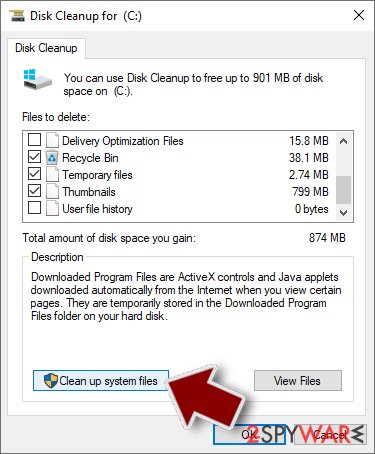
- You can also look for other malicious files hidden in the following folders (type these entries in Windows Search and press Enter):
%AppData%
%LocalAppData%
%ProgramData%
%WinDir%


After you are finished, reboot the PC in normal mode.
Finally, you should always think about the protection of crypto-ransomwares. In order to protect your computer from SpyFalcon and other ransomwares, use a reputable anti-spyware, such as FortectIntego, SpyHunter 5Combo Cleaner or Malwarebytes
How to prevent from getting malware
Do not let government spy on you
The government has many issues in regards to tracking users' data and spying on citizens, so you should take this into consideration and learn more about shady information gathering practices. Avoid any unwanted government tracking or spying by going totally anonymous on the internet.
You can choose a different location when you go online and access any material you want without particular content restrictions. You can easily enjoy internet connection without any risks of being hacked by using Private Internet Access VPN.
Control the information that can be accessed by government any other unwanted party and surf online without being spied on. Even if you are not involved in illegal activities or trust your selection of services, platforms, be suspicious for your own security and take precautionary measures by using the VPN service.
Backup files for the later use, in case of the malware attack
Computer users can suffer from data losses due to cyber infections or their own faulty doings. Ransomware can encrypt and hold files hostage, while unforeseen power cuts might cause a loss of important documents. If you have proper up-to-date backups, you can easily recover after such an incident and get back to work. It is also equally important to update backups on a regular basis so that the newest information remains intact – you can set this process to be performed automatically.
When you have the previous version of every important document or project you can avoid frustration and breakdowns. It comes in handy when malware strikes out of nowhere. Use Data Recovery Pro for the data restoration process.

If this free guide helped you and you are satisfied with our service, please consider making a donation to keep this service alive. Even a smallest amount will be appreciated.