SpywareQuake (Easy Removal Guide)
SpywareQuake Removal Guide
What is SpywareQuake?
SpywareQuake – a rogue antispyware that shows fake infection alerts

SpywareQuake is a fake and corrupt security application that is prone to infiltrate systems via trojans and websites of questionable security. Once inside, it proceeds to harass users with false security pop-up notifications, which, once clicked upon, start a counterfeit scan.
The reports of this scan tend to be exaggerated and full of bogus threats, which SpywareQuake uses to trick people into buying its full version. Please DO NOT trust this parasite, as it is designed with the sole purpose of milking money from unsuspecting users!
| name | SpywareQuake |
|---|---|
| Type | Rogue antispyware, fake security software |
| Purpose | Deceive people into spending money on its worthless licensed version by showing fake cybersecurity notifications, imaginary scan results, and similar |
| Distribution | Fake online virus scanners, Trojans, software bundling |
| Elimination | You can easily remove this threat from your infected Windows PC with our instructions below |
| System health check | Undo the damage caused by the fake security app by running system diagnostics with the FortectIntego PC optimizer |
There are tons of various rogue antispyware applications, and they all function very similarly. They show fake scan results, stating that your computer is infected with a myriad of different malware. They also display notifications of fake attacks on the device.
Their main goal is to draw out money from their users because these imaginary infections can only be removed with the help of their paid product versions. Please don't fall for the cybercriminals' tricks, and don't download or purchase SpywareQuake or any similar software.
If you spot this program on your PC, you have to remove it ASAP. To do that, reboot your computer in Safe Mode with Networking (guide below) and download either Malwarebytes or SpyHunter 5Combo Cleaner. Either of those free security tools will identify, locate, and remove the rogue with all of its pieces.
When that's done, it's time to tune up your device because SpywareQuake might have made modifications to the Registry and other core system settings and files. According to many user reviews, the best results are achieved when running system diagnostics with the FortectIntego PC repair tool.
Getting rid of SpywareQuake. Follow these steps
Manual removal using Safe Mode
Important! →
Manual removal guide might be too complicated for regular computer users. It requires advanced IT knowledge to be performed correctly (if vital system files are removed or damaged, it might result in full Windows compromise), and it also might take hours to complete. Therefore, we highly advise using the automatic method provided above instead.
Step 1. Access Safe Mode with Networking
Manual malware removal should be best performed in the Safe Mode environment.
Windows 7 / Vista / XP
- Click Start > Shutdown > Restart > OK.
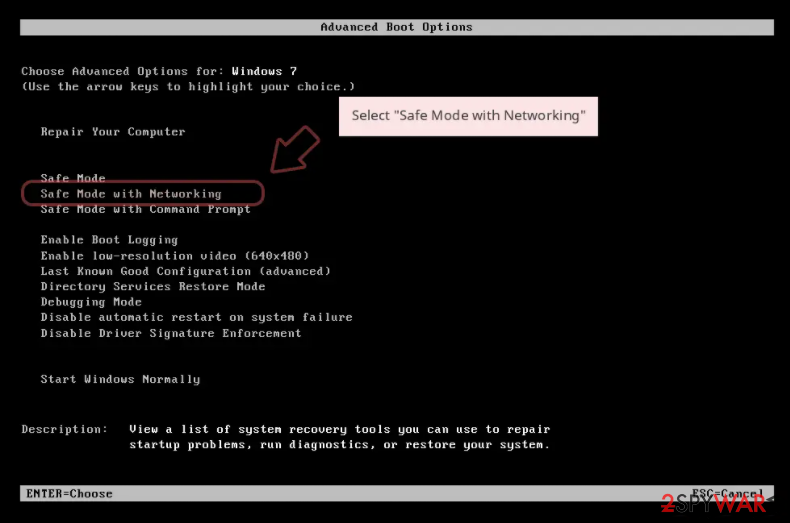
- When your computer becomes active, start pressing F8 button (if that does not work, try F2, F12, Del, etc. – it all depends on your motherboard model) multiple times until you see the Advanced Boot Options window.
- Select Safe Mode with Networking from the list.

Windows 10 / Windows 8
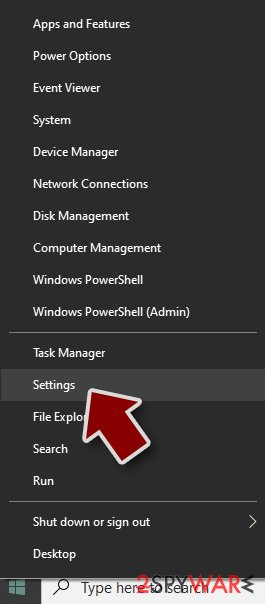
- Right-click on Start button and select Settings.
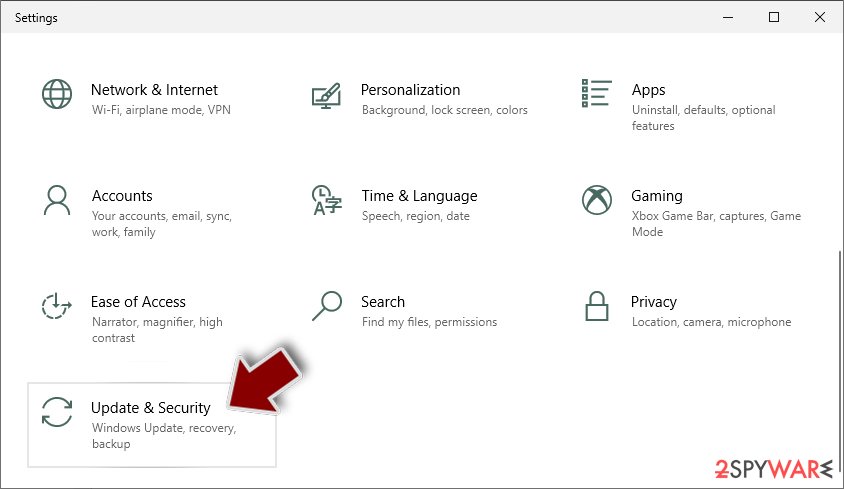
- Scroll down to pick Update & Security.
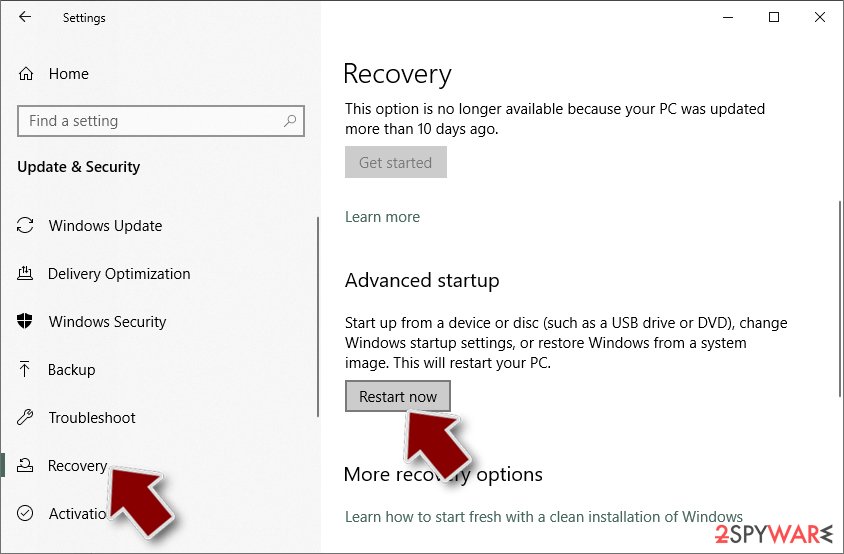
- On the left side of the window, pick Recovery.
- Now scroll down to find Advanced Startup section.
- Click Restart now.
- Select Troubleshoot.
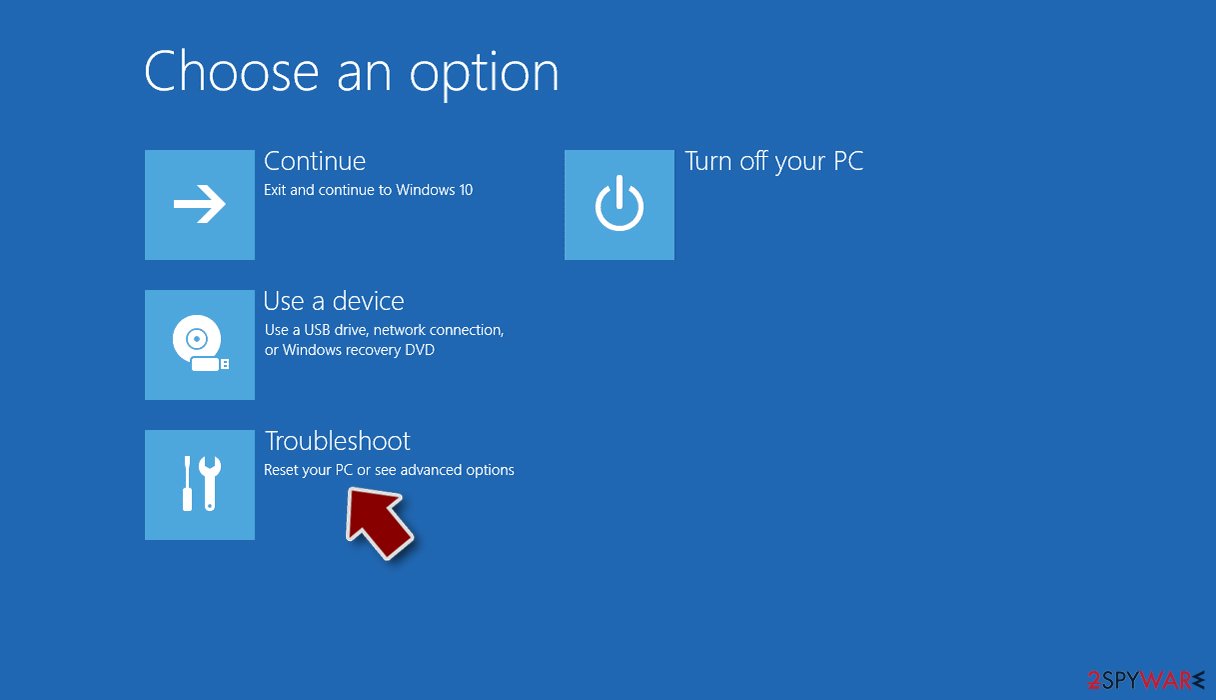
- Go to Advanced options.
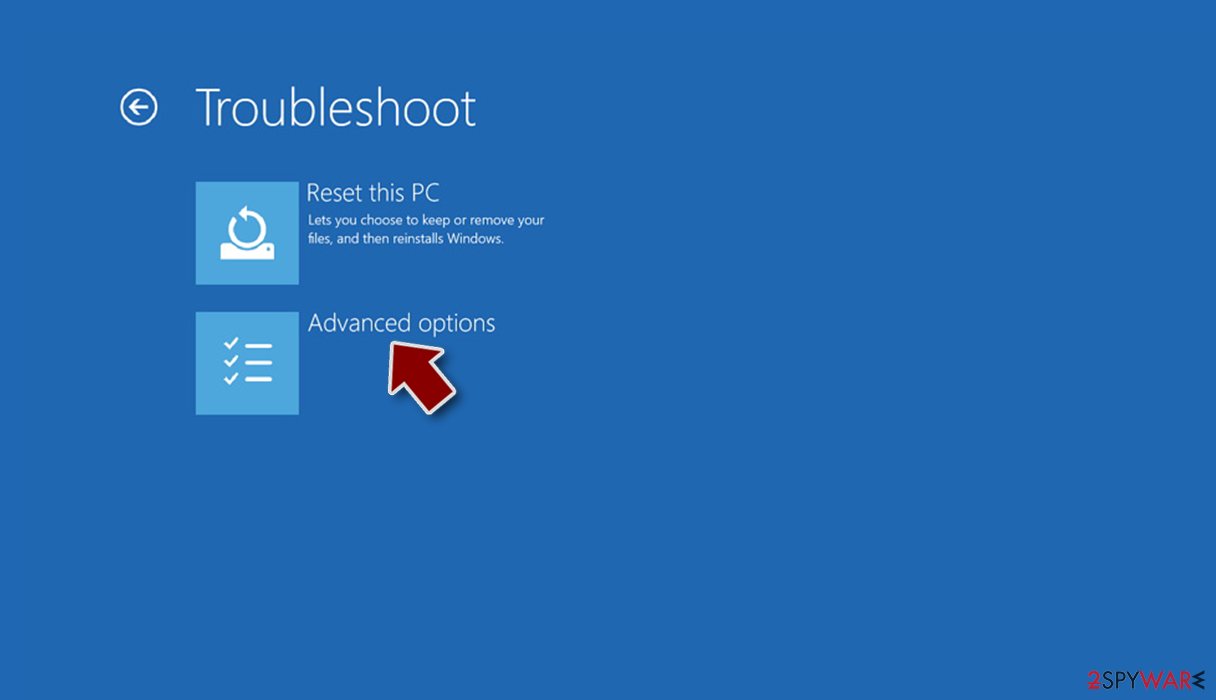
- Select Startup Settings.
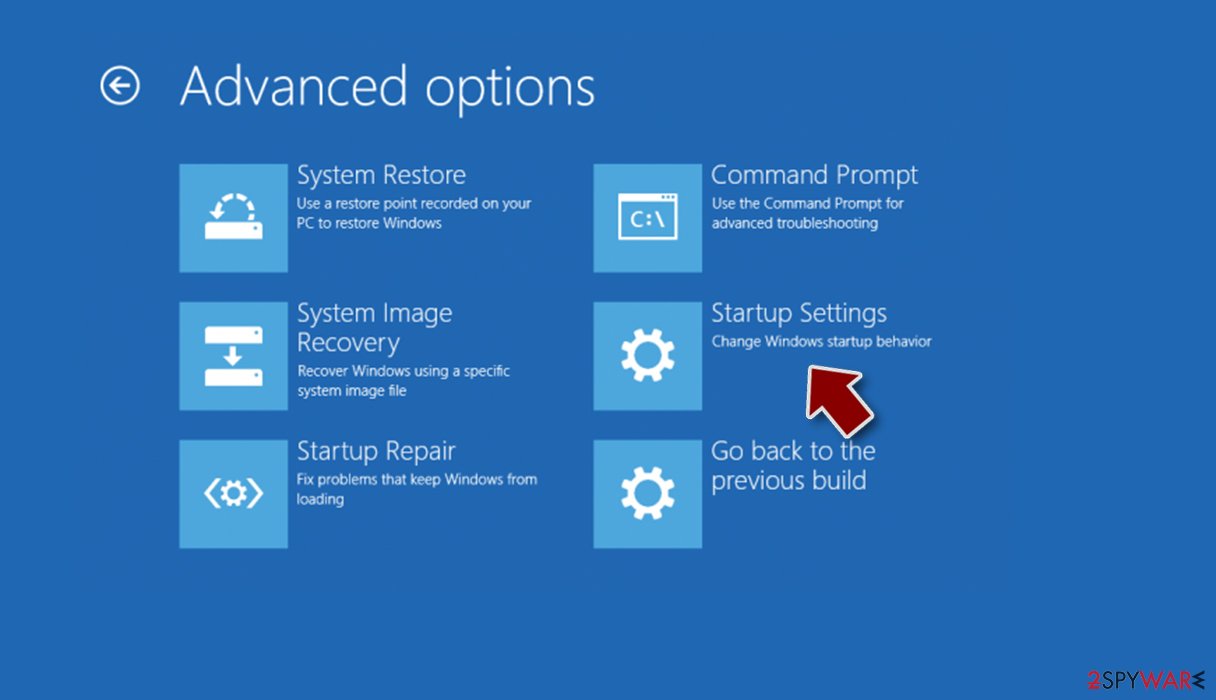
- Press Restart.
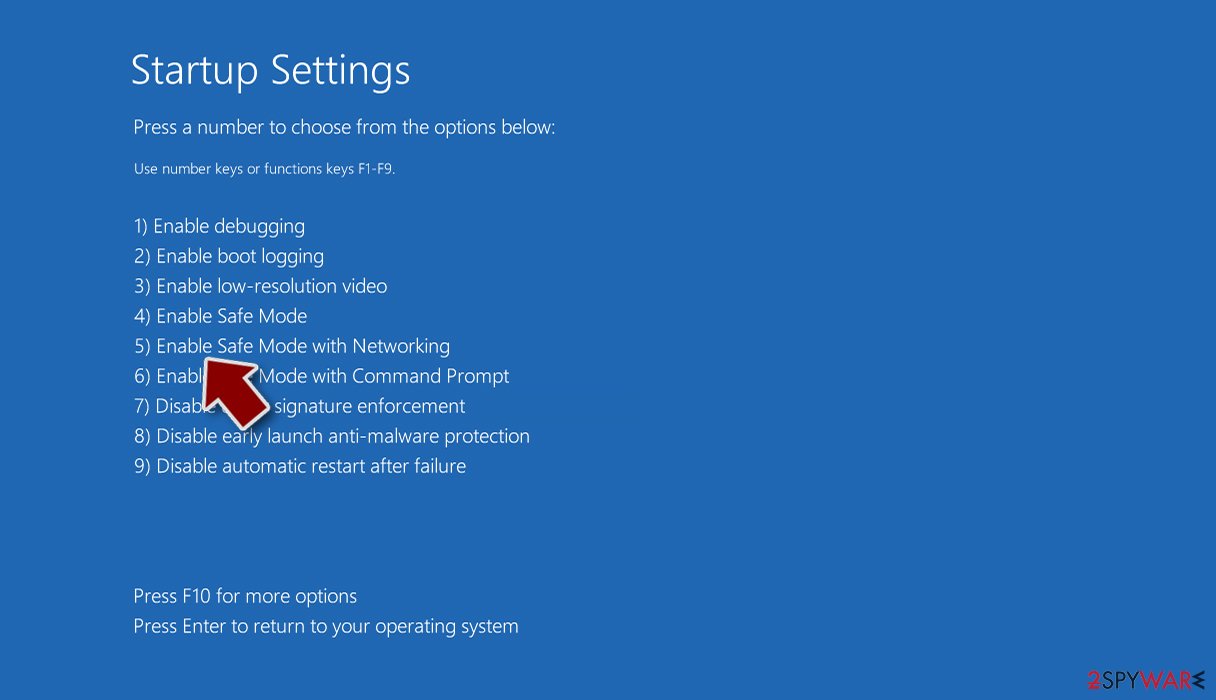
- Now press 5 or click 5) Enable Safe Mode with Networking.


Step 2. Shut down suspicious processes
Windows Task Manager is a useful tool that shows all the processes running in the background. If malware is running a process, you need to shut it down:
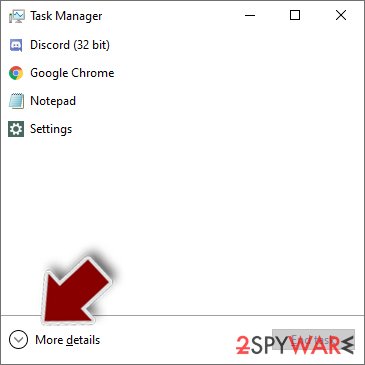
- Press Ctrl + Shift + Esc on your keyboard to open Windows Task Manager.
- Click on More details.
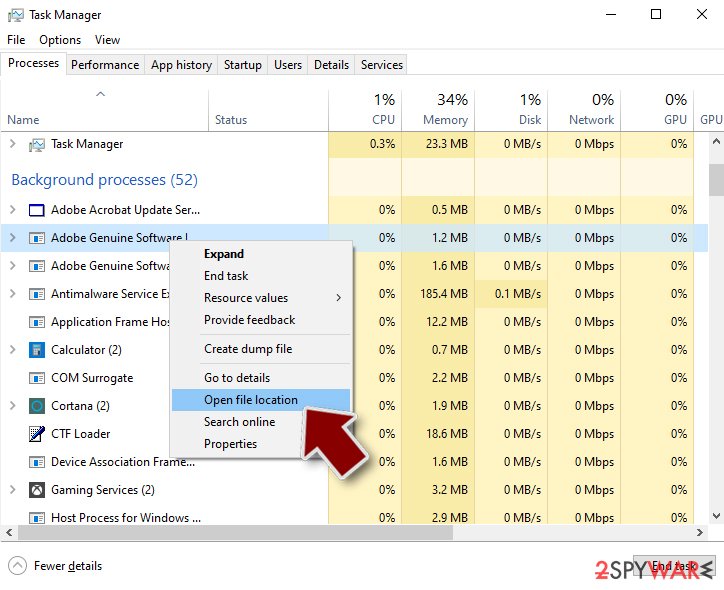
- Scroll down to Background processes section, and look for anything suspicious.
- Right-click and select Open file location.
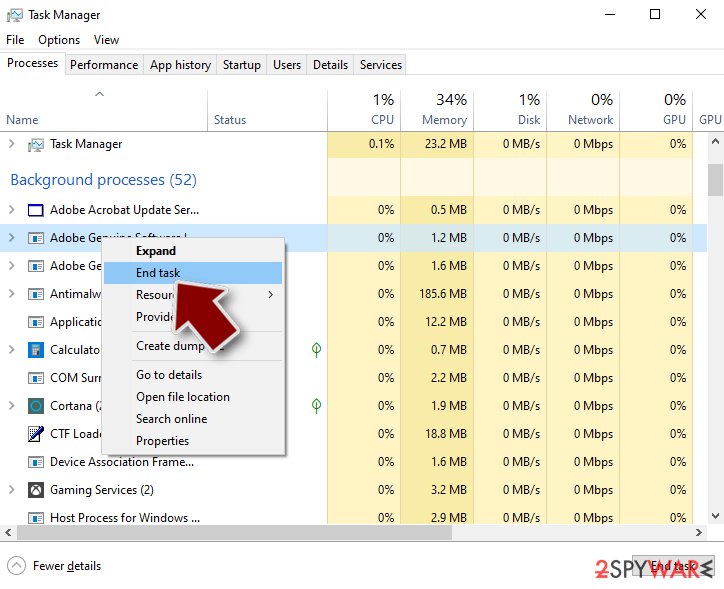
- Go back to the process, right-click and pick End Task.
- Delete the contents of the malicious folder.


Step 3. Check program Startup
- Press Ctrl + Shift + Esc on your keyboard to open Windows Task Manager.
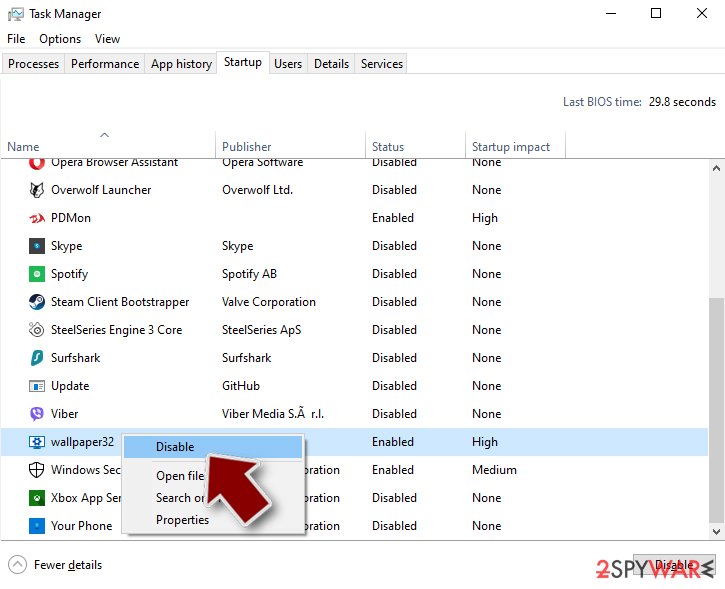
- Go to Startup tab.
- Right-click on the suspicious program and pick Disable.

Step 4. Delete virus files
Malware-related files can be found in various places within your computer. Here are instructions that could help you find them:
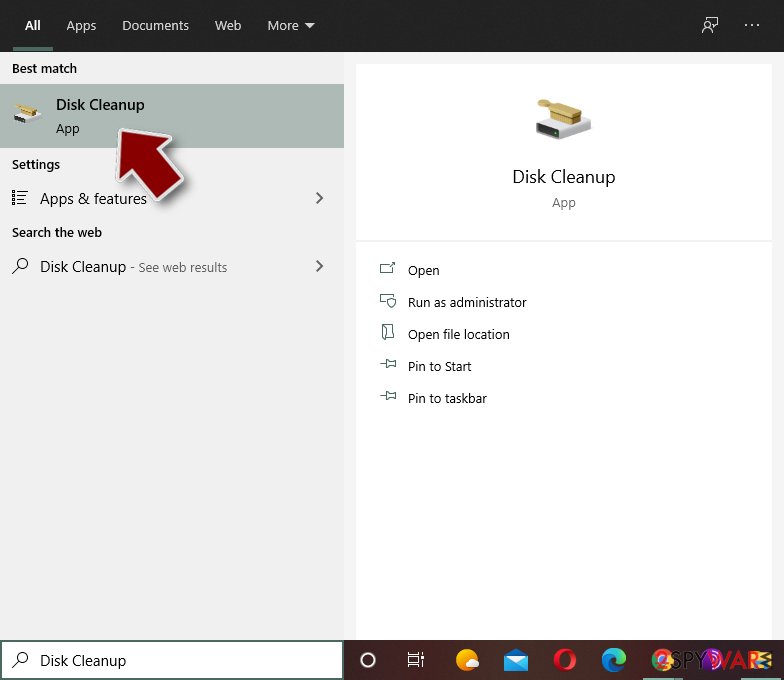
- Type in Disk Cleanup in Windows search and press Enter.
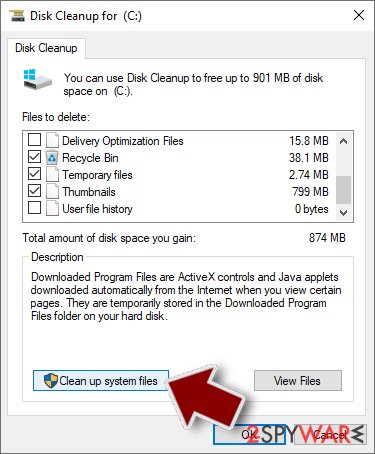
- Select the drive you want to clean (C: is your main drive by default and is likely to be the one that has malicious files in).
- Scroll through the Files to delete list and select the following:
Temporary Internet Files
Downloads
Recycle Bin
Temporary files - Pick Clean up system files.
- You can also look for other malicious files hidden in the following folders (type these entries in Windows Search and press Enter):
%AppData%
%LocalAppData%
%ProgramData%
%WinDir%


After you are finished, reboot the PC in normal mode.
Finally, you should always think about the protection of crypto-ransomwares. In order to protect your computer from SpywareQuake and other ransomwares, use a reputable anti-spyware, such as FortectIntego, SpyHunter 5Combo Cleaner or Malwarebytes
How to prevent from getting rogue antispyware
Do not let government spy on you
The government has many issues in regards to tracking users' data and spying on citizens, so you should take this into consideration and learn more about shady information gathering practices. Avoid any unwanted government tracking or spying by going totally anonymous on the internet.
You can choose a different location when you go online and access any material you want without particular content restrictions. You can easily enjoy internet connection without any risks of being hacked by using Private Internet Access VPN.
Control the information that can be accessed by government any other unwanted party and surf online without being spied on. Even if you are not involved in illegal activities or trust your selection of services, platforms, be suspicious for your own security and take precautionary measures by using the VPN service.
Backup files for the later use, in case of the malware attack
Computer users can suffer from data losses due to cyber infections or their own faulty doings. Ransomware can encrypt and hold files hostage, while unforeseen power cuts might cause a loss of important documents. If you have proper up-to-date backups, you can easily recover after such an incident and get back to work. It is also equally important to update backups on a regular basis so that the newest information remains intact – you can set this process to be performed automatically.
When you have the previous version of every important document or project you can avoid frustration and breakdowns. It comes in handy when malware strikes out of nowhere. Use Data Recovery Pro for the data restoration process.

If this free guide helped you and you are satisfied with our service, please consider making a donation to keep this service alive. Even a smallest amount will be appreciated.