

The dangers of PopCornTime ransomware:
PopCornTime virus is a crypto-ransomware infection that originates from HiddenTear source code and imitates an online movie streaming service to infect computers. Please beware that the original PopCorn Time website has nothing to do with this virus. After finding out that their domain name was exploited for hacking purposes, the administrators of this domain issued a public warning [1]. Interestingly, the software which shares popularity among countless of netizens worldwide also sparks the extortionists’ imagination. It is not the first time since the domains have been compromised. There were multiple cases when the domain was suspected of spreading malware. Using popular brand names is not an uncommon phenomenon among the ransomware hackers. Recently, Locky ransomware has been discussing under Amazon name to infiltrate netizens‘ devices [2]. DailyMotion has also suffered a hijack assault [3]. In relation to this, the ransomware hides under PopCorn Time name, but it marks files with a distinguishable .filok and .kok file extension. It is interesting that before starting the encryption, the virus looks for specific files called been_here and server_step_one. The presence of these files on the computer indicate that is is already infected and no further actions need to be taken. In all other cases, the virus may initiate the lockscreen and begin the encryption. Even if this cyber misfortune has befallen you, there is no need to panic, install FortectIntego to remove PopCornTime.
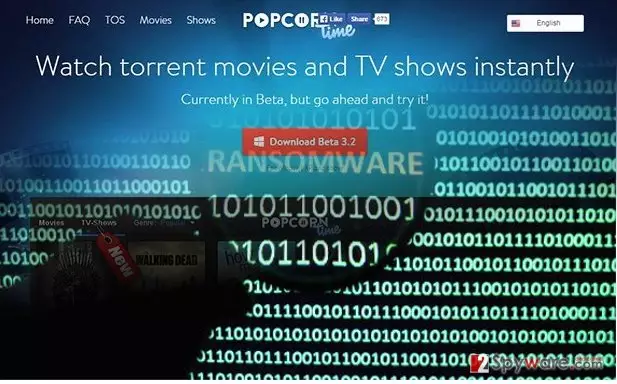
Vindicating the name of the software is becoming a more difficult task for its authors. Hackers still come up with new malware versions which in one way or another exploit Popcorn Time name. It is not surprising since watching movies without charge is one the most popular activities in the cyber space. Luckily, a famous virus researcher Michael Gillespie had found this roaming malware before it wreaked more havoc on the Internet. PopCornTime ransomware exploits SHA-256 hash encryption technique to encode the files. Depending on the technical capacities of your operating system, the malware may take a couple of minutes up to half an hour to encode your files. The very process is disguised with a fake software download screen, so the victims usually do not suspect the encryption is even taking place. Later on, the cyber infection opens up the .txt and .html files named restore_your_files.html and restore_your_files.txt. to inform you about the conditions to retrieve the data. However, paying ransom does not boost up your chances of recovering the files [4].

Update: PopCornTime ransomware introduces new and very nasty data decryption option
As evil as they are, PopCornTime virus developers have not used up all of their malicious potential just yet. The hackers are currently implementing a new ransomware distribution scheme which involves exploiting its victims for spreading the malware voluntarily. Well, not entirely so. The users are offered ransomware distribution as an alternative way of receiving the decryption key. So, instead of paying for it, they have to infect two more computers with this virus. This can be utilized by spreading its referral link included in the ransom note. The link leads to a TOR server which contains a file with PopCornTime payload. The users who download the file are immediately infected and the cycle perpetuates. Thus, the virus dispersion is expected to grow more rapidly in the upcoming weeks. Besides, the hackers now also threaten to start deleting the encrypted files if the victim fails to submit the correct decryption key 4 times in a row. This new intimidation technique that the hackers have implemented in the program’s source code might add to the virus growth as well.

Ransomware dispersion techniques:
The distribution methods of PopCornTime malware are not limited to spam emails. The latter channel has facilitated the hijack of countless ominous ransomware threats such as Cerber virus [5]. In the case of PopCornTime hijack, the very malware is delivered to victims‘ computers via Trojan-Dropper.Win32.Dapato.opig, and Win32/Trojan.Dropper.bed trojans. Nonetheless, not all security tools are able to detect it so far. Updating your anti-virus utilities should be your current priority. Therefore, restrain from using PopCorn Time domain for a while until virus researchers determine where the virus comes from. Lastly, if you spot that Popcorn Time.exe is trying to invade the system, terminate the process say exiting any installation windows and check the task list in the Task Manager. Let us proceed to PopCornTime removal.
Can I remove PopCornTime virus by myself?
The first thing you should do is either to install an anti-spyware application, such as FortectIntego or MalwarebytesMalwarebytes, or update the current. Afterward, initiate the scanning progress. Usually, PopCornTime removal only takes a couple of minutes. Keep in kind that security tools do not decrypt the files so you will need to use extra utilities to recover your encrypted personal data. Only when the elimination process is finished, you can proceed to the data recovery methods. If you struggle to remove PopCornTime virus because of off system errors, enter the Safe Mode with Networking and follow the below-displayed guidelines.
Was this guide helpful?
3 comments