

Authors of Purge ransomware are not willing to give up: new variants continue to emerge
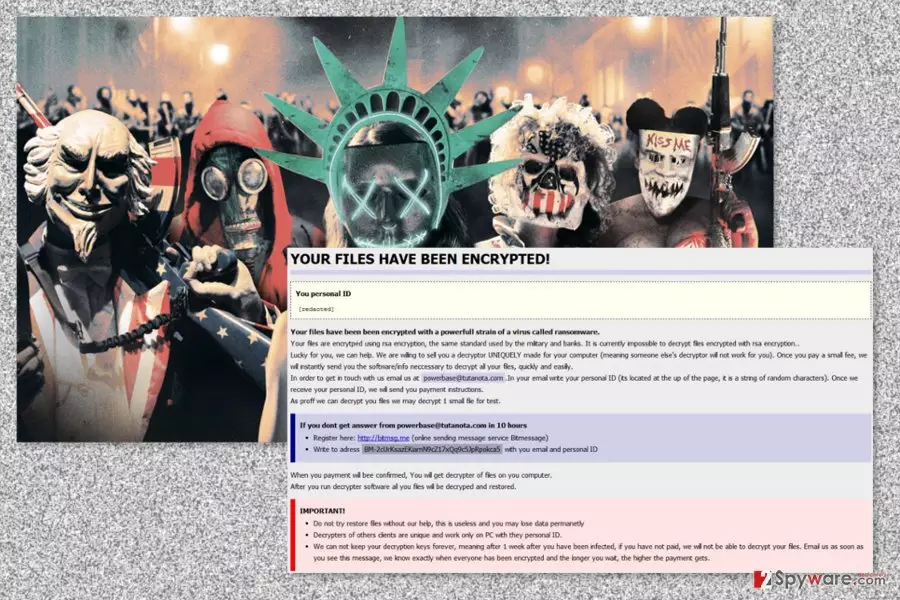
Purge is a file-encrypting virus that is a variant of Globe ransomware.[1] The ransomware appends .purge file extension to each of the targeted files and encrypts them with RSA cipher. Following data encryption, it downloads a “How to restore files.hta” where victims can learn about data recovery possibilities.
Once the virus infiltrates the computer, it installs malicious files to various Windows folders, such as:
- %System32%;
- %SystemDrive%;
- %Roaming%;
- %Temp%;
- %AppData%;
- %User’s Profile%.
What is more, Purge might also affect various Windows processes, for instance, svchost.exe. Moreover, it might modify Windows Registry and alter or create new keys. These activities allow booting the virus with system startup. Once these tasks are completed, malware starts the most important task – data encryption.
The Purge virus targets mainly the so-called working files, i.e.: Office documents, video, audio files, pictures, etc. Since the virus locks the most valuable data, there is no wonder that most of the users would do practically anything to get it back. And the cyber criminals are ready to take advantage out of it.
Cyber criminals demand to pay $500 to $1500 ransom within 7 days time in order to get a private decryption key and unlock their files. Victims are also asked to send their unique ID number to the provided email address. Malware together with its variants use numerous different emails to communicate with victims:
- bahij2@india.com;
- okean-1955@india.com;
- server2@mailfence.com;
- duhust@india.com;
- support-locking@india.com;
- mkscorpion@india.com;
- siri-down@india.com;
- mia.kokers@aol.com;
- viewclear@yandex.com;
- xitreu@india.com;
- usdubzub@aol.com;
- kuprin@india.com;
- support-ransomware@india.com;
- deyscriptors24@india.com;
- powerbase@tutanota.com,
- etc.
What is more, crooks offer to decrypt one small file to give a guarantee that they actually have working decryption software. However, you should still not trust authors of the ransomware. You should remove Purge from the PC and use one of the free decryption solutions. On October and December 2016, and January 2017, malware researchers created decryption tools that can restore files encrypted by this cyber parasite.

Cyber criminals continue updating Purge ransomware
The virus has been first discovered in summer 2016. However, a year after it hit the surface, malware has been updated one more time. Currently, variants of Purge append almost 200 unique file extensions, including:
- .globe;
- .raid10;
- .openforyou@india.com;
- .[no.torp3da@protonmail.ch].wallet;
- .helptoyou1@india.com;
- .sorry;
- .decrypt2017;
- .decrypr_helper@india.com
- etc.
Nevertheless, security experts continue decoding malware; authors are not going to give up. On July 2017, a new variant of ransomware has emerged. Security researcher Karsten Hahn[2] has recently discovered a new variant of Purge that appends the same .purge extension.
Cyber criminals promise not to delete files, but they are not willing to give them back until a victim pays $250. However, this variant of malware is buggy, and researchers haven’t taken long to find out the way to help victims to restore their files for free.
In order to unlock the files encrypted by the recent variant of malware, you just need to enter “TotallyNotStupid” code and hit “I paid now give me my files back” button. All the encrypted files will be restored automatically. However, you should not forget that you need to perform Purge removal too. At the end of the article, you will find the detailed explanation how to get rid of this malicious program safely.
Malware infiltration strategies and tips to avoid it
The malicious software creators spread ransomware in a variety of different ways. They may be employing Trojans, exploit kits, spread the virus via fake software updates, attach it to software packages and spam emails.
A way to protect yourself from accidentally getting infected is by keeping your software and operating system updated, as well as using trusted and professional antivirus to provided that initial layer of protection.
When it comes to emails,[3] keep away from the spam catalog and ignore the letters received from unknown senders. Most importantly, DO NOT download attachments such messages may carry and delete them from your inbox without hesitation. Usually, malicious emails send fake PayPal receipts, invoices, and similar documents. Thus, it’s easy to get tricked and click on a harmful MS Office or PDF file.
Research revealed that Purge is the biggest threat for computer users in America. However, some variants of malware have been spotted spreading in Germany,[4] France, and other European countries. Thus, computer users should take precautions[5] to avoid this cyber parasite.
Purge virus elimination and data recovery possibilities
As you already know, Purge removal and data recovery are possible. However, firstly you need to focus on virus elimination and get rid of this malicious program. In order to do that you need to employ a professional security tool.
We suggest cleaning your PC either with FortectIntego or SpyHunterCombo Cleaner. These malware removal programs can locate and safely delete all virus-related components without damaging the system. Be aware that malware might block installation of security tools or prevent from scanning the system. In this case, you should follow our prepared instructions below. They will explain how to deal with obstacles.
Once your device is virus-free, you can try decryption tools and other third-party applications that might help to recover your files. You can find download links below. If you have backups, you can use them as well.
Was this guide helpful?
4 comments