

Windows Antivirus 2008 – a fake security tool showing false-positive scan results
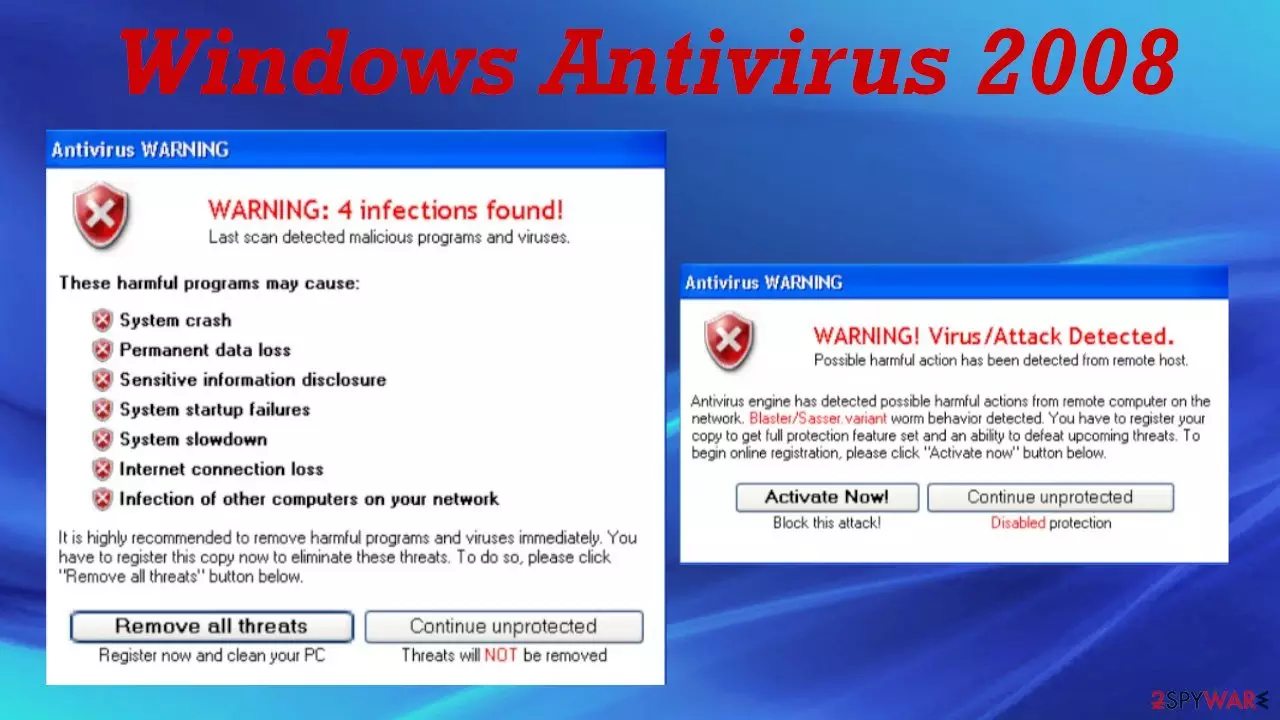
Windows Antivirus 2008 is a corrupt security tool that is promoted as useful anti-spyware software. It manipulates the name of the Microsoft Windows operating system in order to make an image of a legitimate application. This rogue anti-malware tool is not related to Microsoft Corporation in any way.
Windows Antivirus 2008 is a typical rogue security tool. It tries to convince you into purchasing its paid version by showing false-positive scan results and reports of imaginary attacks. Please don't trust any of its messages as there's nothing wrong with your PC apart from this software being on it.
| name | Windows Antivirus 2008 |
|---|---|
| Type | Rogue system tool, fake anti-spyware software, malware |
| Distribution | Trojans, deceptive ads, fake updates |
| Risks | Financial losses, installation of other malicious software, privacy issues |
| Removal | Use our guides below to remove this worthless but dangerous software and perform a full system scan with proper AV tools afterward |
| System repair | Fix modified Windows files and restore Registry values by running system diagnostics with the all-in-one FortectIntego system optimizer |
Please note that if you installed WindowsAntivirus2008 virus, your computer might be at risk as that is a fake AV tool. It will display misleading pop-ups trying to push its paid version on you, which does nothing at all.
These aggressive tactics are used to trick gullible people into believing that there's a severe virus infection on their devices and that they need to buy a certain software to eliminate it. Please note that all scans, pop-ups, and other messages are fake.
Rogue system tools can be distributed in many ways. This particular fake anti-malware tool was spread through these web pages:
- URLsofDNSErrors.com/security/ie6/
- Startedwebsite.com/security/xp/
- Startpagepreview.com/security/xp/
During our research, a message appeared when visiting URLsofDNSErrors.com/security/ie6/ address that stated:
The page you are looking for is probably blocked by adware/spyware on your PC. Remove it with Windows Antivirus 2008 software. Click here.
If you see any similar messages, please be advised that they are fake as no website is able to determine whether your device is infected with any kind of malware or potentially unwanted programs (PUPs).
If you were tricked into installing Windows Antivirus 2008 fake anti-spyware tool, you have to remove it. You can do that manually, as explained at the bottom of the article. Still, please scan your device with trustworthy AV tools such as SpyHunterCombo Cleaner or MalwarebytesMalwarebytes to ensure that no severe malware found its way onto your device while it was protected by the fake security tool. Afterward, consider using the time-proven FortectIntego system tune-up tool to fix any altered Windows system files.
Avoid torrent and other high-risk websites to keep your device virus-free
Torrent platforms might be a great way to share files, but cybercriminals are exploiting this service for their own goals. They upload all kinds of malware, from Trojans to ransomware, onto these sites, camouflaged as game cracks, pirated software, cheat codes, etc.
Once a torrent with a virus payload file is downloaded and executed, the infection starts instantly. Please refrain from using such file-sharing platforms. Support your beloved software developers by purchasing their products directly from them or their official distributors.
Use our guides to remove Windows Antivirus 2008 virus within minutes
Windows Antivirus 2008 is a fake anti-malware software that will push its paid version to remove imaginary infections from your computer. It will also show messages of fake cyberattacks, trying to convince you that it's a worthy addition to your PC.
It's not, and you should remove it immediately. Do that either with proper anti-malware software or by using our guides below. But a full system scan is still recommended to check if no malware snook through while your system was unprotected. Afterward, use system repair tools to restore any changes Windows Antivirus 2008 infection has made to the Registry and other core system settings.
Uninstall from Windows
Uninstall from Windows 10/8:
- Type Control Panel into the Windows search box and open the result.
- Under Programs, select Uninstall a program.


Uninstall from Windows 7/XP:
- Click on Windows Start > Control Panel (Windows XP users should click on Add/Remove Programs).
- In Control Panel, select Programs > Uninstall a program.


Remove the unwanted program:
- In the Programs and Features window, look for any recently installed suspicious entries, select them, and click Uninstall.
- If User Account Control appears, click Yes to confirm, then complete the removal.


Did this guide help?
Be the first to comment