

ClearSearch – a potentially unwanted program with ill intentions

ClearSearch is a mix between adware and a browser hijacker because it displays unexpected commercial advertisements, such as pop-ups, banners, etc., and gathers non-personal data while you're browsing the internet. It does that by changing Internet Explorer default web search settings and the address bar behavior.
This potentially unwanted program can be installed manually, but more frequently, it gets into the system along with some ad-supported software, freeware, and bundles. The parasite is able to update itself via the Internet. It silently runs on every Windows startup.
| name | ClearSearch |
|---|---|
| Type | PUP, adware, browser hijacker |
| Risks | Exposure to malicious websites, additional PUP installation, privacy issues |
| Distribution | Fake Flash Player updates, file-sharing platforms, deceptive ads, software bundles, etc. |
| Removal | Scan your infected device with the FortectIntego software to remove this computer infection once and for all |
ClearSearch records addresses of user visited websites, device/browser info, used programs, IP addresses, and other information, which advertisers primarily use to customize ads specifically for you. The main goal of this PUP is to generate income by redirecting users to its affiliated sites.
It can do that by showing you alluring, misleading ads and causing sudden redirects where a new tab is opened with sponsored content without your consent. This browser hijacker should never be used. You must remove it immediately before more harm comes your way.
Do that by performing a full threat scan with a trustworthy security tool. Nowadays, default operating system AV tools may not be enough to ensure complete user safety. Use a professional tool that will safeguard your every step on the world wide web.
Reset Internet Explorer
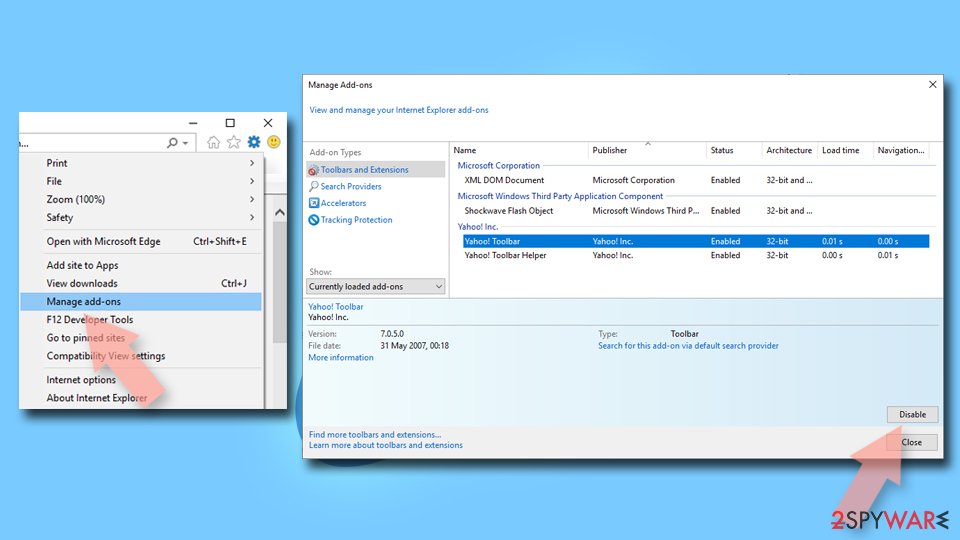
Remove dangerous add-ons:
- Open Internet Explorer, click on the Gear icon (IE menu) on the top-right corner of the browser
- Pick Manage Add-ons.
- You will see a Manage Add-ons window. Here, look for suspicious plugins. Click on these entries and select Disable.

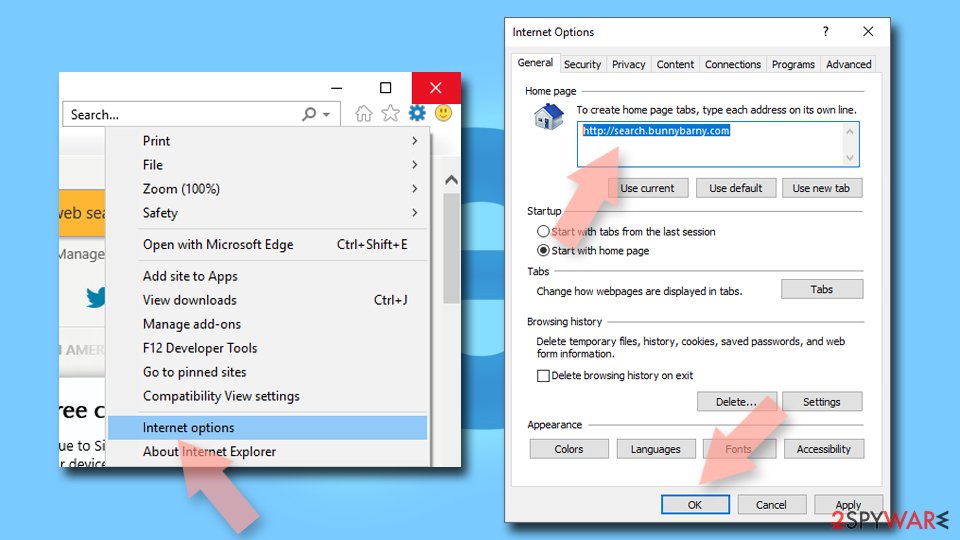
Change your homepage if it was altered:
- Open IE and click on the Gear icon.
- Select Internet Options.
- In the General tab, delete the Home page address and replace it by your preferred one (for example, Google.com).
- Click Apply and then select OK.

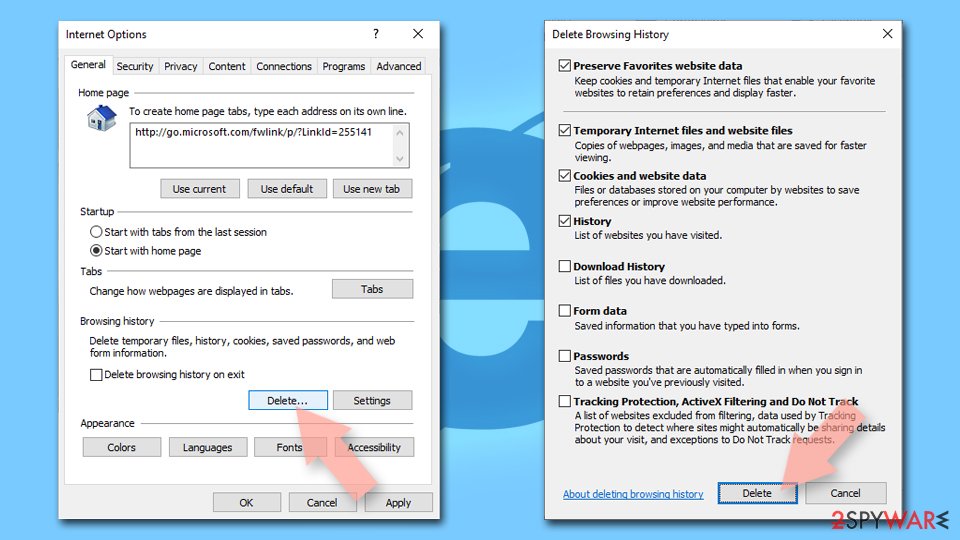
Delete temporary files:
- Press on the Gear icon and select Internet Options.
- Under Browsing history, click Delete...
- Select relevant fields and press Delete.

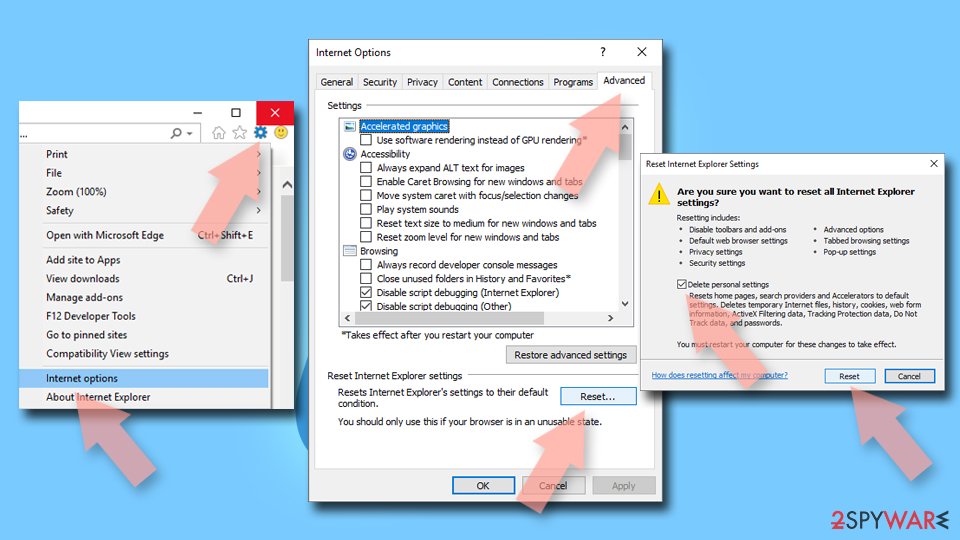
Reset Internet Explorer:
- Click on Gear icon > Internet options and select Advanced tab.
- Select Reset.
- In the new window, check Delete personal settings and select Reset.

Was this guide helpful?
Be the first to comment