

Win 7 Defender Pro – a fake security program showing predetermined virus scan results
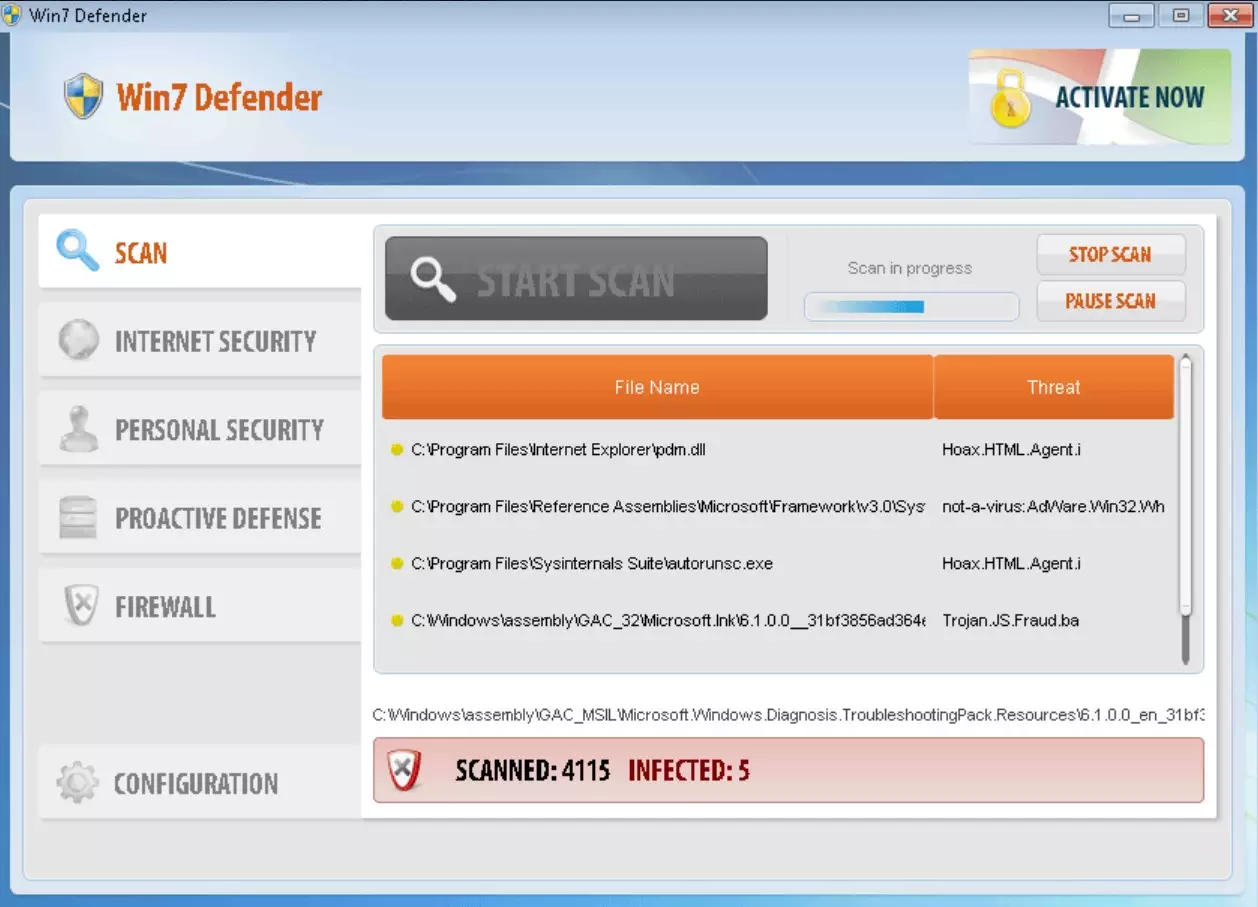
Win 7 Defender Pro is a rogue anti-spyware program distributed and installed through Trojans and other malicious, deceptive methods. Usually, it comes from fake online scanners and malicious online video sites. It may also come bundled with other malware, and it might be promoted on popular social networks using misleading social engineering methods.
Once installed, Win 7 Defender Pro will run a fake system scan and display a list of infections that can't be removed from your computer unless you first purchase the program. However, you shouldn't buy it because the scan results are predetermined and fake. The only real infection is the software itself. That's why you should remove this rogue program.
| name | Win 7 Defender Pro |
|---|---|
| Type | Rogue antispyware, fake cybersecurity software |
| Main goal | Convince users that their computers have numerous viruses and that only a licensed version of the software is capable of removing them |
| Risks | Money loss, privacy issues, infections with hazardous malware |
| Distribution | Online virus scanners, deceptive ads, software bundles, etc. |
| Elimination | This threat should be safely removed with the help of legitimate anti-malware software |
| System repair | Undo the damage that this fake security program has caused to your system files by running system diagnostics with the time-proven FortectIntego PC tune-up software |
When running, Win 7 Defender Pro will constantly display fake security alerts and pop-ups claiming that your computer is badly infected or that it's under attack from a remote computer. Just like the false scan results, the fake security notifications should be ignored.
Furthermore, this fake program will disable certain Windows system tools and bock legit and well-known antivirus and anti-spyware programs to protect itself from being detected and removed. What is more, Win 7 Defender Pro will block security-related websites, including 2-spyware.com.
This fake program is a scam, and no one should use it. If you find that your computer is infected with this scareware, then you should remove it at once. The best way to do it is to scan your device with a legitimate security engine.
Launch your computer in Safe Mode with Networking (if needed, instructions are displayed below) and download MalwarebytesMalwarebytes or SpyHunterCombo Cleaner. All threats, including the article's culprit, should be removed by performing a full system scan. Afterward, tune up your system with compatible PC optimizers so you could enjoy your device anew.
Did this guide help?
Be the first to comment