

Zoqw ransomware is a dangerous virus that locks you out of access to your pictures and other files
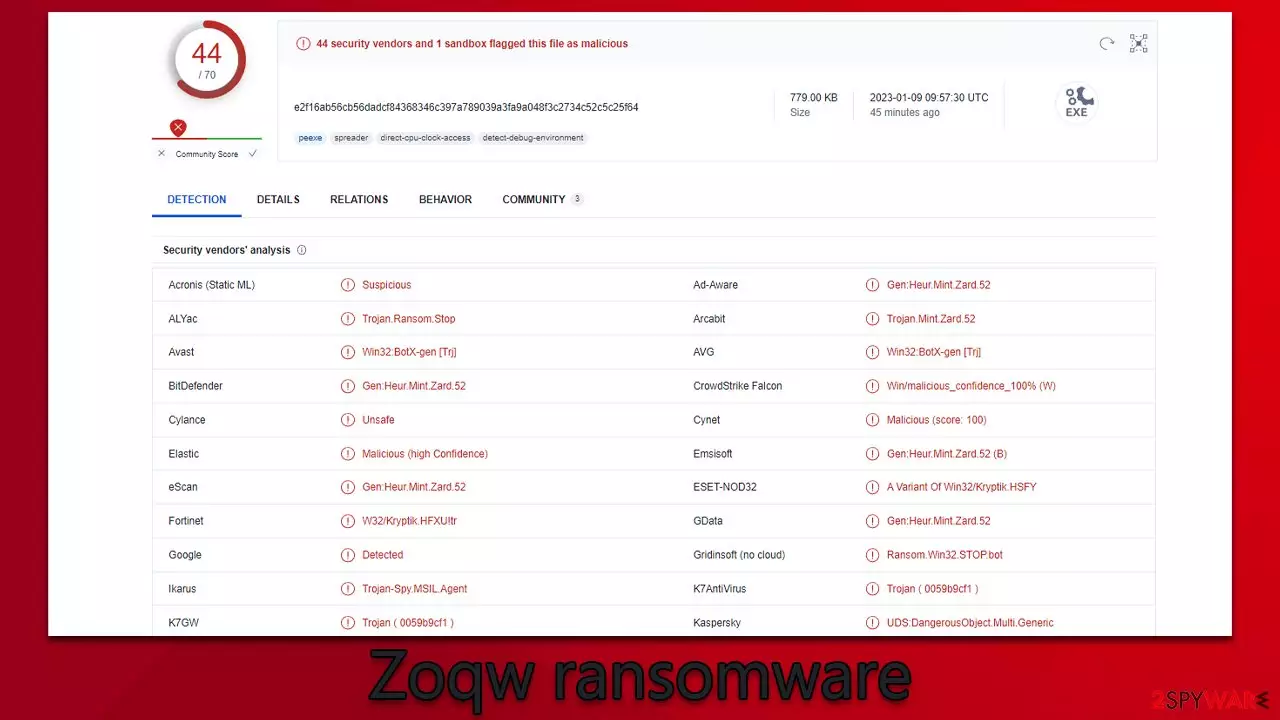
Zoqw is a malicious computer virus known for its capacity to inaccessibly encrypt all personal files, including photos, documents, videos, databases, and more. RSA – an advanced encryption algorithm – renders the files useless until decrypted with a special key that lies on cybercriminals' servers.
During this time, all personal files are appended with the .zoqw extension, and regular file icons disappear. When trying to open them, users receive a Windows error, which claims that the file can not be opened and is not recognized. Cybercriminals behind the attack are quick to abuse this situation, as they explain in the _readme.txt ransom note that victims have to pay $490/$980 in bitcoin if they want to retrieve access to their data. They also provide support@freshmail.top and datarestorehelp@airmail.cc emails for communication.
Zoqw belongs to a broad family of Djvu malware, which is extremely prominent – it has had over 600 variants since its release. Among them – Bpto, Bpsm, Znsm, and many others that we have already discussed. In this case, we will explain how to deal with this dangerous infection and how to attempt to restore encrypted files without paying cybercriminals.
| Name | Zoqw virus |
|---|---|
| Type | Ransomware, file-locking malware |
| File extension | .zoqw appended to all personal files, rendering them useless |
| Family | Djvu |
| Ransom note | _readme.txt |
| Ransom size | $480/$980 |
| Contact | support@fishmail.top and datarestorehelp@airmail.cc |
| File Recovery | There is no guaranteed way to recover locked files without backups. Other options include paying cybercriminals (not recommended, might also lose the paid money), using Emisoft's decryptor (works for a limited number of victims), or using third-party recovery software |
| Malware removal | After disconnecting the computer from the network and the internet, do a complete system scan using the SpyHunterCombo Cleaner security program |
| System fix | As soon as it is installed, malware has the potential to severely harm some system files, causing instability problems, including crashes and errors. Any such damage can be automatically repaired by using FortectIntego PC repair |
The message from the attackers
A ransom note is a message that is displayed by a ransomware attack to the victim. It typically contains instructions on how the victim can pay a ransom to the attackers in exchange for the decrypting of their data, which has been encrypted by the ransomware.
It also contains a deadline by which the ransom must be paid, as well as threats of further harm or destruction if the ransom is not paid. Djvu versions do not employ this tactic and instead rely on a professional demeanor. The ransom note is usually displayed on the victim's computer or device in the form of a text file, an image, or a webpage.
In this case, the message is delivered as soon as the Zoqw virus finished the file encryption. It reads as follows:
ATTENTION!
Don't worry, you can return all your files!
All your files like pictures, databases, documents and other important are encrypted with strongest encryption and unique key.
The only method of recovering files is to purchase decrypt tool and unique key for you.
This software will decrypt all your encrypted files.
What guarantees you have?
You can send one of your encrypted file from your PC and we decrypt it for free.
But we can decrypt only 1 file for free. File must not contain valuable information.
You can get and look video overview decrypt tool:
https://we.tl/t-N3pXlaPXFm
Price of private key and decrypt software is $980.
Discount 50% available if you contact us first 72 hours, that's price for you is $490.
Please note that you'll never restore your data without payment.
Check your e-mail “Spam” or “Junk” folder if you don't get answer more than 6 hours.To get this software you need write on our e-mail:
support@freshmail.topReserve e-mail address to contact us:
datarestorehelp@airmail.ccYour personal ID:
There are several reasons why you may not want to pay the ransom after a ransomware attack:
- There is no guarantee that you will get your data back. The attackers may not hold up their end of the bargain and may not provide you with the decryption key or software even if you pay the ransom.
- Paying the ransom may encourage the attackers to continue their attacks. By paying the ransom, you are essentially rewarding the attackers for their criminal behavior and may encourage them to continue targeting other individuals and organizations.
- Paying the ransom may be illegal. In some countries, it is illegal to pay a ransom to criminals, and doing so may result in criminal charges being brought against you.
- Paying the ransom may be financially impractical. The ransom demands may be very high, and paying them could put a significant financial burden on you or your organization.
- Paying the ransom may not be the only option. There may be other ways to recover your data, such as from backups or by using data recovery software. It is important to explore all of your options before deciding whether or not to pay the ransom.

Tips to protect yourself from ransomware intrusions
Users can become infected with Zoqw ransomware when they download malicious software, unknowingly click on malicious links, or open malicious attachments. Such malicious software is typically spread through phishing emails and websites, as well as through social media messages and posts. Additionally, downloading pirated programs or using illegal software can also be a source of infection.
The best way to protect yourself from Djvu ransomware is to ensure that your computer is running the most recent security updates for all applications, use reliable anti-malware and antivirus software, and avoid clicking on links or downloading files from suspicious websites. Additionally, it is important to create regular backups of important files so that if you ever become infected with this type of ransomware, you can restore your data without having to pay the ransom demanded by the attackers.
It is also vital to remain vigilant when it comes to cybersecurity, as ransomware infections are on the rise, and cybercriminals are constantly looking for new ways to infect users’ computers with malicious software. By following these guidelines, you can stay safe from Djvu ransomware and other threats.
How to deal with Zoqw ransomware and restore files
It is very important to ensure that the correct steps are taken after spotting a ransomware attack, as rash decisions might be costly. For example, if you instantly decide to pay criminals, you are guaranteed to lose hundreds of dollars, and you can't even be sure that the decryptor would be delivered by the attackers.
- The first thing you should do is disconnect your computer from the internet to prevent the ransomware from spreading or communicating with its Command and Control servers, which can be used by criminals to issue commands to malware.
- The next step is to run an anti-malware scan with SpyHunterCombo Cleaner or MalwarebytesMalwarebytes to detect and remove Zoqw ransomware. Make sure that you are using the latest version of your antivirus software and that the virus definitions are up to date.
- Restore your computer from a recent backup. If you have a backup of your data that was made before the ransomware attack, you may be able to restore your files from the backup. This is often the quickest and most effective way to recover your data.
- If no backups are available, you could use Emsisoft's decryptor or search for alternative tools that may or may not be created in the future. Alternatively, you can try using specialized data recovery software. We provide all the instructions for this method below.
- Finally, scan your system with FortectIntego repair utility to ensure that malware-related system errors or crashes do not follow. Reinstallation of the Windows operating system could also accomplish that, but that would remove all your files and might be too complex for some users.
Below you will also find additional tips on how to deal with the aftermath of a ransomware attack, such as creating reliable backups for your files, reporting the incident, regaining access to all the websites on the internet, and more.
Did this guide help?
Be the first to comment