

WAGNER ransomware is a malicious program that encrypts users' personal files
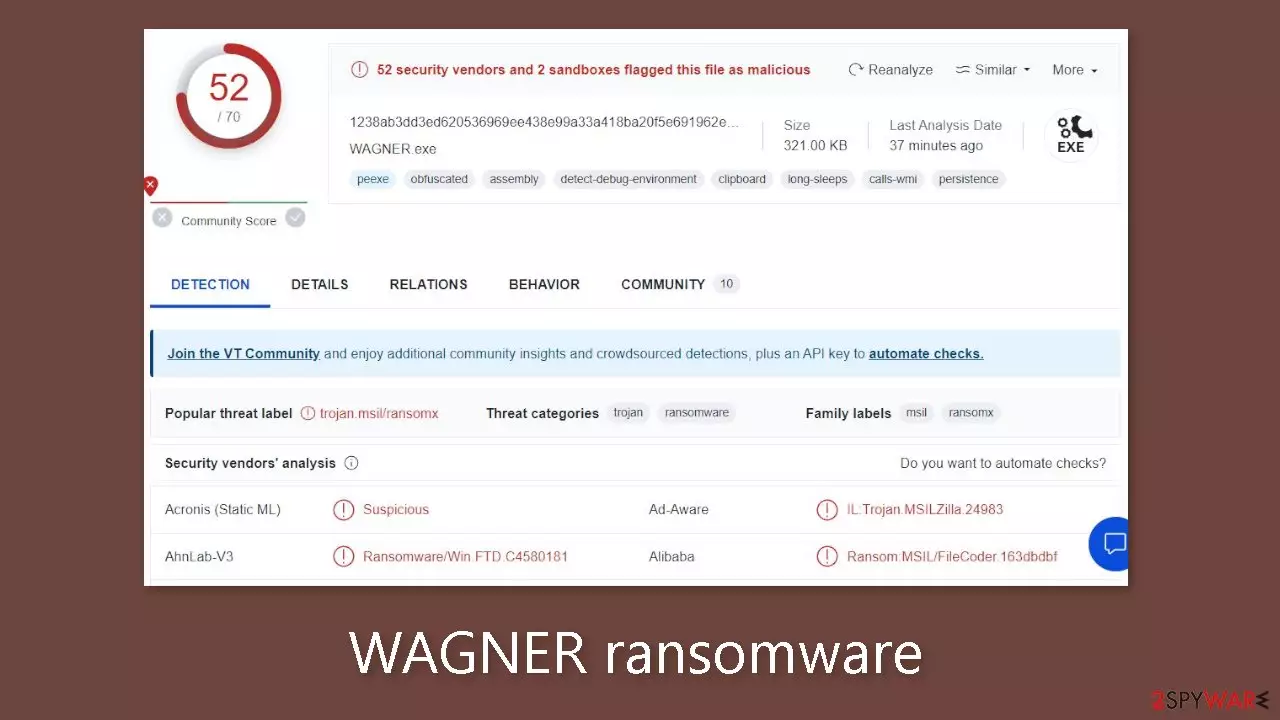
WAGNER ransomware is a malicious program that encrypts[1] users' personal files such as photos, videos, and documents. Because users do not have backups, such infections frequently result in permanent data loss. When a virus enters a system, it begins encrypting files. The .WAGNER extension is appended to the affected files. The icons also become white pages, making thumbnails unavailable. Encrypted files cannot be opened or viewed.
| NAME | WAGNER |
| TYPE | Ransomware, cryptovirus, data locking malware |
| DISTRIBUTION | Email attachments, peer-to-peer file-sharing platforms, malicious ads |
| FILE EXTENSION | .WAGNER |
| RANSOM NOTE | WAGNER.txt |
| FILE RECOVERY | It is almost impossible to recover the files if you do not have backups |
| MALWARE REMOVAL | Scan your machine with anti-malware software to eliminate malicious files. This will not recover your files. |
| SYSTEM FIX | Windows reinstallation can be avoided with FortectIntego maintenance tool, which can fix damaged files |
The ransom note
The WAGNER.txt ransom note contains the following text:
Официальный вирус ЧВК Вагнера по трудоустройству ®️
Вакансии. Служба в ЧВК Вагнер
По сотрудничеству:
Канал не предназначен для агитации, склонения, вербовки и иного вовлечения лиц в совершение противоправных деяний.
Братья хватит терпеть Власть! идем на войну против Шойгу!
Москва: +7(985)008-02-40
Московская область: +7(985)008-02-73 если хотите пойти против чиновников!
Привет от Пригожина! hxxps://t.me/wagnernew
The text provided does not correspond to the typical structure and content of a standard ransom note. The note appears to be promoting the Wagner Group rebellion against the Russian government rather than demanding payment for file decryption. It appears to be an outlandish message intended to rally support or recruit people to join the cause.
The Wagner Private Military Company (PMC) name suggests a link to a paramilitary group known for its involvement in conflicts, primarily in Russia. The text then mentions job openings within the Wagner Group while emphasizing that the channel or communication platform is not intended for agitation, persuasion, recruitment, or participation in illegal activities.
It encourages the recipients, dubbed “brothers,” to stop tolerating those in power and join the fight against Russian Defense Minister Sergei Shoigu. Individuals interested in collaborating or taking action against government officials are given contact information. There are two phone numbers listed.
Furthermore, even if it were possible to pay a ransom in this situation, it is critical to emphasize that even after payment, there is no guarantee that data recovery would occur. Cybercriminals frequently fail to provide decryption tools or keep their promises, leaving victims with no way out.

Distribution methods
Ransomware is frequently spread via torrent websites or peer-to-peer file-sharing platforms. These platforms attract users looking for “cracked” software[2] in order to install programs for free. However, it is important to note that these distribution platforms are unregulated, making determining the safety of downloaded files impossible.
While freeware distribution platforms are frequently trusted, their installers may contain bundled software. These additional programs, such as adware and hijackers, may be classified as potentially unwanted programs (PUPs). They can even be malicious malware in some cases.
It is critical to remain vigilant during the installation process. Select “Custom” or “Advanced” installation methods, and carefully read the Privacy Policy and Terms of Service. The most important step is to go through the file list and uncheck any checkboxes next to unrelated applications.
Email is another channel that cybercriminals use. They use social engineering techniques to create deceptive emails that appear to be urgent and important messages from reputable companies, with the goal of gaining trust. Infected attachments or malicious links are frequently included in these emails. To reduce risks, it is best to avoid opening attachments from unknown senders.
Disconnect the device from the local network
To prevent the spread of the virus throughout the network, it is essential to isolate the affected machine. Once a single machine is infected, the malware can quickly propagate through the network and encrypt files on other devices, including Network Attached Storage (NAS) devices. Therefore, if your computer is connected to a network, taking measures to isolate it becomes crucial to avoid re-infection once the ransomware removal process is complete.
The most straightforward way to disconnect a PC from all networks is by unplugging the Ethernet cable. However, in a corporate environment, this may prove challenging and time-consuming. The following method ensures disconnection from all networks, including both local networks and the internet, effectively isolating each machine involved.
- Type in Control Panel in Windows search and press Enter
- Go to Network and Internet
- Click Network and Sharing Center
- On the left, pick Change adapter settings
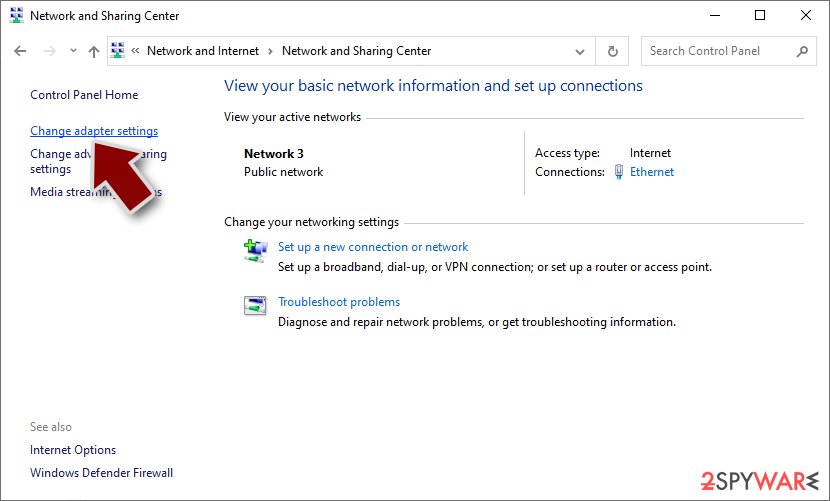
- Right-click on your connection (for example, Ethernet), and select Disable
- Confirm with Yes.

If you are utilizing any form of cloud storage that is currently connected, it is essential to disconnect from it promptly. Additionally, it is advisable to disconnect all external devices, including USB flash drives, external hard drives, and similar peripherals. Once the process of removing the malware is completed, you can reconnect your computers to the network and the internet. However, this time, you should select the Enable option instead, as previously mentioned.
Remove the malicious program
Attempting to recover your data before removing the malicious program can lead to irreversible data loss. Moreover, it may trigger a secondary encryption of your files. The malicious activity will persist until the underlying malicious files are eliminated. It is strongly advised not to attempt manual removal of the malicious program. Instead, rely on trusted anti-malware tools such as SpyHunterCombo Cleaner or MalwarebytesMalwarebytes to scan your system.
These security software solutions are designed to automatically identify and remove all associated files and entries. Opting for automatic removal is the safest approach, as it minimizes the risk of leaving any traces behind. If the virus prevents you from utilizing security software, you must access Safe Mode[3] first. If you are unfamiliar with the process, you can find instructions at the bottom of this post.
File recovery options
The decryption key required to unlock your files is solely in the possession of the hackers. Therefore, if you did not back up your files beforehand, there is a possibility that your data may be lost permanently. Although you can attempt to use data recovery software, it is important to note that third-party programs do not always have the capability to decrypt the files. Nonetheless, we recommend giving this method a try.
Prior to proceeding, it is crucial to make copies of the corrupted files and store them on a USB flash drive or another storage device. Additionally, it is vital to ensure that you have already removed the WAGNER ransomware before attempting any recovery operations.
- Download Data Recovery Pro.
- Double-click the installer to launch it.
- Follow on-screen instructions to install the software.
- As soon as you press Finish, you can use the app.
- Select Everything or pick individual folders where you want the files to be recovered.

- Press Next.
- At the bottom, enable Deep scan and pick which Disks you want to be scanned.

- Press Scan and wait till it is complete.
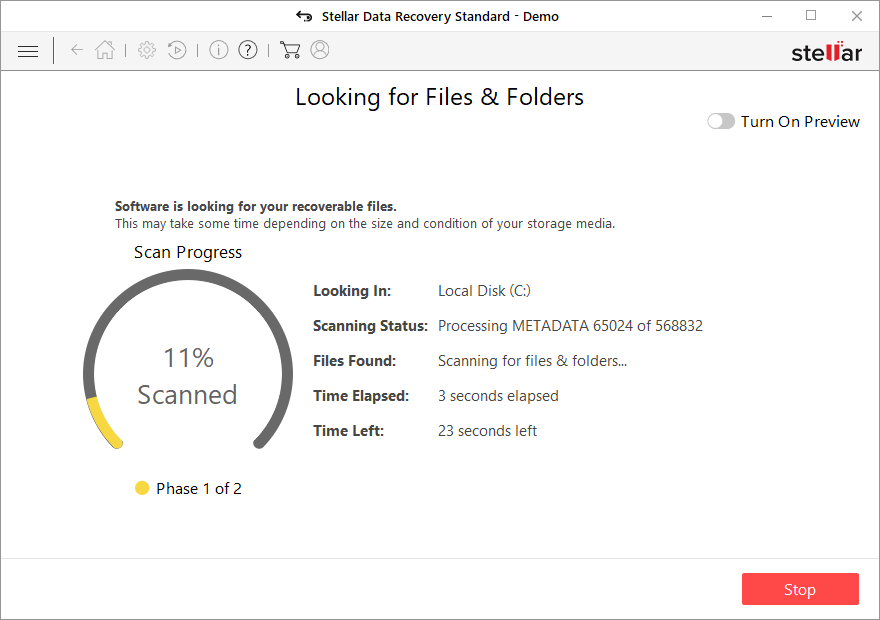
- You can now pick which folders/files to recover – don't forget you also have the option to search by the file name!
- Press Recover to retrieve your files.



Fix the operating system
After a malware infection, it is common to experience a range of issues related to performance, stability, and usability. In some cases, these issues can become so severe that a complete reinstallation of the Windows operating system becomes necessary. Malware infections have the ability to modify the Windows registry database, compromise vital boot-up and system sections, delete or corrupt DLL files, and more. It's important to note that once a system file is damaged by malware, antivirus software alone is unable to repair it.
To address these challenges, FortectIntego was developed as a comprehensive solution. This maintenance tool is designed to rectify many of the damages caused by such infections. It can resolve Blue Screen errors, eliminate freezes, fix registry errors, repair damaged DLL files, and tackle various other issues that could render your computer unusable. By utilizing this maintenance tool, you may be able to avoid the need for a complete Windows reinstallation, saving you time and effort.
Did this guide help?
Be the first to comment