

SpyAxe – a dangerous application that prompts users to pay for its licensed version
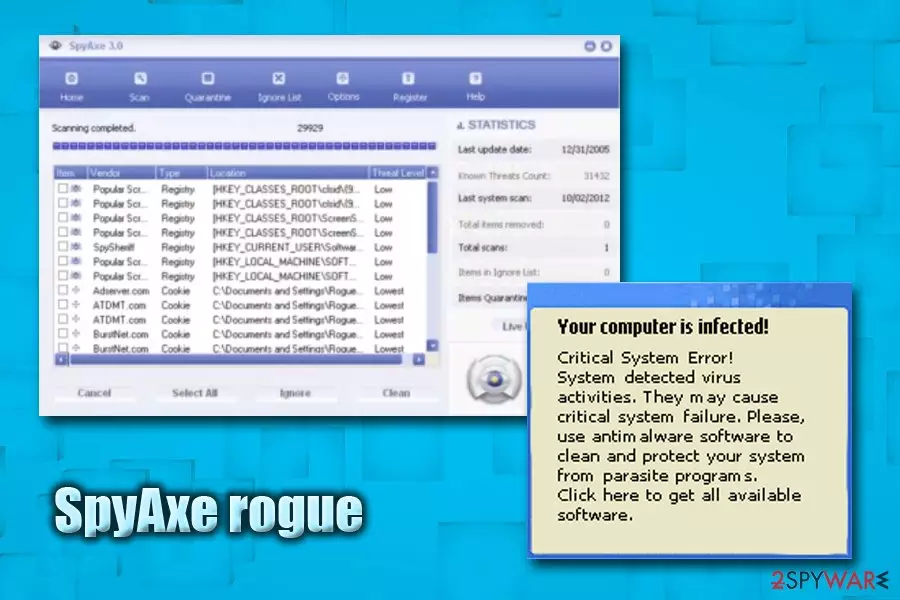
SpyAxe is an illegal and corrupt anti-virus application that is usually downloaded and installed without users' consent. It then spams fake security messages in the system tray. The pop-ups typically inform users that they are infected with Trojan-Downloader.Win32.Zlob, and attempts to connect to SpyAxe's official website to make them purchase the licensed version of the program. Nevertheless, this outrageous cooperation between Zlob malware and fake security software developers is only an attempt to monetize on unsuspecting users.
| Summary | |
| Name | SpyAxe |
| Type | Rogue security application |
| Delivered by | Trojan-Downloader.Win32.Zlob |
| Symptoms | Questionable system scans, flashing messages, pop-ups, ads, redirects, etc. |
| Danger level | High. Can result in loss of money and infect the PC with other malware |
| Detection and elimination | Use FortectIntego or SpyHunterCombo Cleaner |
Zlob malware (which is highly responsible for SpyAxe and other malicious application distribution) is typically obtained when users download and install codec pack[1] from the internet. Nevertheless, it can also be spread via malicious email attachments, or disguised as any executable on the world wide web. Regardless of how the rogue app installed on your machine, it is critical to take care of SpyAxe virus removal ASAP.
There are various versions of the SpyAxe trojan, and it injects machines with various fake alerts, but one of the most common ones displays the following:
Your computer is infected!
It is recommended ti use special antispyware tools to prevent data loss.
Windows will now download and install the most up-to-date antispyware for you.Click here to protect your computer from spyware
As soon as the user clicks on the pop-up, SpyAxe will be downloaded and installed automatically. In other cases, victims reported that they are led to the payment page of the application. If users proceed and pay for the full version, the program will conduct a fake scan and pretend that the malware is eliminated.
What makes matters worse is that the disclosed credit card information will most likely be used for illegal purposes, such as unauthorized purchases or even identity fraud.[2] Therefore, security experts[3] recommend to remove SpyAxe virus and never disclose any information.
SpyAxe malware can also perform the following tasks:
- Download and install additional (malicious) applications;
- Slowdown the computer operation;
- Result in several system crashes;
- Corrupt other software;
- Install toolbars, browser extensions and similar add-ons without users' consent, etc.
Because the bogus app is closely related to a trojan, manual SpyAxe removal is not recommended. Instead, users should download and install FortectIntego or SpyHunterCombo Cleaner for a secure elimination.

Avoid downloading suspicious files from third-party sites
Any executable can be malicious. That means that malicious actors can inject trojans and other malware into hacked websites. Additionally, hackers themselves might create a bogus site that distributes various executables. That is why downloading and executing any type of file is rather dangerous, especially if it was downloaded from a compromised website.
Therefore, refrain yourself from downloading data from file-sharing and torrent sites. Additionally, codec packs are not needed for a long time now, as browsers and software can play video and open other files without external applications.
You should also be careful when opening emails from unknown sources. Various MS office documents can be malware in disguise and should be not opened carelessly. If you need to open that type of file, make sure you scan it using anti-virus software first.
Eliminate SpyAxe and other malware from your machine
Because of the way the trojan works, it is highly likely that your machine is contaminated with multiple threats, which makes manual SpyAxe removal almost impossible. Thus, merely employ FortectIntego or SpyHunterCombo Cleaner and perform a full system scan. Note that the virus might block security software from working correctly. In such case, enter Safe Mode with Networking and perform the scan from there.
If you still struggle to remove SpyAxe virus in Safe Mode, then try using System Restore feature. We explain how to do that as well.
Was this guide helpful?
100 comments