

What is RoccketSale?
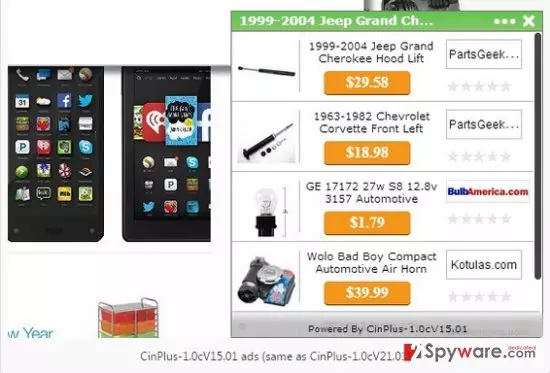
RoccketSale (can also be found as RocketSale, RocketSaler) is an adware and a potentially unwanted program (PUP). It’s yet another untrustworthy application that is used as a medium allowing third parties to promote their products, services, and websites. We have noticed that the majority of the users treat this adware application as a malicious computer infection and, honestly, it’s not surprising. While it’s not dangerous, typically it infiltrated user’s computers without being noticed and causes a serious havoc on web browsers (Google Chrome, Mozilla Firefox, Internet Explorer). By ‘havoc’ we mean that it may slow down PC’s system, cause the unstoppable flow of commercial advertisements, redirect users yo questionable third-party websites, and so on. Therefore, it’s not surprising that RoccketSale is usually considered to be a virus.
As we have already noted, RoccketSale collaborates with third parties that support the developers of this tool for allowing to display commercial advertisements. The online marketing cannot be imaginable without advertising and such collaboration is comprehensible. The problem is that those sponsored advertisements are not checked or monitored in any way. Consequently, various cyber criminals may misuse them for spreading viruses or other potentially unwanted programs. Therefore, if you have already started receiving pop-up ads, banner ads, in-text links or other unbearable forms of advertisements, we highly recommend you to ignore each of them in order to prevent RoccketSale redirects to unsafe domains. Besides, beware of the tracking cookies that this adware may leave on each of your web browsers. One of its tasks is to gather as much information about a computer’s user as possible. That’s why it activates tracking cookies and may start collecting search terms, visited websites, data entered, clicks, IP address, PC’s location, email address, and so on. Don’t worry, it’s not very likely to gather sensitive information and can hardly use aforementioned details for initiating very bad deeds. Nevertheless, once such data is collected, you may star receiving really appealing RoccketSale ads marked as ‘Ads by RoccketSale’ or ‘Powered by RoccketSale’ or worse, your email may may be flooded with spam. So be careful and try to prevent that in advance by removing this adware from the system with the help of a reliable anti-spyware, such as FortectIntego.
How can RoccketSale hijack my computer?
We are concerned not only with the fact that RoccketSale adware and cause potentially dangerous redirects and advertisements. We are also concerned with the fact that it commonly spreads bundled with other freewares and tricks people into installing it without even realizing that. Fortunately, this can be prevented. In order to check the freeware that you opt for installing, select Advanced/Custom installation option and carefully check whether it carries ‘optional downloads’ or not. If you notice a suspicious checkbox at the bottom of which a notification says that you agree to install RoccketSale or other unfamiliar apps that are set by default, don’t forget to uncheck ticks.
How to remove RoccketSale virus?
RoccketSale installs an add-on and cookies on each of your web browsers and may start causing some problems during your browsing. In order to remove it from the system completely, we highly recommend using a reliable anti-spyware. Nevertheless, you may also try to remove it manually:
Did this guide help?
Be the first to comment