

777 virus: yet another ransomware variant that encrypts files and demands ransom
First discovered in 2015, 777 ransomware virus continues its activities in 2016. The developers of this ransomware still spread it, so you should do everything to protect your computer from its attack. The only good thing about this virus is that it has a flaw, and it is possible to recover files it encrypts without paying a ransom. However, there are many other ransomware viruses that are similar to this one, besides, the developers of 777 ransomware virus might update this virus and make it more powerful, so you should not underestimate it.
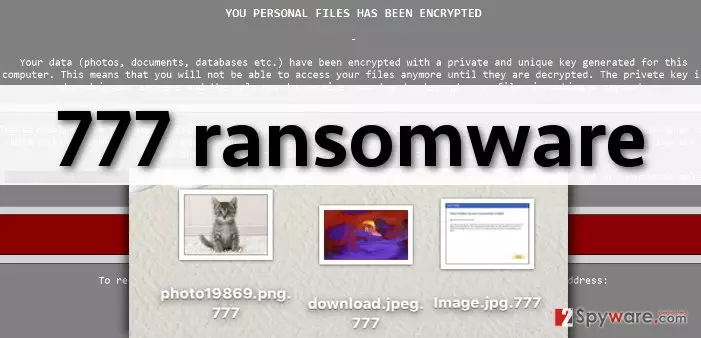
Just like any other file-encrypting ransomware virus, 777 ransomware locks victim’s files and asks to pay a ransom in exchange for a decryption software. This code of this computer virus is written with aim to target particular file extensions, for example, .jpg, .txt, .doc, .mp3, .mp4, .pdf, and so on. Therefore, once it finds a file which file extension matches one on its list, it encrypts it. An encrypted file becomes inaccesible, which means you cannot open or use it. What is more, 777 ransomware adds .777 file extension to files, making it easy to identify this virus. When all files are encrypted, 777 ransomware drops ransom notes on the computer system (in each folder that stores at least one encrypted file), and explains what the victim should do in order to retrieve encrypted files. Just like any other ransom virus, 777 malware commands to use Tor browser and to pay the ransom in Bitcoins. At the time of writing, the cost of 777 decryption software is unknown, however, you should not pay the ransom since computer security experts have already developed a free 777 decryption tool.
How did 777 ransomware infect your computer?
In most cases, users install ransomware viruses when they open malicious email attachments sent by unknown senders. However, it is also possible to install malware just by visiting high-risk Internet sites. Even one click on a malicious ad or link can download malware to your computer. You might also end up with a disastrous computer virus if you plug an infected storage drive into your computer.
While you can avoid infectious emails, it is nearly impossible to identify malicious web pages and understand which clickable content is corrupted. The best way to secure your computer is to install powerful anti-malware software capable of providing real-time PC protection from malware and spyware. For example, you can use FortectIntego software. If your computer has been compromised by 777 malware, proceed to page 2 to see a comprehensive 777 removal guide.
How to remove 777 virus from the computer and retrieve your files?
777 malware can slither into your computer without your consent, and corrupt all files stored on your computer. 777 ransomware is a very dangerous computer virus, but the current version of it has a flaw that allows users to decrypt their files for free. However, before you try to decrypt your files using 777 decryption tool, implement 777 removal first. Please follow the steps given below and delete this malicious computer threat from the computer system. To detect and eliminate all files that belong to this virus, you have to use a proper anti-malware program. We recommend using SpyHunter for that. After you delete all components of this virus, download this 777 decrypter and simply decrypt your files using it. We would like to advise you to start creating data backups from time to time, especially if you do not have a professional anti-spyware software installed on your PC.
Did this guide help?
4 comments
2-Spyware team
Dear user,
SpyHunter is a computer security software that can detect and remove spyware and malware threats and provide real-time PC protection. It cannot decrypt files.
Trey
My files were encrypted, but with a help of SpyHunter and this decrypter, I recovered them! Thanks so much for sharing such great advices!
annie
FOUND 777 VIRUS ON MY PC. I hope this decryption tool works!
ash3y
can spyhunter decrypt files? thanks