

What do you need to know about Vegclass virus?
If you have ever heard about ransomware viruses, you probably do know how dangerous they are. Today, we are going to describe yet another ransomware virus, which is known as Vegclass ransomware, or Vegclass@aol.com ransomware. When this computer threat infiltrates into a computer system, it runs a malicious process which finds all files in the computer and encrypts them using a sophisticated cryptographic algorithm. When files are encrypted, they become inaccessible, and that can make the computer user panic. We all store important files on our computers, and losing them is definitely something that we do not want to happen. That is why it is essential to back up your files, so that you could recover them if something happens to their original copies.
When this malicious computer virus finds victim’s files, it encrypts them and then adds .Vegclass@aol.com.xtbl extension to each of them. Then the virus drops ransom notes (How to decrypt your files.txt) in the computer system, usually in all folders that store at least one encrypted file. It also changes the desktop wallpaper with an image that provides the same information as ransom notes do. The Vegclass ransomware virus says that the victim must get in touch with cyber criminals to find out how to decrypt the encrypted data. It provides several email addresses (Vegclass@aol(dot)com, Greebin@india(dot)com, eco_vector@india(dot)com or ecovector3@aol(dot)com) and says that the victim needs to send three encrypted files to one of them. We believe that cyber criminals set ransom price depending on how important these records are because victims probably are going to send most important files, expecting them to be decrypted. That might not be the case because cyber criminals also might be able to see the volume of data encrypted on victim’s computer.
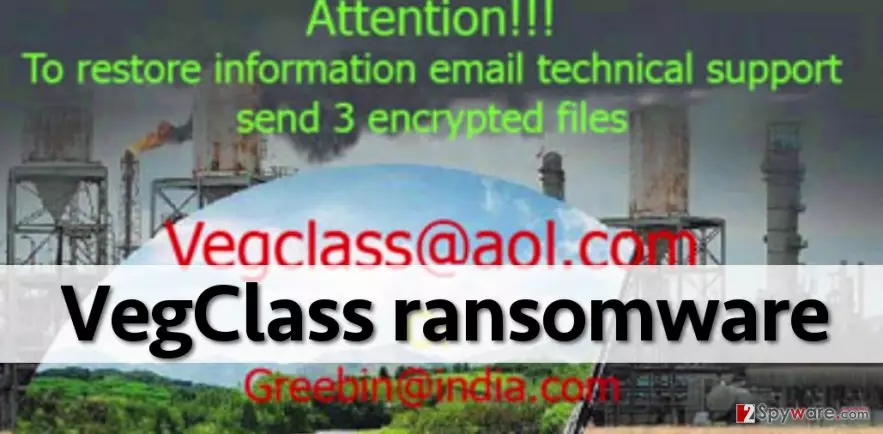
However, if your computer has been affected, no matter how much these frauds would ask you, you should pay. There is no guarantee that they are going to give you a decryption software. You should remove Vegclass malware from your computer with an anti-malware software like FortectIntego and then restore your files from a backup. We strongly recommend you to read Vegclass removal instructions provided on page 2 to learn how to properly delete all files related to this virus. If you do not have a backup, you can try one of the following decryption tools: R-Studio, PhotoRec, or these virus-fighting utilities.
How does ransomware spread?
Cyber criminals are improving viruses, and so they also use tricky methods to distribute them. Downloads from compromised web pages, malicious email attachments, and malvertising are just some of the most common vectors of ransomware. If you want to keep your computer safe and virus-free, the first and foremost method to protect it from such viruses is to install a reliable anti-malware software. In addition to this, you should never open emails that come from unknown individuals. Cyber criminals often add malicious files to such emails and try to convince the computer user to open them. Once they are opened, they immediately drop infectious files on the computer, launch malicious processes and wreak havoc on the computer system. Furthermore, stay away from questionable websites and do not click on suspicious or very annoying web advertisements.
How to remove Vegclass ransomware from the computer system?
This virus is a very dangerous threat, and once it encrypts files, it is nearly impossible to recover them. That is why it is very important to secure your data in advance and back it up. If you have found Vegclass ransom notes on your computer and if your files have .Vegclass@aol.com.xtbl file extensions added to them, install a strong malware removal tool and eliminate this ransomware virus from your computer without a delay. If this virus blocks your anti-malware, please follow the steps of this Vegclass removal guide provided below, and stop Vegclass virus temporarily. Then delete it with anti-malware software.
Did this guide help?
4 comments
Nyo
impossible to decrypt???? why!!!
GlazerTom
I cannot believe that my files are gone. I cannot believe that this malware has encrypted them while I was making coffee. I checked my email, and went to make some coffee. When I got back, I found this message on the computer screen. Turns out, I have opened a malicious attachment. I just cannot believe it...
Alexis
These decryption tools dont work, so sad! Hope someone discovers decryption tools soon...
Lydia98
Thanks, I have removed the virus, but my files are useless at the moment :(