

What do we know about gerkaman@aol.com.xtbl virus:
If your computer works sluggish, if you cannot open your files, and if they have gerkaman@aol.com.xtbl file extension added, it means that you have just become another victim of ransomware. In this article, we are going to describe gerkaman@aol.com.xtbl ransomware, which is a new version of the .xtbl virus.
Ransomware is a disastrous computer infection. It is probably the biggest cyber security threat nowadays, and unfortunately, many computer users still do not know how to protect their computers from this virus. gerkaman@aol.com.xtbl is yet another variant of ransomware, and it works the same way as any other ransom virus does. Firstly, it encrypts victim’s files, and later on, it asks to buy a decryption software. In other words, it asks to pay a ransom, or the data will stay encrypted forever. Sadly, there is NO other way to decrypt files affected by this virus, so it is extremely important to take precautions and secure your computer from ransomware viruses.
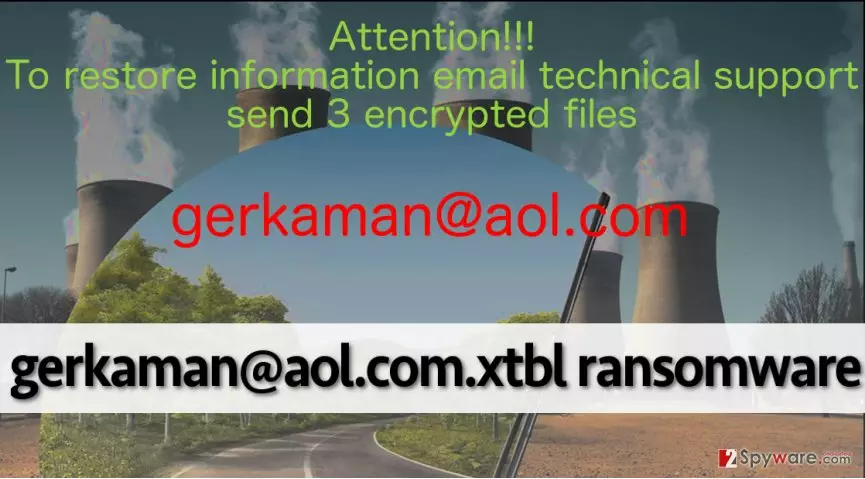
When this virus encrypts victim’s data, it adds gerkaman@aol.com.xtbl extension to each file, then drops ransom notes and also changes the desktop wallpaper. While some ransomware viruses ask to download Tor browser and access a particular website to transfer the payment in Bitcoins, this ransomware commands the victim to get in touch with them and also send three encrypted files to them and wait for further instructions. It seems that the authors of gerkaman@aol.com.xtbl malware are ready for negotiations, or that they just set the ransom price depending on how important these three files are. However, no one knows why do cyber criminals want to speak directly to victims, but one thing that we know for sure is that cyber criminals demand money in exchange for the decryption software. If your files were encrypted, do not panic and do not rush to pay cyber criminals. You must know that even if you pay them, they might not be willing to provide you with the decryption key. Therefore, we recommend you to remove gerkaman@aol.com.xtbl from your computer (use an anti-malware software, for example, FortectIntego) and try to recover your files from a backup.
gerkaman@aol.com.xtbl distribution methods
Authors of this virus use different distribution techniques to spread this virus. Usually, they send it directly to victims via email, but you can also download this virus from high-risk Internet sites after clicking on infected ads or links. If you do not want to end up with malware on your computer, avoid downloading software or updates from untrustworthy Internet sites, do not click on pushy advertisements, and most importantly, never open emails and files attached to them if you do not know the sender in person. Cyber criminals do their best trying to make victims open malicious attachments they send, so take in mind that they usually hide malware in .txt, .doc, .rar or .js files that look absolutely secure to open. We recommend you to secure your computer with an anti-malware software to prevent malware from entering the system. If your PC has already been affected, go to page 2 and see gerkaman@aol.com.xtbl removal instructions.
How to remove gerkaman@aol.com.xtbl?
Even if you are an experienced computer user, we do not recommend you to deal with this virus manually. The safest method to remove gerkaman@aol.com.xtbl ransomware is to install a good anti-malware software and let it do its job. The virus might try to stop you from downloading a security software, so be prepared. You can temporarily deactivate the virus to download and install your selected security program. If you do not know how to disable the virus, just follow these gerkaman@aol.com.xtbl removal instructions down below. Unfortunately, it is impossible to decrypt files now, but you can try one of the following tools:
Did this guide help?
3 comments
Diesel
Uninstalled the virus, but cannot recover my files...
Joie
me too, sadly! I wish someone could decrypt them for me. Looks like we gotta wait.
Raul1999
HELP ME I HAVE INFECTED MY PARENTS COMPUTER ACCIDENTALLY PLEASE HELP!