

CryptoMix developers update Shark malware
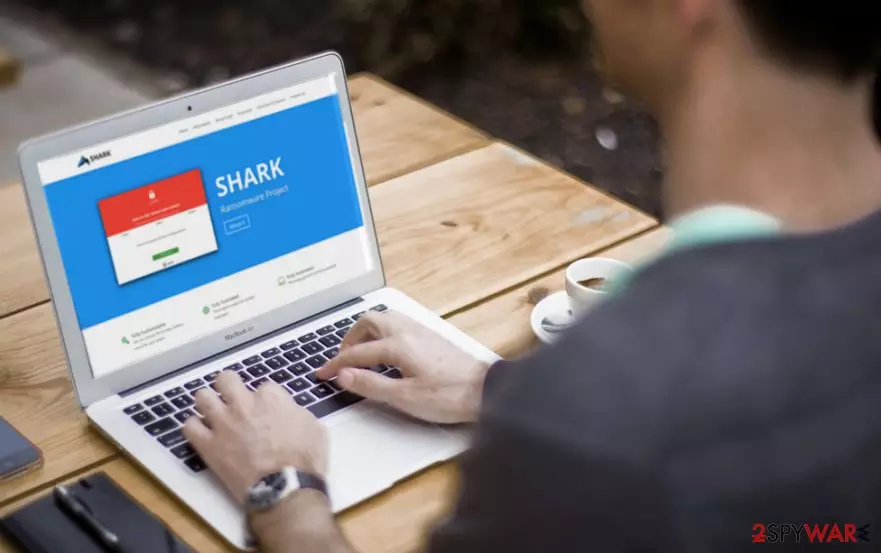
Shark ransomware defines two types of crypto-malware. The first one operates as “Ransomware-as-a-Service” (RaaS)[1] program. The second variation shares the name with the CryptoMix Shark crypto-virus. Speaking of Raas, it has become a trend in the Dark Web. Developers of these malicious programs may offer users to participate in their affiliate campaigns and become official distributors of their fraudulent creations, as in the case of Petya & Mischa RaaS[2].
The above-mentioned sample, CryptoMIx Shark, version follows the manner of another virus, CryptoMix Arena, from the same family as it uses 11 public RSA-1024 keys to encode the AES key which is responsible for encrypting users data.[3] This feature allows the malware to operate offline.
Other improvements are not significant: the demands are presented in the _HELP_INSTRUCTION.TXT. The very message contains scarce information and provides three email addresses: shark01@msgden.com, shark02@techmail.info, or shark003@protonmail.com. Take a look at data recovery instructions. The CryptoMix Decrypter might help you restore affected data.
Speaking of RaaS features, Shark malware is an example of these freely-customizable inventions. According to the service providers, with this free tool, the aspiring hackers can select specific file types they want to target, choose particular folders to encrypt, set the amount of ransom they want to receive for the data decryption and even select the target country.
The Shark ransomware builder package itself consists of three files ReadMe.txt, Payload Builder.exe, and Shark.exe which can only be received directly from the Shark Project’s official page. The finished ransomware is said to be undetectable by the virus-fighting software which already implicates the supposed success.
Nevertheless, in case you got infected, do not panic. You might need to take a few extra steps to decontaminate the virus manually, but we can assure you that professional antivirus software like FortectIntego or MalwarebytesMalwarebytes can remove Shark virus from your computer without much difficulty.
If you have been taking interest in ransomware programs you probably know that their creators are only interested in maximizing their profits. They lock their victim’s files and ask them to pay for the recovery. Even after the payment is made the users are often left stranded without their data and robbed of their money as well.
Thus, it seems that RaaS is also a part of a new plan the scammers came up with to spread their malicious program around the web even wider and earn more illegal profit. The builder also turns out to be paid.
Every 20% of the funds that every Shark-based ransomware collects from its victims will be sent to its original creators. The security experts presume, though, that the Shark developers actually snatch a larger share of the generated profit and the ransomware beginners are exploited simply as virus distributors.
So, either you have become a victim of the already modified virus version or have been involved in its distribution, we strongly suggest you to perform Shark removal immediately. Such dangerous and fraudulent programs do not deserve a place on your computer, and if you use them to generate profit yourself, you should reconsider your priorities.
Prevention tips
Concerning as it sounds, it is virtually impossible to protect your computer from the Shark malware infection a full 100%. But you can decrease this risk by following these steps:
- Acquire a professional and acknowledged antivirus utility that could prevent you from visiting insecure domains or downloading infected software on your computer.
- Try to refrain from visiting websites that look suspicious yourself; do not rely on your antivirus only and stay cautious at all times. If you ever end up on a potentially insecure domain, do not download software or fill any surveys and quit the site immediately.
- Keep away from the spam section in your inbox. Do not open emails received from unfamiliar senders. Most importantly, do not download the added attachments.
Eliminate Shark ransomware from Windows
There is no free decryptor to unlock the crypted data. Paying up does not guarantee that you will have your files back, and there is no other way to break the virus. So what is there left for you to do? The plan is simple – remove Shark from your computer as soon as possible.
The more you extend the period of the virus residing on your PC, the more damage you risk inflicting on your system and your files. Thus, run a scan with a reputable antivirus utility and if it does not initiate, follow a special tutorial at the end of the article.
After completing the indicated steps, scan your system again and clean it from this malicious ransomware. After you perform Shark removal, proceed to data recovery. Take a look at some of our suggested solutions. All users, not only British or German[4], should be wary of the threat.
Did this guide help?
3 comments
Regenald
So nasty! this virus has been ravaging through my computer locking and DELETING my files! I cant even connect to the internet right now because every time I do, some new file gets locked...
noel
What are these ransomware creators even thinking! Is money really all they care about/??
ebe!3
Im not afraid of Shark ransomware or any other malware tbh. I have a computer fully equipped with virus-fighting tools !