

What do we know about the Crypt0 ransomware virus?
Crypt0 virus is a “freshly-baked” cyber infection that the virus analysts have found at the beginning of September. This virus is named after the “_crypt0” insertion it adds to the affected files. It is also interesting that soon after the virus was released, the experts come up with the decryption tool which completely decontaminated the infection. Such quick defeat may be related to the fact that Crypt0 malware is a variant based on the DetoxCrypto ransomware with which the virus researchers were already familiar with. The link to this decryption tool is provided at the end of this article, next to the Crypt0 removal and file recovery instructions.
Talking about the virus itself, we should remind you that it is a type of infection that takes over computers with the purpose of locking the containing files and making the profit from the users who decide to get them back. The files on the computer are locked using the public key while unlocking them is only possible with the private one. Unfortunately, this key must be obtained by purchasing it from the virus creators. And this is exactly how this ransomware makes money. Luckily, you can easily make their evil plan go to waste by simply deleting the program and decrypting the locked documents with the already mentioned decryptor. By scanning your device with FortectIntego virus-fighting software, you will remove Crypt0 from your PC and stop the criminals from generating illegal profit.
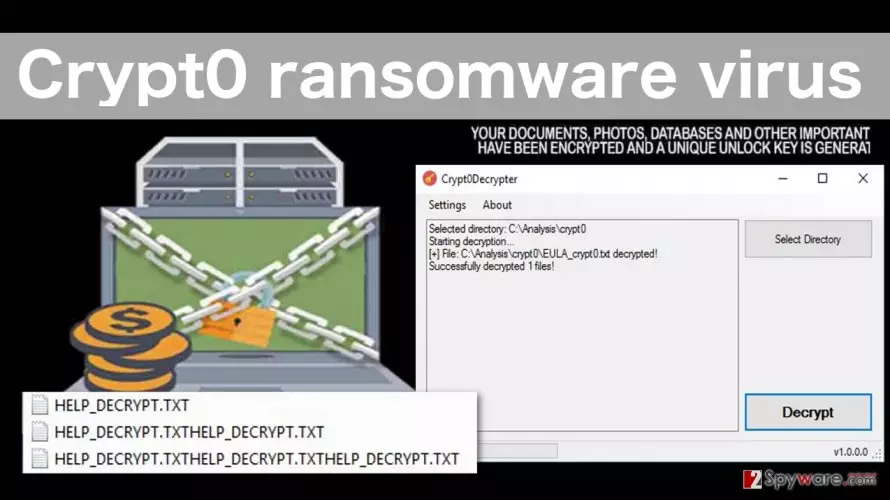
You may be wondering, how can you tell if you are dealing with the Crypt0 virus in particular. Well, there are several specific signs this ransomware possesses. First, it drops a ransom note on your desktop labeled HELP_DECRYPT.TXT. Keep in mind that this virus is bugged so the file name may be distorted and feature the same title two or more times. Such text files will appear in every folder of the infected computer that contains infected files. Typically, this document contains data retrieval instructions and provides contact information needed to get in touch with the criminals. These particular hackers use Gmail which again justifies that they are amateur because this email provider is very rarely used among the serious ransomware creators.
Another feature you should recognize the Crypt0 ransomware by is the already mentioned _crypt0 insertions. All the encrypted files will have _crypt0 added just before the extension name. An example of such file may look something like this: “picture_crypt0.jpg”. Most ransomware viruses use similar techniques to indicate the affected files allowing the user understand the scope of the infection a little better. Nevertheless, you should not be scared and keep your head cool. As soon as you start seeing similar changes happening on your computer disconnect it from the Internet and proceed with the virus removal.
Take ransomware prevention steps:
The virus removal is undoubtedly crucial, and you can find tips on how to do it safely at the end of the article. However, it is also very important to keep yourself informed about the means of ransomware distribution and, hopefully, use this information to prevent similar attacks in the future. Though it is not yet known for sure how the Crypt0 ransomware spreads, we can presume that its distribution is no different to other ransomware viruses. It most likely uses spam emails, fake ads and software update notifications to spread around. Unfortunately, even the most professional anti-malware gear cannot fully prevent Crypt0 from accessing your computer via the mentioned channels. Thus, stay away from the unknown or suspicious content, double-check the legitimacy and reliability of the email attachments, downloads or software updates that you are willing to install on your computer.
How do you remove Crypt0 ransomware from your PC?
If Crypt0 virus has taken over your computer, the only thing you are probably interested in is file recovery. But do not rush into that just yet. You can recover your files only when the Crypt0 removal is done, and there is no risk of the secondary encryption. A way to make sure all the potentially hidden virus files are dragged to the daylight is by scanning the computer with legitimate and updated antivirus utility. Do not try removing the virus manually – the instructions provided below this article are only there to help you decontaminate the infection and initiate the system scan.
Did this guide help?
Be the first to comment