

The dangers of restore@protonmail.ch ransomware
Restore@protonmail.ch virus works as a file-encrypting cyber threat. Since its shares some of the characteristics peculiar to another ransomware, IT specialists suspect that it may be related to the recent cyber aggressor – Fantom virus. Like the latter, the current virus tries to fool users by showing fake system messages. Hackers attempt to make as more threatening and destructive virus as possible. However, there are still ways to remove restore@protonmail.ch. One of them is to install a malware removal utility, such as FortectIntego, right away and start terminating it. Brush aside any considerations of paying the ransom. For cyber criminals, it is another mischief and opportunity to wheedle out money. Thus, you cannot rely on their sense of consciousness. Thus, do not waste time and perform restore@protonmail.ch removal.
Unfortunately, this threat is not a mere computer pest. By using AES and RSA encoding techniques, the malware locks files. As you may guess, in order to decrypt them the private key, which consists of unique numeric code, is required. Likewise, the hackers exploit the opportunity to terrify the victims that there is no other way of retrieving the files except by transferring the money and, therefore, acquiring the blocked information. Certainly, if the information is of primary importance, you might not hesitate and pay the money. However, we would like to remind that hackers profit from such activity and they do not have any obligations to return the files.
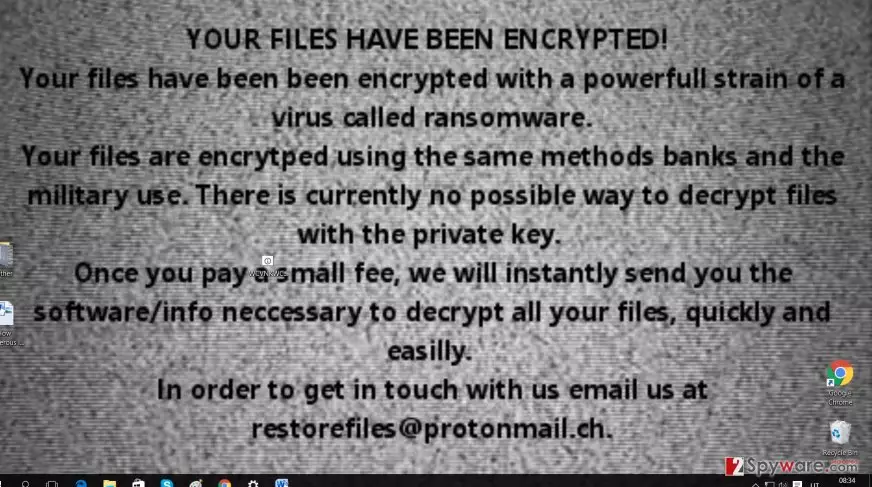
Moving on, after the ransomware succeeds in infiltrating the computer, it starts looking for the encryptable files. Usually, the cyber criminals automatically set a wide range of different music and document files. While the encoding is still underway, you might see fake system errors. Later on, all your files are renamed into numeric codes and get a .locked extension. In order to boast about its misdeed, the ransomware changes your background picture. Additionally, you will find the READ_ME!.exe file which explicitly informs you of the current situation. The hackers also provide restore@protonmail.ch address for you to send the identification number and possibly receive restore@protonmail.ch Decrypter. However, we encourage you to save time and move on to the elimination process.
How does the malware invade the operating systems?
Virus researchers suspect that the ransomware mainly spreads via P2P file sharing domains and spam emails. Recently, there is a high rise in scams. Hackers pretend to be the representatives of official institutions and send out fake notifications. Users convinced that they are dealing with the real institution, open the attached files without being aware of the menace. Likewise, they might activate restore@protonmail.ch hijack or set free another ransomware. That is why its is crucial to exercise cautiousness while reviewing spam folder, even the emails address you directly, do not rush to open the attachments. Lastly, improve your cyber security as restore@protonmail.ch malware might invade via exploit kits.
Delete the ransomware completely
It is not difficult to remove restore@protonmail.ch virus if you opt for the automatic method. Install an anti-spyware application, for example, FortectIntego or MalwarebytesMalwarebytes. Make sure it is updated and start restore@protonmail.ch removal process. The application will track down all malicious files and eradicate them. Afterward, you might switch to data recovery. Regarding the latter, we present a few suggestions below this article. Finally, keep in mind that ransomware might lurk for you even in legitimate domains, thus, update security applications and avoid clicking on suspicious links.
Did this guide help?
3 comments
bettyE_E
It changes my background picture all the time.
Williamerrr
Cant decrypt the files at all.
Kathy
And they continue rampaging unstoppable. Where is justice?