

“Windows has been block due to suspicious activity” virus. Reasons to check your PC for malware
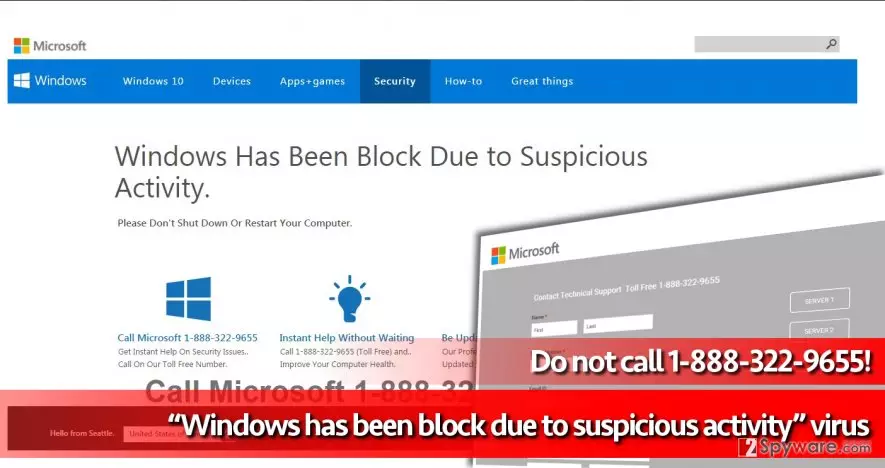
If you have been greeted by “Windows has been block due to suspicious activity” pop-up once you opened your web browser this morning, then we have some bad news to you. Windows has been block due to suspicious activity virus has been installed on the system, and its main purpose is to display these deceptive pop-up messages to you. Typically, these messages come from a phishing website that poses as Microsoft Support Page. Sadly, this virus has nothing to do with this reputable company. The “Windows has been block due to suspicious activity” notification is meant to scare the computer user and make him/her think that computer has been infected or some suspicious problem occurred and needs to be solved immediately. The virus suggests the victim to “Call Microsoft 1-888-322-9655” and get instant help. If such website has popped in front of your eyes, do not be scared – your PC is probably fine, and the only thing that bothers you is this annoying program created by tech support scammers. To remove Windows has been block due to suspicious activity scam, you should employ FortectIntego or another reputable malware removal tool.
Calling the provided number is a big mistake and inattentive or inexperienced computer users can be easily tricked by scammers who work behind this fake tech support project. Typically, these scammers suggest people to buy “legitimate” Windows products or services, while in reality, these scammers have nothing in common with this company. They just use its name to appear persuasively and convince the user to throw money down the drain. In some cases, when scammers realize that the user is not going to provide credit card details and purchase any products or services, they “kindly” suggest their help and promise to fix the computer remotely. Do not rejoice too early – the person speaking to you is not offering free services, but is trying to get access to your computer remotely. Once they get it, they install malware, for example, ransomware, drop an offensive message and leave. This is the way scammers show anger – do not let them get into your computer!
How did your computer got infected with this scareware?
Windows has been block due to suspicious activity removal is a top-priority task, but another essential thing is improving knowledge about malware distribution methods. Most common malware distribution method is sending out malicious email letters containing harmful attachments. We believe that there is no need to mention how to fight back against this technique. Another method used to distribute malicious programs is called malvertising. Criminals create malware-laden ads and inject them into various ad networks, and as a result, malicious ads can appear even on legitimate websites. You can also install such malware after carelessly installing free programs or pirated software downloaded from the Internet. To prevent malicious files from touching your computer system, defend it with a reliable anti-malware software.
Uninstalling Windows has been block due to suspicious activity virus
Obviously, Windows has been block due to suspicious activity virus displays convincing messages that can deceive some computer users. If you have been convinced to call the provided number and revealed some personal information to these scammers, please hurry up and consult with a bank employee about the necessary security measures. Also, do not waste your time and take care of Windows has been block due to suspicious activity removal. To remove Windows has been block due to suspicious activity malware, do the following:
Did this guide help?
3 comments
Freddie
Thank you for explaining what is going on!!! I was totally confused when I saw these alerts for the first time.
skrillex
these scammers try to swindle money from you... i cannot believe how aggressive they are. i called these tech support scammers and they were asking me to open regedit, other panels and make adjustments, then said that I need to purchase something. Hell nah!
Dabeaz
Removed this pest!!!