

Important information about Windowsauthenticationproblem.info virus that you should know
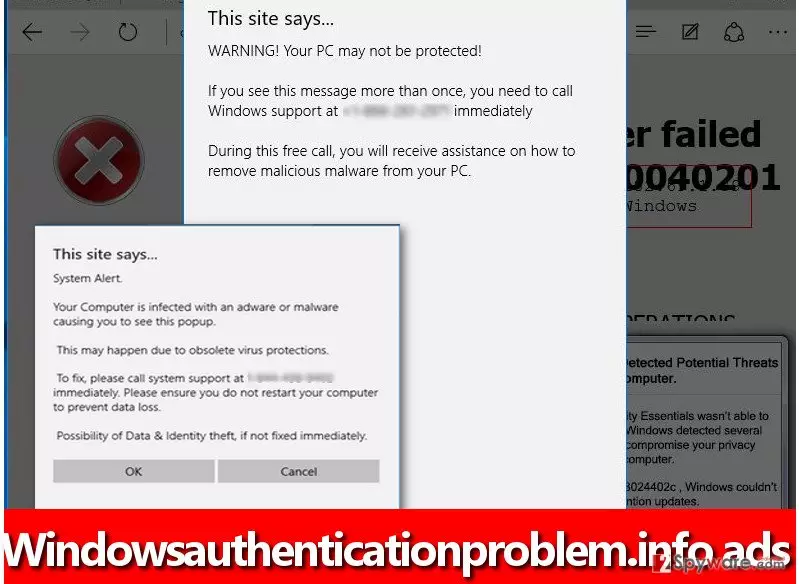
Windowsauthenticationproblem.info virus is a nasty malware variant that uses this domain to deceive victims and swindle money from them. This virus belongs to the family of Tech Support Scam Trojans, and it seeks to advertise a fake tech support number. Once installed, it attacks web browsers and makes them launch this bogus domain repeatedly. The indicated website launches repetitious and highly annoying pop-ups that lie to the victim about the computer condition. Typically, these messages say that the computer has been hacked, infected with Trojans, browser hijackers and similar parasites, while in reality there are no viruses on the computer. If similar messages started to show up, do not panic and see if these messages provide a tech support number (toll-free). If they do, DO NOT call it. It simply connects victims with tech support scammers, which usually claim they are from Microsoft and can help you to “fix” the computer. Typically, they can provide no fixes – they only want you to buy some useless software or pay for unnecessary services, and sometimes they want you to give them access to your computer. Do not trust scammers – if they ask you to provide your credit card details or login details of remote access programs like TeamViewer or LogMeIn, hang up.
How did your PC get infected with this scareware?
Malicious programs use various techniques to enter victim’s computer, but obviously, their aim is to slither in unnoticeably. Usually, they spread together with other programs, but can be sent to the victim in the form of an email attachment, too. It is hard to keep up with the latest malware distribution trends, and that is why computer security experts recommend using anti-malware programs. They can identify and stop a malicious program trying to enter your PC. Besides, you can “filter” programs you install by choosing Custom or Advanced settings and deselecting unwanted additional downloads that free programs usually suggest.
How can you remove Windowsauthenticationproblem.info malware?
It is not a good idea to remove Windowsauthenticationproblem.info virus manually because it uses different executive files and it can be hard to identify and delete the right file without professional help. That is why we suggest using anti-malware software for Windowsauthenticationproblem.info removal. If you have such program, update it and then scan the system. If you do not, download one. You can choose programs we recommend if you wish. As we have previously mentioned, the virus might block your security software, so in such case, follow these instructions. You will have to boot your PC in a proper mode first.
Did this guide help?
4 comments
laye
So THATS where these alerts come from! Thanks for the info!!!
Escobar
Finally someone has provided a useful tutorial! Thanks a lot :) Windowsauthenticationproblem.info ads are gone
Steve
i need to install anti-virus...
shaker
thanks!!!