

Is Onyx ransomware dangerous?
Onyx ransomware is a computer threat that targets Georgian computer users. This virus is one of a few ransomware viruses that do not have the ambition to infect computers on a global scale. After spoiling user’s computer, it encrypts all data with an intention to make it inaccessible to the user. Since computers take an important role in everyone’s lives, such an act is tantamount to robbery. Losing files stored on the computer means losing weeks of work, memories, and so on. It goes without saying that this can cause frustration and panic. To make the victim even more nervous, ransomware changes desktop wallpaper with an image that says that the victim must pay 100 US dollars in order to recover lost files, but sadly, it seems that criminals forgot to insert the Bitcoin wallet address where the payment must be transferred. The new wallpaper features a face of a character No-Face from Spirited Away movie. Since there is no way to pay the ransom, there is also no need to keep this ransomware on the computer. To delete it from your PC, use FortectIntego or SpyHunterCombo Cleaner software. When you remove Onyx malware, you should start looking for your backup to restore part of lost files. If you do not have it, try data decryption methods that are presented below the article. Unfortunately, we cannot say that there is a 100% working method to recover your files.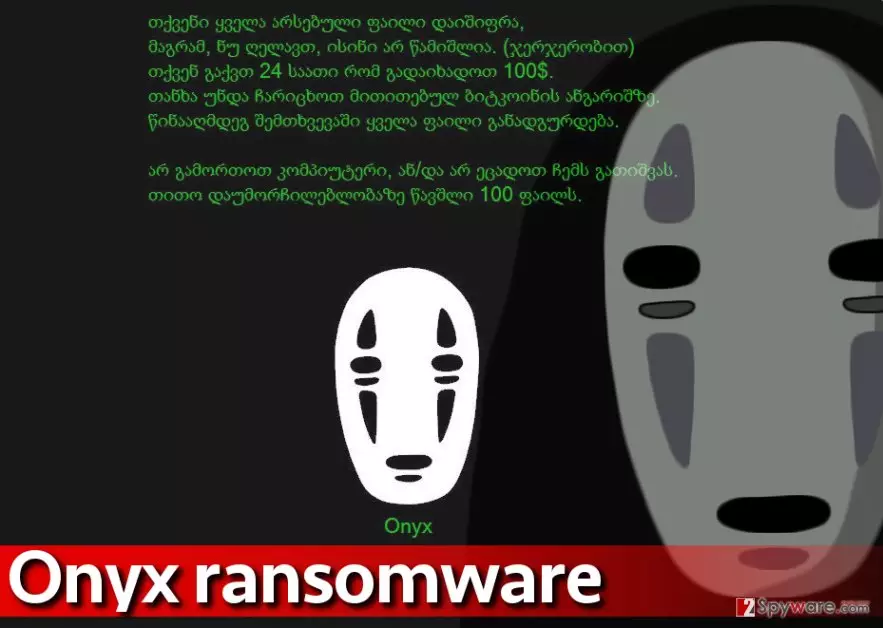
How did your computer get infected with this ransomware?
Ransomware is distributed using stealthy methods; it can land on your computer when downloaded by a Trojan horse, or after opening a malicious email attachment. It can also be installed after adding bogus software updates or untrustworthy programs to the system. Such inconveniences can be prevented with a powerful anti-malware software. If your computer wasn’t protected with such software, now you have to deal with Onyx removal and cast around for data decryption methods.
To protect yourself from ransomware attacks, avoid visiting shady websites that invite you to fill out “partner surveys” install “recommended software” or do some other suspicious tasks in order to “access premium content” or “redeem a prize.” Such offers are vague and often deceptive. You should never provide personal information or agree to download certain software if a web page that you have visited aggressively urges you to do so. Of course, do not open shady emails that contain attachments and protect the system with a proper security software. For maximum protection, create data copies and export them to an external data storage device.
Best way to remove Onyx ransomware
This foolish ransomware might be yet another in-development ransomware, and shortly we might have to deal with a polished version of it. You should remove Onyx virus without any doubts because there is no hope to recover your files now. Malware researchers might manage to develop a decryption tool, so please be patient. Now you have to take care of this computer infection and initiate Onyx removal to continue using your computer. Use instructions that we have prepared to eliminate the virus from your computer.
Did this guide help?
4 comments
John
I think im infected with onyx, guess i gotta scan the computer to see if im right... The ransom note looks slightly different? Maybe its a different ransomware
Caroline
Reimage removed the virus. But I need my files!
Simba01
dont you have a backup?
Kirillj
I cant stop crying, I need my files, why somebody creates such filthy viruses??? That is not fair...