

How does WinRarer virus differ from other ransomware viruses?
WinRarer ransomware is quite a new virus that uses a slightly odd method to blackmail the owner of the victimized PC. Instead of applying AES or RSA cryptography to victim’s files, it locks them up in a YourFilesHere-OpenWithWinrar.ace archive and secures it with a adamant password. We assume that it uses a very long and complex password since brute force programs were unable to crack it in several days. It might take ages to brute force the password, so authors of this ransomware leave some information in certain files for the victim, including RECOVERYOURFILES.HTM and ReciverYourFiles.jpg. The second one becomes the new desktop wallpaper as soon as the virus locks all files up.
The ransom note asks the victim to download and set up Tor browser, and then access a certain .onion website and enter the victim’s ID into it. What is also interesting is that people behind this ransomware project suggest buying “own locker,” and join the cyber crime gang. It means that Winrarer works as ransomware-as-a-service, which means that anybody can join this gang and help to distribute this virus even more actively. If you have found this nasty program on your computer, we suggest you take no actions before you install a reliable anti-malware software. Run it and let it detect components of Winrarer malware automatically. If you had an antivirus or anti-malware program before, update it to the latest version and perform a system scan then. If it fails to detect or remove WinRarer virus, use FortectIntego or another reliable anti-malware program. Please do it as soon as possible because as long as this virus stays on the system, your computer cries for help. The ransomware can silently install more malicious elements or leave the system vulnerable to cyber infections, therefore, it is essential to carry out WinRarer removal.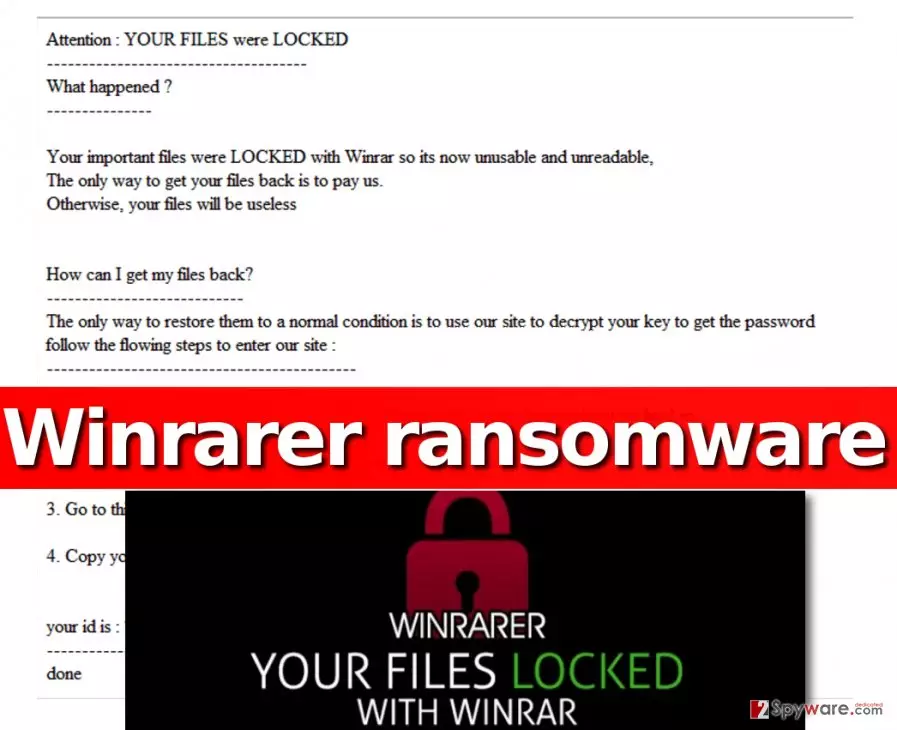
How does ransomware spread?
Ransomware viruses are meant to be installed without user’s knowledge, so it is right to say that they belong to Trojan category. These crypto-Trojans can silently collect data about the computer user, his/hers activities, files stored on the computer, and later on leak such data to certain web sources. Be very careful – if the computer is unprotected, such data loss can cost you a lot. Therefore, we recommend you to take actions and defend your PC from ransomware attacks in advance. Establish a trustworthy anti-malware program on the system and enable automatic updates for it, then back up most important files and unplug the data storage device from the computer and store it in a safe place. Finally, avoid general Internet menaces – do not open questionable email attachments, do not install software updates from unknown websites, and install software only with Custom or Advanced options (these allow users to review “recommended” programs added to the main program and drop them off, if necessary).
WinRarer virus removal options
If your files have been archived and you cannot access them anymore, we suggest you create a copy of them and export it to a safe place. The structure of this virus is quite promising, which means that cyber security experts might be able to crack it soon. In the meantime, remove WinRarer ransomware and create an anti-malware shield for it with a help of FortectIntego. You can find more information about WinRarer removal below.
Did this guide help?
4 comments
melvina
I am trying to find a free file, sadly, this seems to be an impossible thing to do... It has locked up all of them...
Frankie
I cannot understand why these cyber criminals attack innocent people, really.
SuperMario
Finally I have removed the virus... i dont care about the files... I have a backup :P so screw the criminals
JOzif
i am so angry! I understand theres nothing to do now and its all my fault but still!! those criminals should go to hell