

The main principles of .Block ransomware virus:
.Block virus is a new addition to the category of ransomware viruses which locks the files and appends .block extensions to the endings of the file names, replacing the regular ones. The virus is apparently targeted towards the Russian-speaking computer users since the data recovery instructions (the so-called ransom note) are displayed in Russian. Thus, we can presume that the Russian-speaking countries are at a greater risk of becoming the boiling epicenter of the .Block ransomware distribution than the rest of the world. Nevertheless, nothing obstructs the virus from spreading outside this area and infecting computers on the other side of the globe. So, you should never let your guard down and look out for the dangerous Web content that might be infectious. If it so happens that you accidentally get infected with this menacing ransomware, make sure you have data backups and proper tools to remove .Block from the computer. If you don’t have such equipment yet, take a look at FortectIntego. It is a professional virus-fighting suite which is acknowledged and used by millions worldwide.
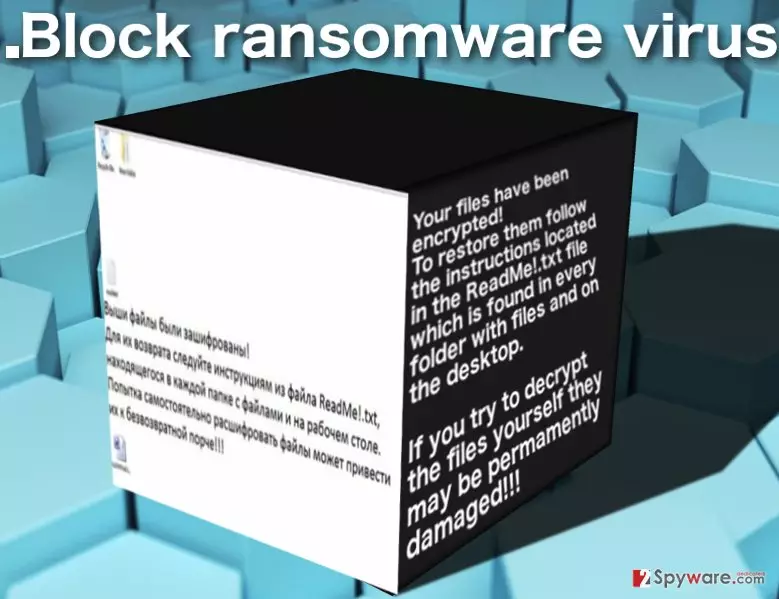
Apart from the demarcated area of its distribution, .Block is a typical ransomware infection. It stealthily encrypts the data stored on the attacked computer using a sophisticated encryption key and drops a ransom note after the encryption is completed. The attackers encourage the user to check out the newly created readME!.txt by replacing the desktop picture (file called bg2.jpg) with a text that in English reads:
Your files have been encrypted!
To restore them follow the instructions located in the ReadMe!.txt file which is found in every folder with files and on the desktop.
If you try to decrypt the files yourself, they may be permanently damaged!!!
We have not managed to acquire the actual ransom note, so we do not know what do the hackers demand for the ability to access the data and whether the data decryption is possible at all. Either way, you should not even be interested in the contents of the ransom note since it probably features the extortionists’ demands which you should not follow. Instead, focus on .Block removal, because it is probably the only thing that actually benefits YOU and not the hackers in this current situation. You can recover your files using alternative data recovery methods afterward.
How does this virus invade computers?
So far, the experts did not have a sufficient amount of material to analyze in order to determine .Block ransomware distribution strategies. Nevertheless, looking at the common tendencies, there are two main ways that the ransomware creators could have turned. They could have employed Trojans and exploit kits to spread this virus around or relied on malicious spam campaigns to deliver this parasite straight into the users’ inboxes. Though in both of the cases the virus gets sneaked into the computer by stealth, the exploit kits make it almost impossible to stop the infiltration. Receiving the virus by mail is a whole different story. First, after noticing an email that was sent by suspicious, unfamiliar sources you may not open it and move it straight to the trash folder. Even if you are curious enough to check the email, you still have to download the attachment and open it on your computer before the virus can finally begin encrypting files. This means that you are at least three steps away from getting infected by .Block virus. So, be careful, investigate your correspondence and don’t download suspicious attachments on your PC!
How to remove .Block virus and restore your system
Unfortunately, .Block virus is, at least at this point, too complicated of a program for us to be able to eliminate it from the computer without leaving a trace: the encrypted files will most likely remain locked. Nevertheless, .Block file virus removal is absolutely necessary. The most effective way to deal with the virus is to run the full-scale scan of your system using a professional anti-malware tool. This will allow you to remove .Block virus along with malware, Trojans, and worms that might be scattered throughout your computer. You can be sure that the system is completely virus-free after that. Keep in mind that ransomware may try to interfere with this process and block your antivirus from initiating. Don’t give up! Complete virus decontamination steps below and proceed with the extermination.
Did this guide help?
Be the first to comment