

How should you treat c ransomware?
Guardware@india.com virus is regarded as another version of XTBL ransomware series. This file-encrypting malware delivers the destructive payload via guardware.exe file, and as a result, all victim’s personal files get strongly encrypted [1]. What is more, it uses RSA and AES encryption algorithms to securely lock victim’s files so that one could not access them in any way. Following a successful data encoding procedure, the ransomware marks each corrupted file with a .guardware@india.com.XTBL file extension. Not a long time ago we said that files encrypted by XTBL/Crysis ransomware variants cannot be decrypted with the help of any data recovery products, however, recently the long-anticipated decryption tool has been published [2]. Therefore, if Guardware@india.com ransomware attacked you, you can decrypt all your files for free. Before you implement data recovery, do not forget to get rid of malicious files that this virus dropped on your computer system. To completely remove Guardware@india.com, use anti-spyware or anti-malware tools like FortectIntego.
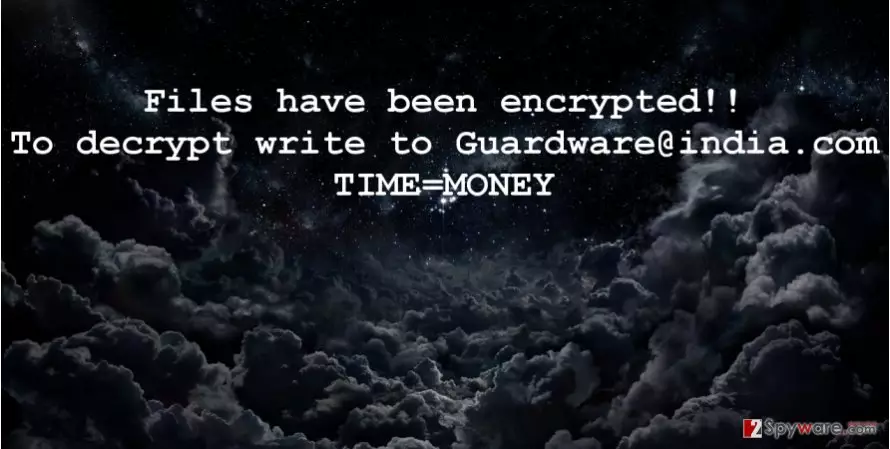
The fact that your files can be decrypted means that you are lucky, because typically ransomware viruses appear to be undefeatable, which means that reverse-malware engineers cannot find a way to build a free decrypter for victims, and consequently the only way to recover files is to pay an enormous ransom. Guardware ransomware leaves How to decrypt your data.txt and .html files on the desktop and also changes desktop wallpaper with a picture that contains the same information – files have been encrypted, to decrypt them, contact criminals via Guardware@india.com. It is not recommended to pay ransoms because in many cases criminals never reply to the victim as soon as they receive the ransom payment [3]. Since your files can be decrypted using a special decrypter, start taking care of Guardware@india.com removal.
The distribution methods of the malware
Guardware@india.com malware spreads via email [4]. It is the most popular way to deceive victims and make them open the malicious file that contaminates the entire computer system. Alternatively, criminals may use advanced malware distribution techniques, such as malvertising or exploit kits. However, such techniques require criminals to go an extra mile, so typically they just send out malicious emails with some attachments. Such letters often appear to be legitimate and safe, because scammers typically pretend to be Amazon, Paypal, or some other reputable company’s representatives. Scammers often make a lot of grammar mistakes, so if you see them in the vague message that you have received, better do not open links or attachments it contains. In general, avoid opening letters that are sent by unknown parties. In short, remain vigilant while browsing the Internet [5].
Is there a way to eliminate Guardware@india.com?
It is extremely hard to remove Guardware@india.com virus manually. You should not underestimate the power of anti-malware tools, e.g. FortectIntego or MalwarebytesMalwarebytes, because they can efficiently remove malicious programs and files that pose a risk to your computer’s safety, whereas it can be very hard to detect such problems manually. If you do not know how to start the removal procedure, do not worry. Our experts have prepared an informative tutorial for this matter. You can find Guardware@india.com removal guidelines below.
Did this guide help?
4 comments
Catelyn
THANKS GUYS. Youre the best!
Vlad
Vlad got hit files encripted. Vlad recovered them. Vlad is thankful!
Irinah
I was thinking whether I should use anti-malware, but when I discovered that theres a decryption tool available, I have decided to try it. Reimage worked like a charm. Thanks for recommending it to me. Thumbs up.
Magenta
Finally, an actually useful post about guardware virus..