

General information about new computer virus: Help@decryptservice.info ransomware
Help@decryptservice.info virus is a common ransomware-type threat that is named after the contact email address that the virus provides for the victims. It is a variant of BandarChor ransomware, which has been active for two years since its first appearance[1]. The malicious program is set to encrypt target computer’s data with AES-256 cipher[2], which renders files useless unless you have the original decryption key. Of course, the virus sends out this key to ransomware authors so that the victim couldn’t reach it and use it for data decryption. All encrypted files get .id[victim’s ID]_Help@decryptservice.info file extensions. The aim of cyber criminals is to blackmail you and threaten you in order to convince you to pay a ransom to them, because if you don’t, they promise that your files will be destroyed for good. Such information is provided in the ransom note that the virus creates, which is called HOW TO DECRYPT.TXT. Authors of the virus have changed the contact email address and now suggest contacting them via Help@decryptservice.info or Shigorin.Vitoli@gmail.com. What is interesting is that the virus’ authors even suggest contacting them via Telegram app – their account is named @DecryptService.
However, if you have been attacked by this ransomware virus, don’t do anything you’ll regret later. Of course, you shouldn’t pay the ransom to cyber criminals[3]. Most likely they will ask you to buy some Bitcoins (virtual currency)[4] and send them to frauds’ Bitcoin wallet. We believe that it is not the best idea to entrust your money to criminals, because, despite the fact that they promise to provide you with the decryption tool and service, they might don’t do that at all. The worst thing about ransomware is that once it gets into the system, in the majority of cases, nothing can be done to reverse the damage it implements. You can only recover lost data from a backup, and if you do not have it, then we have bad news for you. You should remove Help@decryptservice.info virus as soon as you can and then set up a proper computer protection. The fact that a ransomware virus managed to slither into a system shows that security software that you are using is untrustworthy or out of date and needs to be updated. It goes without saying that you should solve this problem right after you complete the most important task: Help@decryptservice.info removal. For this task, you can use FortectIntego or SpyHunterCombo Cleaner anti-spyware programs. 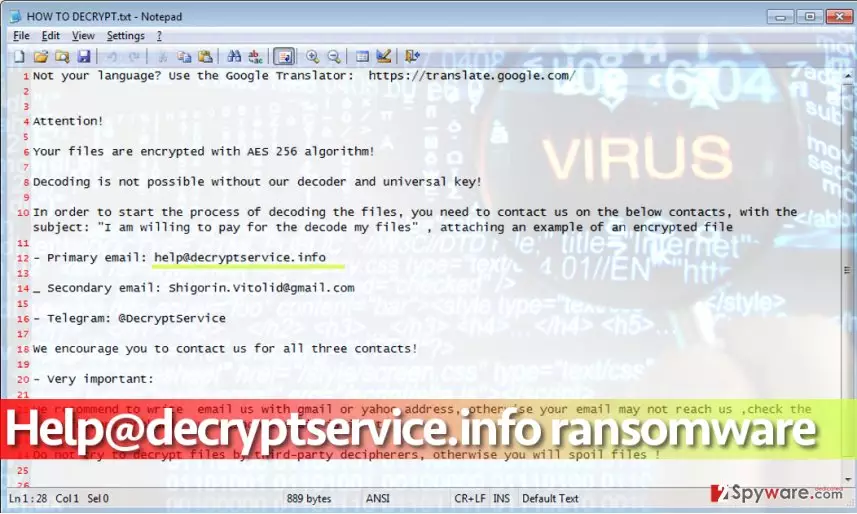
How did I get infected?
Many ransomware victims have no idea how the virus entered their computers. However, if your PC is full of outdated programs, and you like to browse the Internet for long periods of time, you risk installing a ransomware virus alongside another program. You might also enter a website that hosts an exploit kit[5] or click on a deceptive ad that will infect your system with malware. Recent reports about this virus reveal the main virus’ distribution method: it spreads via malware-laden ads displayed via adult websites. Therefore, you should always be watching what you click on and avoid unknown sites or catchy, but aggressive web ads. It is also highly recommended to stay away from emails sent to you by unknown people.
How do I remove Help@decryptservice.info virus?
If you want to completely remove Help@decryptservice.info virus, you should use anti-malware software. Please bear in mind that ransomware is not a mid-level program that you can get rid of by running its uninstaller because it is not a basic program and it aims to stay on the victim’s system as long as possible. Therefore, it leaves no uninstaller on the system. For Help@decryptservice.info removal, we suggest using FortectIntego or SpyHunterCombo Cleaner programs. You can find a full removal tutorial below.
Did this guide help?
4 comments
revo
I am NOT gonna pay. These scams aint getting a single penny from me !
dUBZ
I wrote to Help@decryptservice.info, no response yet. I lost my hope to recover these files someday.
Manila
This is insane! How is it possible to LOSE ALL FILES in less than a hour??> just how!!
tuesd@y
literally crying right now...