

In-dev SureRansom ransomware threatens to take the ransom using stored passwords
We rush to inform computer users about SureRansom virus, which is an in-development ransomware[1]. Currently, the virus is not active, and it doesn’t encrypt anything on the compromised computers; however, it is very likely that SureRansom ransomware will be improved soon and become capable of corrupting victim’s data. Once the victim allows this virus to enter the system, it will display a message stating that hard drive[2] was encrypted and that the victim needs to pay 50 pounds in order to recover these files. The message on victim’s computer screen contains a link to another page, called “Confirm Payment.” The virus says:
Using stored password £50 will be charged to one of your accounts.
The victim can either choose “Purchase Key (£50)” option, or the “I don’t want my data” one. The ransomware is still in development, and it doesn’t corrupt any files, however, it is believed that improved versions of SureRansom will be spread soon, so in case this virus manages to infect your system, remove SureRansom malware using FortectIntego or another reliable anti-malware[3] tool and change all passwords that your web browser stored[4]. If you want to delete the virus successfully, we highly recommend you to reboot your PC into Safe Mode with Networking before you start SureRansom removal procedure. The indicated virus doesn’t encrypt and doesn’t even add any file extensions to victim’s files, so you do not need to worry about data recovery. Although we cannot guarantee this, we believe that the virus will be improved and become much more dangerous soon, se be careful while browsing the Internet!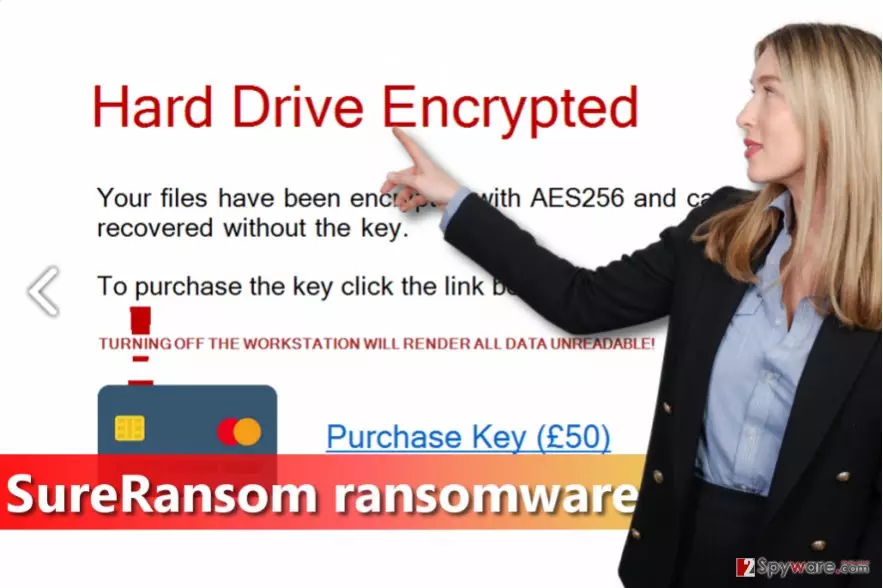
How did I get infected with ransomware?
Ransomware viruses are mostly distributed via phishing emails[[5]. Cyber criminals create convincing messages and decorate such letters with legitimate-looking logos, signatures, and other details that make an impression that the message comes from a legitimate company. Such letters typically kindly suggest opening attached files, however, we highly recommend you not to do it! Once executed, such attachments infect the system and damage data stored on it. You can also install Trojans and keyloggers this way. To avoid such issues, never open email attachments sent by suspicious people. Finally, ransomware can get into your system using security vulnerabilities, so we suggest installing an anti-malware program and keeping all your programs up-to-date.
Can I remove SureRansom ransomware manually?
Although technically you can remove SureRansom virus manually, we highly recommend you not even to try doing so (unless you are an advanced computer user or a programmer). It is easy to make a mistake and delete the wrong files, so better leave SureRansom removal task for an automated virus removal program. However, you need to do some preparations before running anti-malware program, so please follow these instructions.
Did this guide help?
3 comments
Andre
Hell yeah, another foolish ransomware. I hope its devs feel like losers now.
Serpentine
How can I protect my PC from ransomware viruses? Is there a 100% working method?
WillMike
use backups and antimalware thats it, i think.