

Why do my browser keeps showing “Windows System Security Alert” warnings?
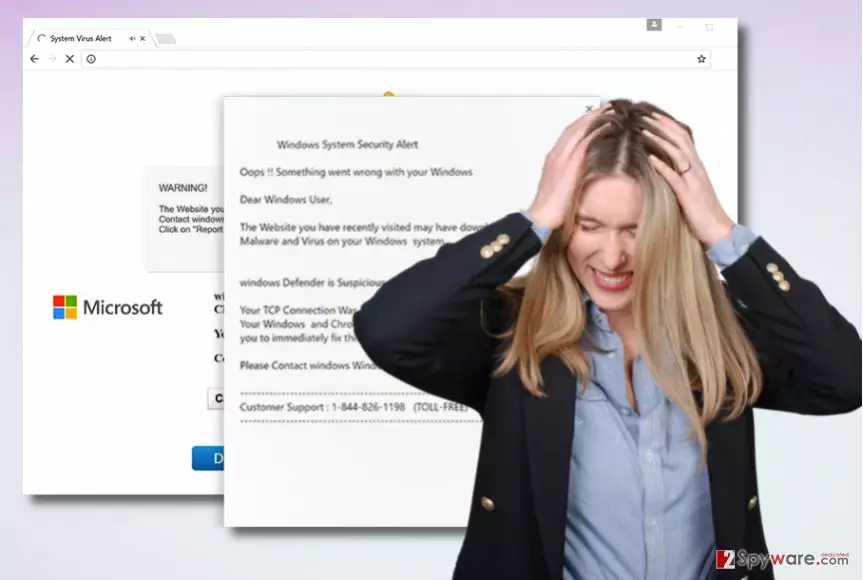
“Windows System Security Alert” virus is a malicious[1] computer program that falsely informs the victim about non-existent problems on the system. Such viruses aim to scare the victim and convince him/her call tech support scammers[2] via a provided phone number. “Windows System Security Alert” tech support scam alerts typically show up via user’s web browser. The virus opens a web browser and loads a phishing[3] website that is full of bogus Microsoft logos and warnings. For example, such phishing pages claim that the user recently visited a website that contained malware and now the computer system is infected. Therefore, the victim “needs to contact Windows Help Desk For Immediate Support and resolve this issue at Toll-Free 1-844-826-1196.”
How do such programs occupy computer systems?
If “Windows System Security Alert” pop-ups show up repeatedly, it means that a certain program is responsible for sending them to you. You have to find the source of these alerts and uninstall it; however, you should also educate yourself and learn how such malicious programs hijack the computer system. There are numerous ways of how “Windows System Security Alert” can get into your PC system. It can be downloaded by a Trojan that you installed in the past, it can be sent to you via email or installed alongside another program that it is bundled with. To protect your PC from unwanted programs, you should prepare a proper anti-malware defense plan, and you for sure need an anti-malware software. It is not the traditional antivirus program – it can protect your PC from a wide range of malicious programs. You should never open questionable email letters or install free programs carelessly – it is the easiest way to “invite” suspicious files to your PC.
How can I remove “Windows System Security Alert” malware?
If you are looking for the easiest way to remove “Windows System Security Alert” virus, use an automatic virus/malware removal tool. We do not provide manual removal instructions since this virus tends to hide itself under a variety of different names, so it can be hard to find it on the system. To detect the program that attempts to trick you into calling tech support scammers, run a system scan with a powerful anti-malware software. Begin the “Windows System Security Alert” removal procedure by using instructions that we prepared for you.
Did this guide help?
4 comments
broci
Damn scammers, they attack new victims with new scam campaign again...
Kayla
Tech support scammers are ridiculous. I swear, their IQ is below zero.
King_Taylor
I know right. They speak total BS. They think you do not know whats teamviewer for.
Jennifer
thanks for the help - I almost fell for this scam.