

Damage ransomware – another threat to your files
Be careful not to install new ransomware[1], which is called Damage virus. Damage ransomware has been spotted at the end of February 2017, and it seems to be a file encrypting ransomware, which enters victims computer system using tricky methods, then runs a scanner that detects target file types and encodes all of these files with cryptography[2] algorithm. Such damage to data is very dangerous because usually files cannot be restored without a special decryption key, which criminals send out to their secret servers. The virus adds .damage file extension to encrypted files and creates a ransom note[3] called damage@india.com[random chars].txt. It seems to be one of the many ransomware viruses that provide an email address and invite the victim to get in touch with criminals via email. Such viruses typically do not create payment websites for each victim like, for example, Spora ransomware does. If you writ to this email (damage@india.com), you will be asked to purchase some Bitcoins and send them to a Bitcoin wallet that belongs to cyber criminals. This way, criminals can collect ransoms and stay anonymous. We suggest you remove Damage ransomware instead of paying the ransom – there are ways to restore at least of your data for free. For Damage removal, we suggest using FortectIntego software.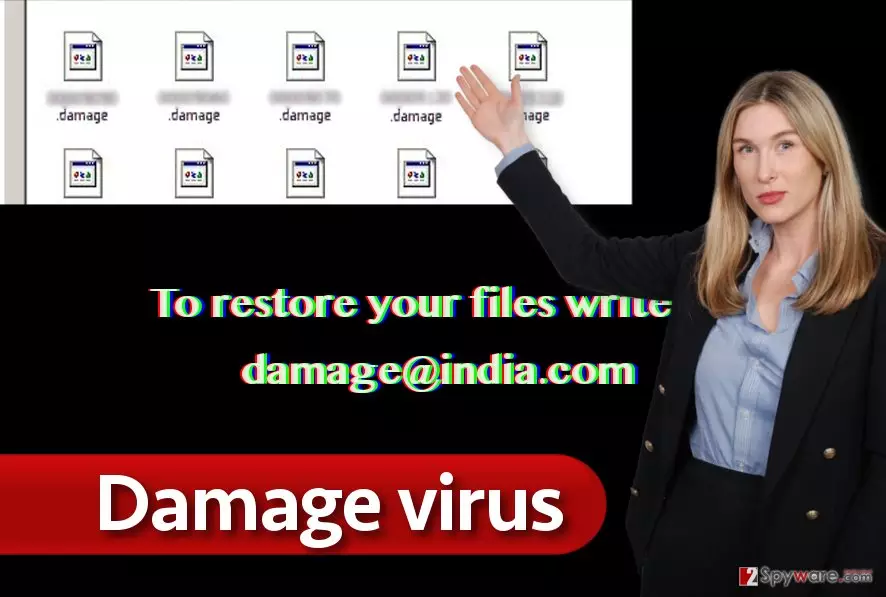
Typically, victims restore their files using data backups[4]. You have to create them prior to ransomware attack; however, many computer users do not see the benefits of backups and simply ignore pieces of advice of cyber security experts. However, if you have created a backup, take care of the virus by deleting it and then use your backup to restore files. In case you do not have a backup, try data recovery methods explained below this article.
Ways used by this ransomware to infiltrate the system
Ransomware viruses are commonly distributed via emails, phishing[5] websites, exploit kits, fake software updates, malware-laden ads, or Trojans. There are different ways to protect you from these ransomware distribution channels, but it is hard to remember all of them and keep up with the newest distribution tricks all the time, so we suggest you install an anti-malware program and just update it now and then to make sure it can identify the latest malware programs. We also want you to give you the main advice – stay away from emails sent by unknown companies or strangers, and do not agree to install software updates if you receive an offer to get them in a pop-up or a banner ad. Chances are, such ads want to trick you into installing malware on your PC!
A full Damage virus removal guide
If you are infected and looking for virus removal guidelines, look down below. We have written a comprehensive guide on how to remove Damage ransomware with all associated files from your computer. The guide will help you avoid problems related to blocked anti-virus, etc. If you have any questions about the cyber attack or Damage ransomware removal, do not hesitate to ask our experts via “Ask us” section. Remember – we do not recommend you to pay the ransom these ransomware crooks demand. We suggest you try to recover as many files as possible from external devices such as USBs, CDs, hard drives, and other data storage devices.
Did this guide help?
4 comments
2-Spyware team
Yes, that might be the case. Try updating your antivirus and try to scan your PC system again.
Nadya24
If your files were encrypted by Damage, theres no way to recover them. Just delete the virus and continue living. End of the story.
Cornelius
I tried to remove Damage, sadly, unsuccessfully. My antivirus is outdated, I guess? am I right?
Orynz
I deleted the virus, but whatever... I need my files... I am so, so, so, so, sooo disappointed in myself...