

FabSysCrypto ransomware pretends to be Locky virus
FabSysCrypto virus is yet another HiddenTear ransomware spin-off[1]. However, it seems that this time ransomware crooks have big plans and seek to scare the victims greatly. To accomplish this goal, the developers of HiddenTear clone FabSysCrypto have designed a ransom note that looks almost identical to the one that Locky ransomware[2] leaves on the compromised computers. Once installed, the ransomware encrypts victim’s files and adds .locked file extension. This is strange because if the ransomware developers actually wanted to make this virus at least a bit similar to Locky, they would have chosen to add .locky or .zepto file extensions. However, the virus creates a ransom note called _HELP_instructions.txt, which is known to be used by many Locky ransomware versions. The FabSysCrypto malware searchers for files with these file extensions: .txt, .doc, .docx, .xls, .xlsx, .sln, .ppt, .pptx, .odt, .jpg, .png, .csv, .sql, .mdb, .php, .asp, .aspx, .html, .xml, .psd. Once it finds a target file, it encrypts it. Again, we want to remind you that this virus is not as dangerous as Locky and there are some third-party tools that might help you to decrypt .locked file extension files corrupted by this virus. Before you take any moves regarding data recovery[3], please remove FabSysCrypto virus using instructions provided below the article. We never advise ransomware victims to deal with ransomware removal in a manual way, so we suggest using anti-spyware or anti-malware tools for FabSysCrypto removal. We highly advise using these malware removers – FortectIntego or SpyHunterCombo Cleaner.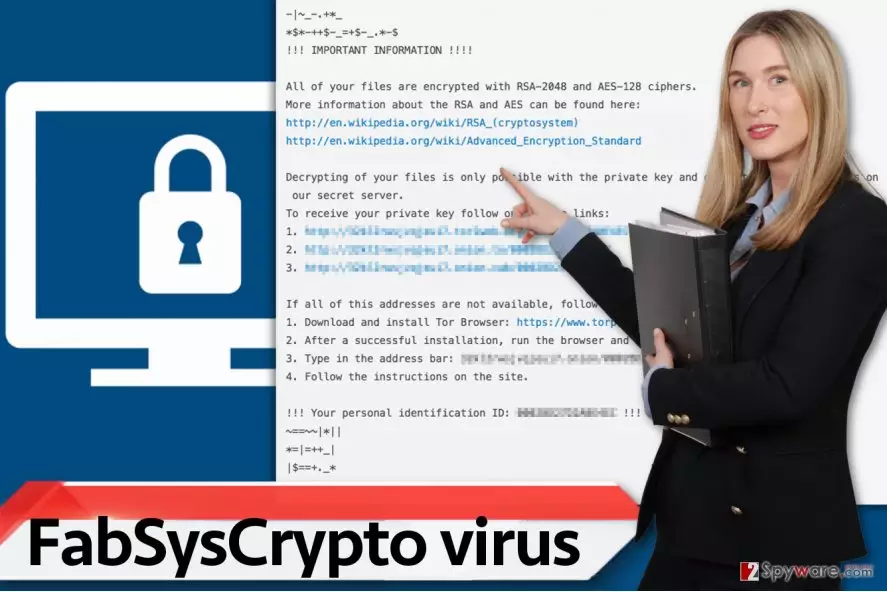
FabSysCrypto ransomware is yet another example why open-source malware is a bad thing[4]. Releasing a ransomware code for “educational” purposes is never good because such projects always get exploited by novice cyber criminals who hardly know how to code. Therefore, they take a prepared source code, make a few easy tweaks and customize it for their needs. Although such viruses are not as dangerous and sophisticated as, for example, Spora ransomware[5], they still do damage to the computer and waste computer user’s time. However, Hidden Tear spin-offs often appear to be decryptable, so we suggest you search the web for HiddenTear decryption tools.
How did the virus enter my computer?
Nowadays we see cybercriminals’ tendency to use social engineering skills rather than programming skills when trying to infect computers with ransomware. The most popular malware distribution technique is the same one as it was a year ago. Scammers still rely on malicious spam technique, which helps them to convince unsuspecting users to install ransomware on their systems without realizing what they are doing. It only takes a few minutes to craft an ingenious message and add a few legitimate-looking logos to it, attach a malicious attachment and send such email to thousands of victims. Once opened, the malicious email attachment contaminates the system and damages data stored on it.
How to safely remove FabSysCrypto ransomware from your system?
If you unwillingly installed FabSysCrypto virus on your computer and it damaged your files in a few minutes before you even realized what happened, we suggest you calm down. There is still some hope left, and we believe that sooner or later you will be able to restore your files. Before doing anything else, remove FabSysCrypto malware with anti-malware tools. Please read the FabSysCrypto removal instructions, which are provided below – they will help you to prepare the computer and help you to conjure FabSysCrypto away easier.
Did this guide help?
3 comments
luigi
Filthy virus... yet another ransomware
Oscar13
I hate ransomware crooks. I hope someone manages to suppress them one day!
avalon
I think my aunt just downloaded this ransomware from an email attachment. Gotta try the HiddenTear decryptor, i guess..