

CryptoDevil malware pretends to encrypt your files
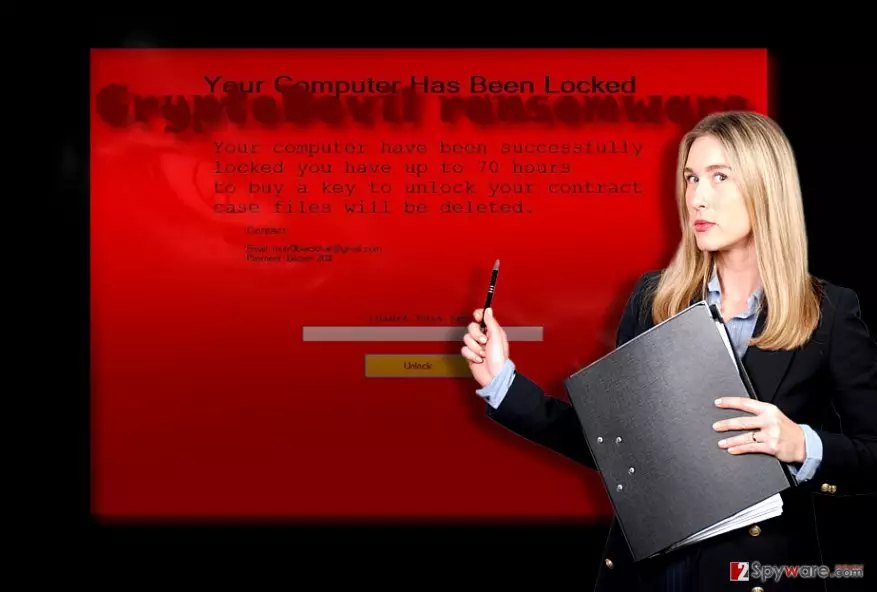
CryptoDevil virus pretends to operate as a file-encrypting threat[1]. The title supposedly gives an additional menacing hue to frighten victims more. However, such cliché tactics do not scare experienced virus researchers. Even if the ransom message claims that the malware encrypted users’ files, as a matter of fact, it does not encrypt nor delete any of personal files. In fact, it operates more as scareware. The author, who is possibly a teenage wannabe hacker, demands $20 in exchange for the supposedly encoded files. There is no need to comply with the demands and pay any ransom, as virus researchers have found a workaround. Find out how you can remove CryptoDevil in an easy way.
If you have followed our posts since last year, this threat might have reminded you of a couple of identical screen locker threats: In-Development or Click Me Game virus is an analogous example of the same family. Such threats are targeted at senior Internet users or perhaps less experienced netizens. Usually, such threats operate as temporal screen lockers[2]. Likewise, the most problematic feature of CryptoDevil screen locker is that it paralyzes your computer for a while. Certainly, less proficient users might give in to panic and contact the hacker via mutr0lblackhat@gmail.com. Luckily, you do not need to transmit any money or contact the crook in any other way[3]. Just simply enter kjkszpj in the key box. Once you do that, an additional window pops up saying how to terminate CryptoDevil malware:
Instruction! How To Remove my virus
1. Open Start Menu
2. Go to Startup
3. Delete CryptoDevil.exe End!
Thanks for collaboration
Even if you follow these instructions, you should still employ alternative CryptoDevil removal methods. Install FortectIntego or MalwarebytesMalwarebytes to scan the device for any remaining malevolent files.
How did I get infected with CryptoDevil?
Even if this ransomware is less complex, you might have accelerated CryptoDevil hijack when you opened a corrupted email attachment[4]. Despite continuous warnings, the virtual community is still careless when it comes to reviewing spam folder. As a result, this method remains prosperous and facilitates ransomware business. Do not rush to open the attached files without verifying the identity of the sender. Pay attention to the content of the message as usually; it contains spelling and typing errors. Be vigilant and give it a second thought before reviewing the thatched documents. In addition, keep in mind that crypto-malware spreads with the assistance of exploit kits as well[5]. In order to protect your operating system from these infections, you should arm up with security programs. The combination of an anti-virus and anti-malware utilities might ensure proper protection. Certainly, your cautiousness plays a significant role as well.
Can I delete the malware from a computer completely?
Even if this threat does not stand out from other ransomware, you should not delay CryptoDevil removal process. Run a security tool to eliminate the threat. Usually, it only takes several minutes to remove CryptoDevil virus. In case, this malware prevents you from launching the app, use the below instructions. They will be practical in eliminating more complex threats in the future. Arm up with knowledge as well. Note that ransomware attacks might be carried out with the assistance of browser plug-ins. When you browse, do not enable any shady plug-ins and extensions. They might be a harbinger of a real cyber threat.
Did this guide help?
3 comments
mandragore
Thanks for the key!
flytothemoooon
Again with mythology? They could name their viruses..lets say... after the names of Native Americans deities...
carpe1diem
Phew..that was a close call. Big thanks for the code!