

What damage might cause MOTD ransomware virus?
MOTD ransomware is a new file-encrypting virus that uses RSA cipher [1] to encode files on the targeted computer. Usually, ransomware-type viruses use AES encryption or combination of AES and RSA algorithms. The motives why developers used this algorithm are unknown; thus, it’s clear that malware differs from other file-encrypting viruses that are currently spreading on the Web. Malware researchers suggest that the name of the virus is an acronym which stands for “Message Of The Day” [2] — which is widely known saying in the IT world. Apart from encrypting the files, MOTD virus also aims at web servers and might infect websites. This feature allows it to stand out from other file-encrypting viruses and cause people more damage. What is more, developers of the ransomware might get access to the affected computer. As a result, they might install other malware or try to steal personal and sensitive information.[3] Thus, we highly recommend scanning the system with FortectIntego or other malware removal program as soon as virus appears on the computer. Detailed instructions how to remove MOTD are presented at the end of this article.
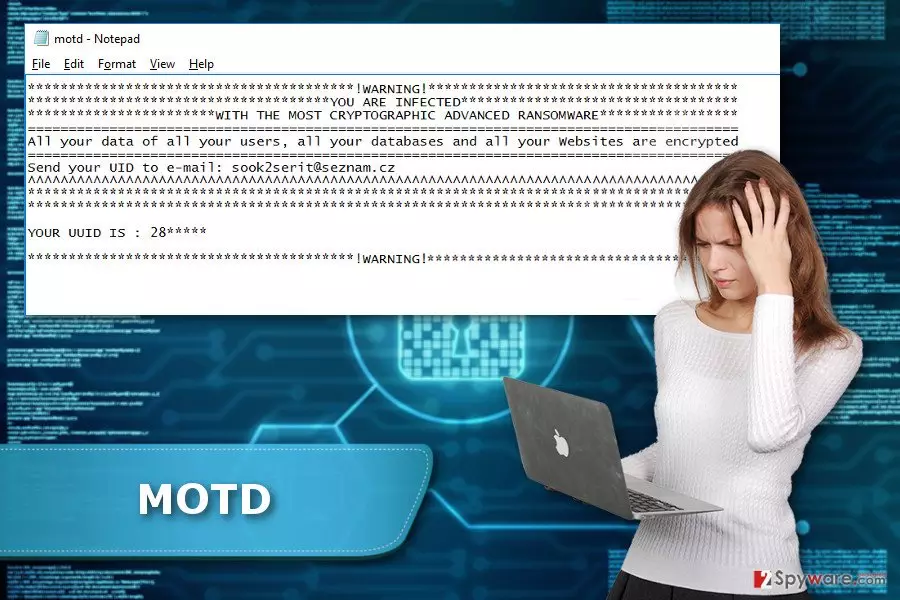
The MOTD virus aims at widely used files, such as MS Word documents, different types of image, audio, video files, databases, etc. As we mentioned at the beginning, it uses RSA cryptosystem to take data to hostage. However, it also appends the .enc file extension to the corrupted files. Thus, encrypted files easily differ from the safe data. Though, you should not expect that the virus leaves some of the important files untouched. In order to get back access to your files, you need either data backups or specific decryption key. When MOTD ransomware virus finishes messing up with files, it drops the ransom note in the motd.txt file. Victims are supposed to contact cyber criminals via provided email address (sook2serit@seznam.cz) and send their unique ID number provided in the ransom note. However, following cyber criminals’ orders is not recommended. We can reveal that people standing behind the virus will ask to pay the ransom which might be up to 2 Bitcoins. The size of the payment might vary due to a number of encrypted files. However, no one can assure that hackers have the decryption software and are willing to restore the files. Thus, we believe that it’s better to initiate MOTD removal and think about alternative data recovery options or wait for the official decryption software.
How does the ransomware spread?
Authors of the MOTD ransomware use a combined distribution techniques and strategies. As you already know, the virus aims at both – home computer users and web servers. Obviously, hackers need different strategies and tools to launch successful campaigns. It seems that the virus might affect web servers with a help of vulnerable WordPress plugins. Meanwhile, other computer users should be aware that the virus widely uses exploit kits [4] to infect devices. Though, the best prevention of the ransomware is up-to-date software. Additionally, people might encounter MOTD malware if they download programs or files from various file-sharing websites or P2P Networks, click on the malicious email attachments, links or ads or install bogus software. Hence, if you haven’t encountered this crypto-malware yet, please take all necessary precautions and make data backups.[5] They are crucial in case of emergency.
How to withdraw the MOTD ransomware from the computer safely?
Some cyber parasites can be deleted from the system manually; however, MOTD removal must be performed automatically. File-encrypting viruses are complicated cyber threats that might be hiding in the system and pretending to be legitimate files or applications. To avoid irreparable mistakes, you should install professional malware removal tools and run a system scan. To do that you may need to reboot your PC to the Safe Mode with Networking. The instructions below will help you to deal with all obstacles and remove MOTD entirely.
Did this guide help?
3 comments
Adeline
Crap.. It encrypted my files. Please, let us know about the release of decrypter ASAP
Gwendolyn
It attacked my PC... I am so angry!
Sally
It took my files as well. At least I managed to delete the virus. Thanks for the instructions.