

How destructive is Meteoritan ransomware?
Meteoritan virus operates as a file-encrypting threat which has come into the daylight a couple of days ago. Due to its references to Poland in its execution files, and similar style of the ransom message, specialists suspect it to be related to Polski or Vortex file-encrypting threats. In comparison with other variations of the same family, the current malware does not seem to be so aggressive. Despite its claims that the virus encodes personal files with the RSA-4096 algorithm, the virus does not encrypt files at all. However, its presence suggests that you should take an immediate action and remove Meteoritan. FortectIntego or MalwarebytesMalwarebytes helps you do it properly.
Observing the trends in the virus world, it seems that international hackers are steadily taking over the market. As a result, they manifest delicate and crafty hijack habits[1] which spark interest for experienced IT professionals[2]. In this regard, Meteoritan does not seem to be very intricate, but if it is related to Polski family, the virtual community should prepare to see multiple new emerging variations. Elaborating on this crypto-malware, the hackers expect to earn money from adolescent and perhaps senior Internet users. In where_are_your_files.txt and readme_your_files_have_been_encrypted.txt messages, the crooks present the cliché text. It instructs the victims to contact meteoritan6570@yandex.ru[3]. After sending the ID which is located in METEORITAN.POLAND, the affected users by Meteoritan malware, should receive further information on the payment within 24 hours[4]. This infection might be a beta version of a future crypto-malware, as the further behavior of the ransomware sparks more suspicions. It appends *нет данных* file extension (*no data* in English) to supposedly affected files. Though there is a probability that some of personal files might be really encrypted, in any case, hurry up with Meteoritan removal.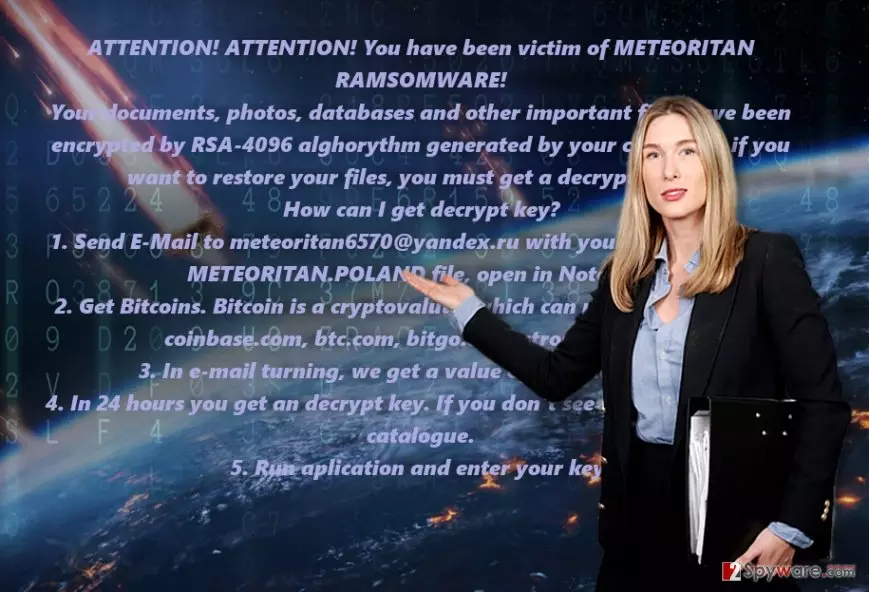
The transmission preferences of the infection
Meteoritan hijack might have been activated when you clicked on a corrupted email attachment. Note that hackers might pretend to be the officers of an official institution or even the FBI to persuade you into opening the compromised extension. When Google has declared war on email Javascipt attachments, the crooks find new forms and methods to disguise the payload with the ramsomware.exe. Do not open any .zip attachments before verifying the identity of a sender. In addition, protect the computer from exploit kits, and other malware which facilitates the attack of Meteoritan ransomware or another crypto-malware. You should be careful not to click on ads or suspicious links in gaming websites as well[5].
Do I need additional tools to exterminate the malware?
When it comes to crypto-malware or fake versions of such infections, in either case, we do not recommend meddling with it manually. For that reason, we suggest installing a virus elimination utility. Do not forget to update it to remove Meteoritan virus. It is unlikely that the malware will prevent you from deleting it, but in case it does, use the below-displayed instructions. Below the article, we also suggest a couple of programs if a real file-encrypting threat encodes your files. Do not forget that backup copies are one of the viable to recover your files even if ransomware encrypts them.
Did this guide help?
Be the first to comment