

How dangerous is Zorro ransomware virus?
Zorro virus is a new file-encrypting malware that uses symmetric cryptography[1] to encode files located on the targeted computer. The ransomware mostly spreads via malicious email attachments. When a user clicks one the infected file, the virus infiltrates the computer. Once the malware gets inside, it connects to the remote Command & Control server[2] and downloads malicious files. When Zorro ransomware installs all malevolent files in various Windows locations, it modifies Run and RunOnce registry sub-keys. These Windows Registry modifications allow launching the virus as soon as the computer is turned on. The main purpose of the ransomware is to encrypt various documents and media files. In order to do that, the virus might shut down particular system process. Then, it starts scanning the device looking for the MS Office, Open Office, Libre Office, various image, audio and other widely used files. To all encoded files it appends .zorro file extension. This extension prevents victims from accessing and using their files. Unfortunately, even Zorro removal won’t help to restore encrypted data.
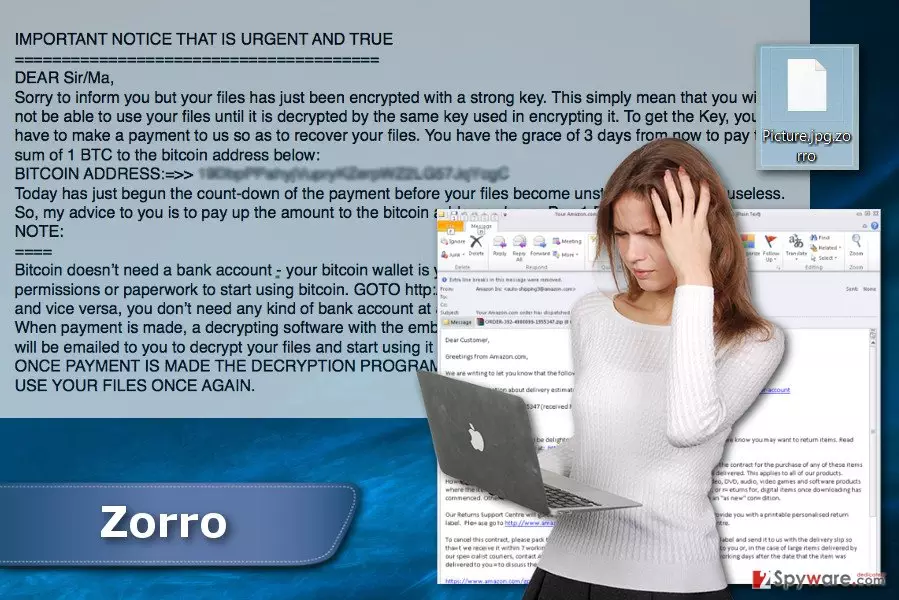
Of course, hackers do not leave victims without a way out. After data encryption, Zorro ransomware virus creates a text file and places it on the desktop. Indeed, it’s a ransom note that might be called either “Take_Seriously (Your saving grace).txt” or “(Your saving grace).txt.” This file informs people that their files have been encrypted with a strong key and they need a specific key to restore them. The authors of the virus demand 1 Bitcoin that must be transferred to the provided address within 3 days. According to the ransom note, as soon as the payment is made, victims are supposed to receive an email with decryption software. Though, you should not rush clicking on the provided link where you can buy Bitcoins.[3] No one can assure that developers of the Zorro virus have necessary decryption software. Sometimes ransomware viruses are written poorly, and there’s no way to restore the files unless victims have data backups. What is more, cyber criminals might just be interested in taking your money and do not care about keeping their promise. It might be a lie. Thus, instead of having risky business with hackers, you should remove Zorro from the computer. This won’t help to restore your files, but after removal, you can try to recover your files using additional methods. Thus, install FortectIntego and scroll down to the end of this article to learn more about virus removal.
How might this file-encrypting virus hack computers?
The primary distribution method of the Zorro malware is malicious spam email campaigns. Crooks send crafted emails that look like sent from reputable companies or organizations, for instance, Amazone. They also have attached PDF, Word or ZIP file that includes malware executable. Thus, as soon as a person opens the infected file, the malicious file is dropped on the system. For this reason, you should learn how to identify potentially dangerous emails[4] and stop rushing to open each received email. Sadly, your inbox is no longer safe as it used to be. Cyber criminals became good at social engineering[5] and learned to trick people easily. Additionally, Zorro ransomware might spread as bogus programs or their updates in peer-to-peer networks, torrents, file-sharing and downloading websites, and similar unknown online sources that offer to download freeware or shareware. Thus, if you are thinking of downloading illegal programs or other files, this decision might cause you more than a license for the necessary product. What is more, if you need to download free software, please choose reliable sources.
How to terminate Zorro ransomware from the PC?
Ransomware removal might be difficult because these type of cyber infections might block various system processes and antivirus program. Thus, in order to remove Zorro from the PC, you need to disable the virus by rebooting the computer to the Safe Mode. The instructions below will show you how to do it. When in Safe Mode, you need to install malware removal program, such as FortectIntego, SpyHunterCombo Cleaner or MalwarebytesMalwarebytes. After installation, update your chosen tool and run a full system scan. We highly recommend scanning the system several times just to be sure that all malicious components are terminated from the system entirely. Please, do not think about manual Zorro removal option. Deleting dangerous files from the system might lead to the serious computer-related programs. The virus might be hiding under safe-looking and legitimate system files. Thus, you might make a huge mistake and delete the wrong file.
Did this guide help?
4 comments
Amelia
Zorro? Developers probably loved this character...
Vitus
Oh.. such a nasty virus! It encrypted my files. Fortunately, I have data backups. So it hasnt caused me lots of damage. However, I need to warn everyone that this malicious email looked identical to the ones I received from eBay. Be careful!
Isabella
Please, people, make a decrypter faster!!!
Presley
Cant agree more. I need decryption software so badly! Its the second ransomware attack during the past few months... These viruses became aggressive…