

Lockify ransomware prevents people from accessing files without paying the ransom
Lockify is a ransomware-type virus which is based on the HiddenTear [1] open-source project. It uses a sophisticated AES encryption[2] algorithm to corrupt numerous types of files stored on the affected computer. Once all data is corrupted with .lockify file extension, malware drops a ransom note called “readme.HTA.” Victims will find this file in each folder that includes encrypted data. The ransom-demanding message gives a detailed explanation what have happened to user’s files. Crooks tell that these files are not damaged; they are simply modified. Thus, victims can restore them with the help of Lockify Decryptor. In order to scare people and encourage them to pay for decryption software, cybercriminals tell that any other attempts to restore encrypted files will lead to data loss. Though, if you got infected with this ransomware, you should believe in what crooks are saying. Remove Lockify from the device using professional malware removal software, for instance, FortectIntego or SpyHunterCombo Cleaner. Once the virus is gone, you will be able to restore your files from backups or try our suggested methods presented at the end of the article.
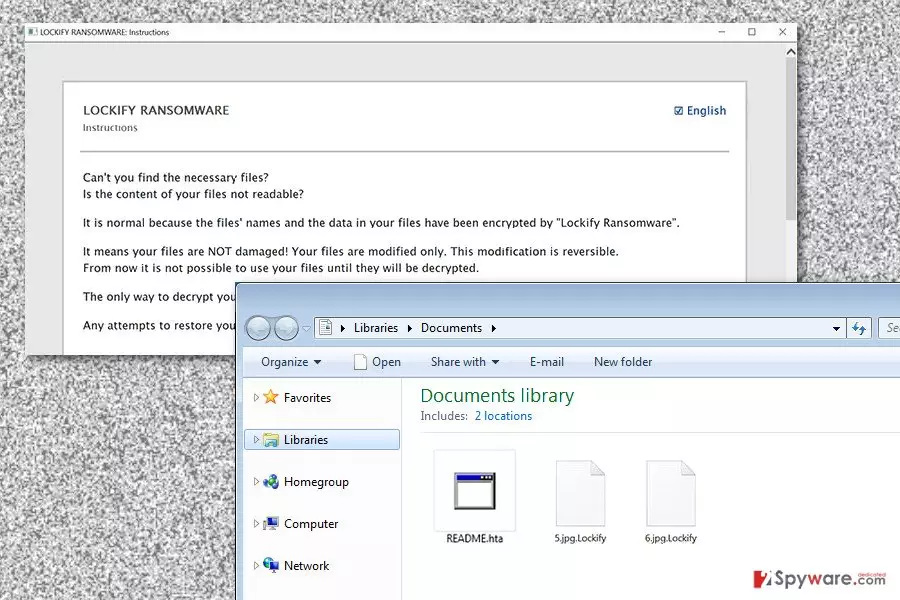
Lockify leaves an informative ransom note where cyber criminals give detailed instructions how to install and use Tor browser[3] which is necessary to open a personal page. In the personal page, victims receive guidelines how to buy a decryption tool and restore corrupted files. It’s still unknown how much Bitcoins crooks ask to pay. Though, the size of the ransom may differ based on a number of encrypted files. However, purchasing and using decryption software might end up only with money loss and infiltration of other malware. Once you transfer a demanded sum of money, you may not be allowed to use a decryption software or crooks might offer you to use a malicious tool. In the ransom note hackers also claim that third-party software won’t help in data recovery or may cause even more damage. On the one hand, they are right – third-party tools can barely help. However, you should not give up and give them a try. Victims of ransomware often restore at least some of their files using alternative recovery methods. However, before taking care of your files, you should perform the Lockify removal. While malware resides on the computer, it might encrypt files again.

Distribution techniques of the ransomware virus
The malicious payload including Lockify might be spreading via malicious email attachments,[4] fake software downloads or updates, malware-laden ads,[5] exploit kits, and many other techniques. Though, these are used the most. Malware might be hiding under obfuscated Word or PDF file or ZIP archive. These files are often renamed as “invoice,” “statement,” or another important document that should encourage a user to open it. Once he or she clicks on it, Lockify virus is installed on the system. The same thing might happen if you click on a malware-laden ad. Such advertisements usually promote bogus software, warns about detected viruses on a computer or reminds to update programs. Thus, you should be careful with such ads. Keeping software updated is also important for ransomware prevention; however, you should now how to update them safely.
Elimination of Lockify ransomware
Lockify removal can be performed only automatically. Trying to eliminate virus manually might cause serious damage to the system because ransomware-type viruses are capable of modifying the registry or injecting malicious codes to legitimate processes. Thus, you might delete wrong files. In order to prevent from damaging the system, you should employ professional malware removal software, such as FortectIntego or SpyHunterCombo Cleaner. If you cannot install or run a system scan with a security program, reboot your device to the Safe Mode with Networking. The instructions below will help you to deal with such obstacles and remove Lockify from the device.
Did this guide help?
Be the first to comment