

CrystalCrypt ransomware threatens to destroy files if the victim does not pay
CrystalCrypt ransomware is a new cyber infection which encrypts contents of files, making them unintelligible and demands 0.17 Bitcoin ransom for their recovery. To indicate which files have been encrypted, the ransomware [1] marks them with .BLOCKED extensions. So, in case this virus hits your PC, you will see these extensions next to your documents, pictures, media files, archives and a bunch of other files that are most likely to carry some personal value to you. The encryption process will be carried out as soon as Crystal Crypt executable zSd73pPjhvxBTTMtbRwO.exe is deployed on the computer. The criminals will try to sneak this file on the system using various deceptive techniques, such as malicious spam campaigns or Trojans [2]. After the infiltration, a few more file will be added to the computer. CrystalCrypt_Recover_Instructions.png will replace the desktop background with a brief ransom message, CrystalCrypt_Recover_Instructions.txt will explain the data recovery process in more detail, and Crystalcrypt_uniqeid.txt will provide the ransomware victim with a unique ID which will later serve when recovering files. Nevertheless, before you make a decision to pay for your files remember that you will give your money away to the criminals who may use it however they want, without any obligations to help you with the data recovery. That is why experts say it is better to remove CrystalCrypt from the computer rather than collaborate with the criminals. Sure, the virus elimination will not help you recover your files, but it sure will prevent the virus from terrorizing you in the future and encrypting your newly created files. We recommend scanning your PC with FortectIntego antivirus to achieve a quick result.
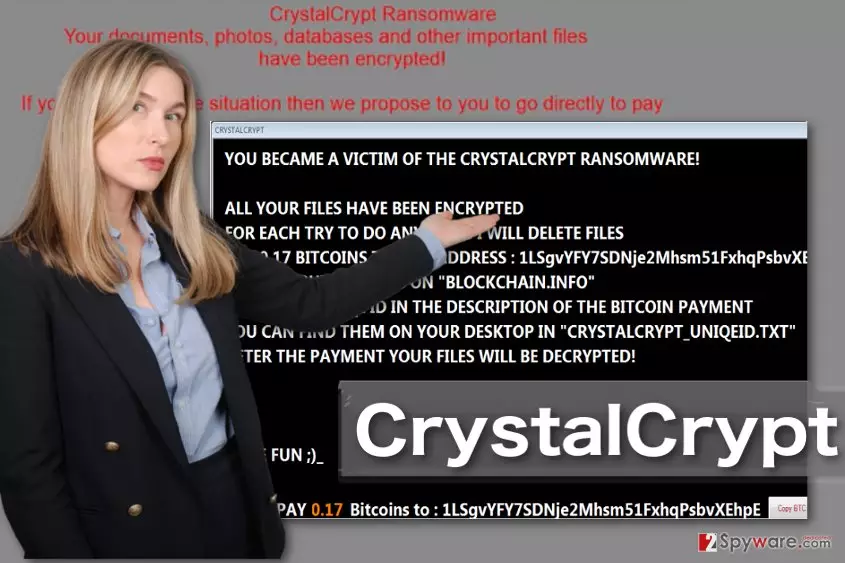
There is nothing more that defines a ransomware than its ransom note. From these messages, we can learn about the seriousness of criminals’ intentions, even their origins, in case the notes are written in some specific language. Ransom notes can be very brief or extensive, but they always are intended for one thing — making the users pay. You can see that clearly in CrystalCrypt’s note:
You became a victim of the crystalcrypt ransomware!
All your files have been encrypted
For each try to do anything I will delete files
Pay 0.17 Bitcoins on “Blockchain.info”
Send your uniqe ID in the description of the Bitcoin payment
You can find them on your desktop in “crystalcrypt_uniqeid.txt”
After the payment your files will be decrypted!Have fun ;)_
PAY 0.17 Bitcoins to : [Bitcoin wallet account address]
From the spelling mistakes in the note, we can presume that the ransomware creators are non-native English speakers: we can see the same error in the word “unique” appears twice. In fact, all sings link this virus to Germany. The virus may originate from this country or be targeted at the Germans users. Nevertheless, the virus can spread rapidly and infect any computer, so we all should be prepared to carry out CrystalCrypt removal. You will find helpful elimination suggestions at the end of the article.

Ransomware enters computers through email
CrystalCrypt may use exploit kits, Trojans, malvertising or fake ads to infect computers, but the distribution technique that no ransomware developers can do without is the email spam. It is one of the easiest ways for hackers to send out malicious payload throughout computers. What they have to do is think of a convincing subject for virus-carrying email which would prompt victims to open it and download the attached file. When the victim downloads and opens this files, the CrystalCrypt virus becomes unleashed. Thus, you must be careful when opening emails, avoid correspondence received from unfamiliar senders and stay away from the spam folder which typically holds the highest density of potentially dangerous emails.
Create perfect conditions for CrystalCrypt removal
In order to remove CrystalCrypt virus from your computer properly, it is recommended to take some preparatory steps first. In particular, you should launch your computer in Safe Mode to prevent the virus from blocking your antivirus from scanning the system. When in Safe Mode, you can run the antivirus safely and allow it to finish up with CrystalCrypt removal. Finally, you will want to recover your files. Unfortunately, the malware experts have not come up with free decryptor for this ransomware yet, but you can try other techniques to restore some of the encrypted files.
Did this guide help?
Be the first to comment