

File Informer is undecryptable ransomware virus that demands to pay 55 USD for data recovery
File Informer is a new file-encrypting virus that has been spotted by malware researchers at the end of May 2017. It encrypts documents, photos, videos, archives and other files using AES-256 cryptography and appends the .brickr file extension to each of them. Due to the name of extension malware might be alternatively called as BrickR ransomware. Following data encryption, the virus changes affected computer’s background with the black picture with red letters informing about encrypted files. File Informer ransomware also drops a ransom note named “READ_DECRYPT_FILES.txt” and runs a pop-up window with the same instructions. Cyber criminals ask to transfer 55 USD in Bitcoins to the provided address. Before making a transaction, victims can send one encrypted file to decryptmystuff@protonmail.com and criminals will send back a decrypted file for free as a guarantee that they have a working software. However, it may be the only one file saved file after the cyber attack. Once you transfer the money, hackers may forget their promise to restore your data. Indeed, it’s not fair. That’s why you should not have any business with cyber criminals. After the attack, you should focus on File Informer removal. Scanning computer with FortectIntego or other malware removal program helps to protect the system and personal information from further damage.
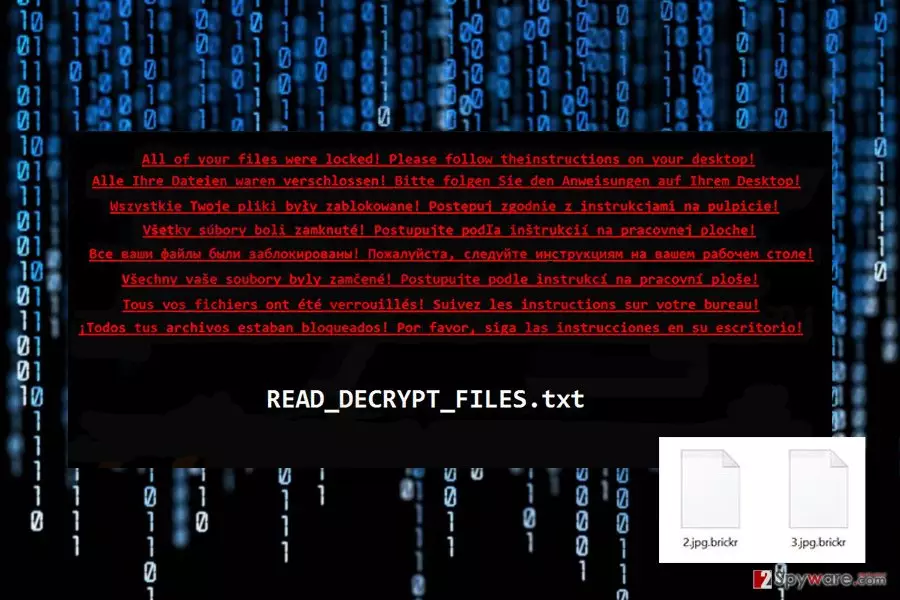
The ransom-demanding message left by File Informer includes explanation what happened to files and how users can get back access to them. Indeed, strong encryption algorithm and appended file extension prevents people from opening and using their files. According to cyber criminals, no one can restore corrupted files, neither IT experts nor antivirus programs. Indeed, data recovery might be nearly impossible without specific decryption key that is held in secret hackers’ server unless victims have backups. Ransomware viruses are often capable of deleting Shadow Volume Copies and system backups. However, there’s hope that File Informer might fail to complete this task and leave people a chance to retrieve their files without following criminals’ rules. Crooks ask to pay Bitcoins, transfer them to provided address, and then send unique victim’s ID number and wait for the decryption key. Hackers promise to send it within 12 hours, and once people get it, they have to enter it, and all the files are supposed to be decrypted automatically. However, we have already warned that this scenario may not happen. Ransomware type viruses are blackmailing tools and data recovery is just the matter of hackers’ conscience. We know numerous cases when people paid but never received a decryption key.[1] Thus, we want to discourage you from paying the ransom as well. Please, remove File Informer without any delays and then try our suggested data recovery options at the end of the article.

The distribution methods of the ransomware virus
File Informer payload is mostly spread as an obfuscated email attachment. Cybercriminals use social engineering techniques and might send emails that look like sent from reliable companies, such as PayPal, Amazon or FedEx. Phishing emails[2] usually inform about a serious problem and ask to open the attached document or visit the website by clicking a link or button. Thus, clicking this content launches the installation of malware executable. Moreover, authors of File Informer ransomware virus might be distributed with the help of malvertising, fake software updates and downloads, exploit kits, and using other strategies. Thus, in order to avoid this and similar cyber threats, you should take precautions, avoid visiting high-risk sites, double-check information before opening email attachments, and store data backups in Cloud or external storage devices.
Elimination of the File Informer
File Informer removal has to be completed using reputable and powerful malware removal program. File-encrypting viruses can download numerous malicious files, affect legitimate system processes or even install other malware. Thus, it’s nearly impossible to find and delete all these dangerous entries manually without causing damage to the system. In order to install and access antivirus or anti-malware program, you have to reboot the computer to the Safe Mode with Networking (instructions are provided below). We suggest to remove File Informer using FortectIntego, SpyHunterCombo Cleaner or MalwarebytesMalwarebytes. Once ransomware is eliminated from the device, you can restore your files from backups or try alternative recovery methods.
Did this guide help?
Be the first to comment