

New variant of Karmen emerges as 3301 ransomware virus
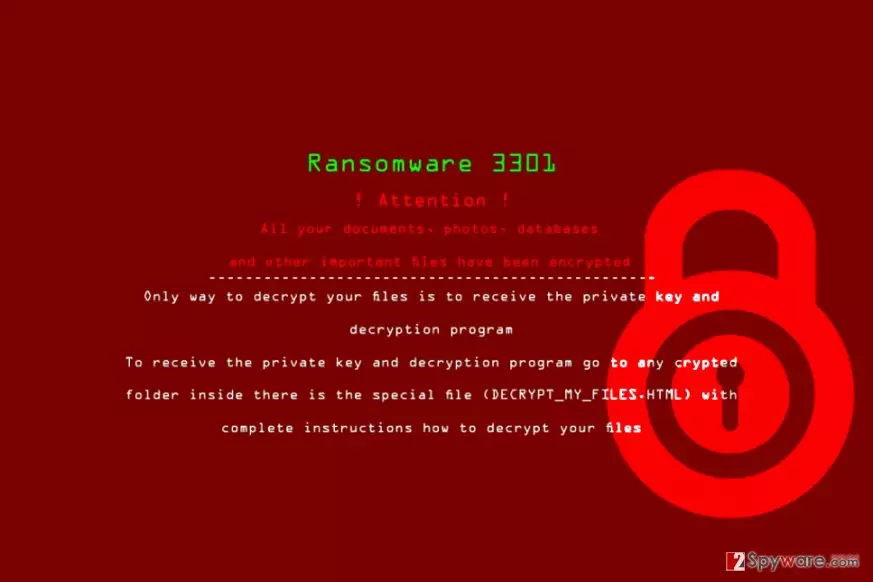
3301 ransomware is a virus that encodes files with AES-256 to make them inaccessible for the victim. The malware comes from Karmen ransomware family[1]. During data encryption, the virus appends .3301 file extensions to encoded files and creates DECRYPT_MY_FILES.html file, which is the ransom note.
The ransom note leads to an HTML page that says “You Are Locked by 3301.” The ransomware suggests that the victim has 168 hours or 7 days to pay the ransom and get data decryption key. Otherwise, the victim may lose the files forever because scammers will delete the decryption key from their servers after a week.
This virtual extortion tool is an illegal cyber weapon used to swindle money from inattentive computer users. Clearly, 3301 removal is the first thing that you need to do after noticing it in your computer.
The virus commands the victim to get Tor browser in order to access a particular website. Below, there are shortened versions of the ransom note available in 7 different languages. All of them suggest open an ID.TXT file saved on the desktop – it contains victim’s ID which is required in order for cyber criminals to recognize the victim.
After entering one of the payment websites, the victim has to choose a language and enter one’s personal ID in order to see the ransom demand. The virus asks buying Bitcoins and sending required amount to the criminals’ Bitcoin wallet. The payment website promises to automatically display the key as soon as the ransom is paid.
Sadly, it is unknown whether 3301 virus’ developers are trustworthy or not. Besides, paying the ransom means helping cyber criminals and funding their projects, which is not a good idea. We hope that you have a data backup and can recover your files for free.
If you don’t, please try the suggested data recovery methods first. Before you do so, make sure you remove 3301 ransomware. Use FortectIntego software for it.

Distribution of Karmen 3001 ransomware version
Karmen RaaS[2] is known to be promoted via hacking forums, so it is quite clear how the 3301 version was created. To distribute this virus, its authors use typical malware promotion methods and tools, such as:
- Trojans;
- Illegal software;
- Exploit kits;
- Spam;
- Malvertising.
All of these methods have been used by ransomware developers for years, but people are still struggling to keep ransomware viruses away from their computers. The best way to protect yourself is to install good anti-malware product and create a data backup.
Finally, DieViren.de[3] says that it is important to enable automatic software updates – it prevents hackers from exploiting vulnerabilities in outdated software. What is more, you should always install the latest Windows updates. One of such vulnerabilities allowed WannaCry ransomware to spread so quickly.
Remove 3301 virus and recover your data
3301 removal is a standard procedure that requires anti-malware software to be completed professionally. We highly recommend using anti-malware software like FortectIntego to eliminate ransomware viruses, but you must prepare your computer for this cleanup first.
To begin with, restart your computer and put it in a Safe Mode with Networking in order to remove 3301 virus successfully. This way, the ransomware won’t be able to disable your anti-malware software and avoid detection.
Did this guide help?
Be the first to comment