

The growing threat of web ransomware – Crypt0saur virus is one of the latest variants
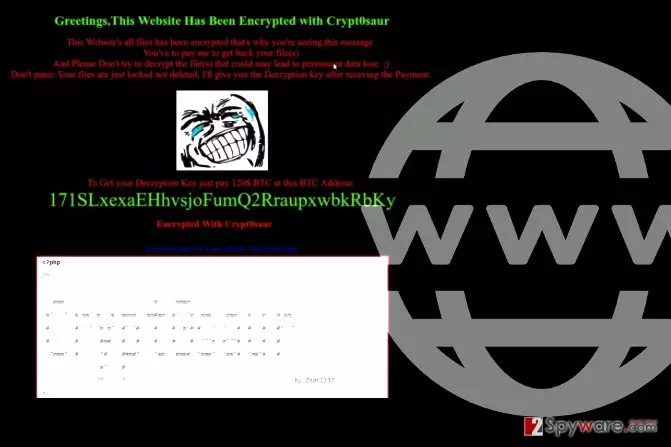
Crypt0saur virus is a newly discovered cyber threat that is known as “website ransomware[1].” While traditional ransomware targets computer systems and files stored in them, this new virus targets Internet pages. Once installed, the website’s content disappears, and each visitor who enters the site receives the following message:
Greetings, This Website has been Encrypted with Crypt0saur
This Website’s all files has been encrypted that’s why you’re seeing this message.
You’ve pay me to get back your file(s).
And Please Don’t Try to decrypt the file(s) that could may lead to permanent data lose.
Don’t panic. Your files are just locked not deleted. I’ll give you the decryption key after receiving the Payment.
The virus then instructs the victim (the owner of the website) to pay 120$ in Bitcoins. The ransom must be transferred to a provided Bitcoin[2] address. The virus is surprisingly similar to EV ransomware (also known as WordPress ransomware) or Shutdown57 virus, which urges victims to write to greenvirus707@gmail.com for site recovery instructions.
If you accidentally entered such site, we strongly recommend you to close it as soon as possible. Compromised websites are highly dangerous and might contain codes that could automatically redirect you to another malicious website, possibly one with an exploit kit in it.
It goes without saying that such redirect could guarantee you a ransomware infection. In addition, if you visited a website encrypted by the described virus, scan your PC with anti-malware to remove Crypt0saur elements that may have made it to your computer. Most security programs provide computer scanning feature for free.
If you own a website and it got compromised by this virus, restore it from a backup. When in doubt, use a professional’s help to help you remove Crypt0saur virus.

Protect yourself from web ransomware
The ransomware can get into websites that are not protected with the latest security measures. Besides, you should always apply security updates and make sure that you use secure plugins on your website, says the DieViren.de team[3].
Finally, do not forget to create a website backup so that you could recreate it easily. Don’t store your backups on your web server – this way, the backup might get encrypted, too.
To avoid installing computer viruses from compromised websites, have a good anti-malware software installed on your PC (ideally, with real-time protection feature). It is also important to enable automatic software updates on your computer – this way, your computer will be filled with up-to-date software, which will prevent attackers from exploiting security vulnerabilities in them.
Remove Crypt0saur virus
To remove Crypt0saur virus, contact the hosting providers or your web developer. They will identify the cause of the problem and guide you through the removal process. If possible, change your passwords.
It is also highly recommended to perform a local Crypt0saur removal, meaning that you should scan your computer system for suspicious software that could have possibly provided the attacker with information allowing to access your website and upload ransomware on it.
Did this guide help?
Be the first to comment