

Seojokes.net joins the referral spam family
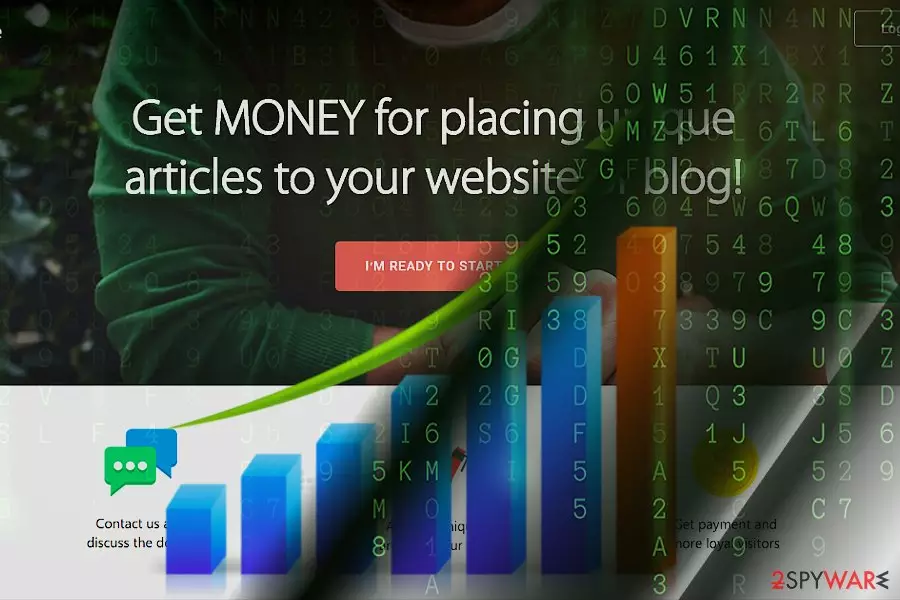
Seojokes.net functions as a referral spam sample. The very domain is fake but is designed to redirect you to the website called rankexperienxce.com. According to the definition, it is an online advertising company which “represents a lot of services and solutions on the Internet.”
Though the purpose of the site seems to be promoting their “unique” articles on your sites and, likewise, get profit, the very site causes several concerns: It does not specify:
- Credentials
- Terms of Use and Privacy Policy
- HTTPS protocol
The latter indicates that the site is properly programmed and thus is less vulnerable to website hijacking[1].
Ordinary users are unlikely to get directed to this site as every referral spam targets web administrators.
The aim is to spam the analytical reports of specific sites. Since every website owners watch the traffic in their site and analyze its visitors, they might get interested in discovering why the hike in visitors coming from seojokes.net is unusually high.
As a matter of fact, it is a mere marketing trick[2] to deceive the administrators into visiting rankexperienxce.com. Some more gullible web owners may even risk cooperating with the website expecting to earn benefit for their site as well.
However, more experienced administrators know that such referral spam sites only plague their website traffic and deprive them of getting sufficient insights about potential visitors.
The peculiarities of transmission trends
Seojokes.net referral spam targets websites with poor protection of the website log files. Web pages with no https also risk being targeted by the developers of this type of online felonies.
Google Analytics provides bot filters. You can add websites to exclusion filters to block the traffic coming from them. There is also an identical include filter which lets add trusted websites. However, these functions are only useful if you know the name of referral spam site. Note that you should be vigilant as there is a myriad of such spam sites and not only Russsian[3] sites like Brateg.xyz or Boltalko.xyz.
Block Seojokes.net spam traffic
Below instructions will help you get rid of this referral spam. Take note of previously mentioned advice to avoid getting spammed by such shady sites.
Step 1.
- Go to Admin -> All Filters.
- Navigate to New Filter and enter Seojokes.net in the Filter Name box.
- Choose Custom Filter Type, then select Campaign Source from the drop-down Filter Field menu.
- Finally, in the Filter Pattern field, type in Seojokes.net and click Save.
Step 2.
- Log into cPanel account, navigate to File Manager section, and mark the checkbox entitled as Document Root for -> your website.
- Mark Show Hidden Files and click Go. Once you locate the .htacess file, right-click on it and select Code Edit. Enter the following text and click Save Changes:
## SITE REFERRER BANNING
RewriteCond %{HTTP_REFERER} Seojokes.net [NC,OR]
RewriteCond %{HTTP_REFERER} Seojokes.net
RewriteRule .* – [F]
Step 3.
- In your Analytics account, go to Admin Tab.
- Select View, choose Filters and then press +Add Filter.
- In the Filter Name box, enter: Language Spam.
- In the Filter Pattern box, type in: \s[^\s]*\s|.{15,}|\.|,
- Click on Verify this Filter, and apply changes by clicking on Save.
Did this guide help?
Be the first to comment