A step-by-step removal guide for affected devices. Follow the verified procedure below — most readers complete it in under 10 minutes.
Alice Woods· Likes to teach users about virus prevention
EdocTransfer is a malicious site that seeks to infect its visitors with malware
EdocTransfer virus is a malicious domain that must be avoided. According to the latest research, this domain is associated with various phishing campaigns[1] used by Internet frauds to infect their visitors with malware. As a result, users might have their information stolen, or their devices might be used in a botnet scheme.
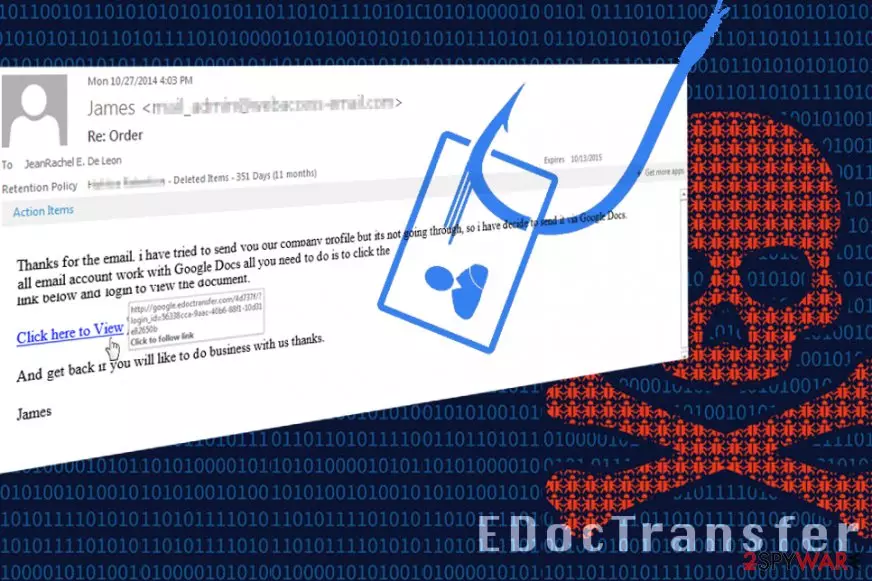
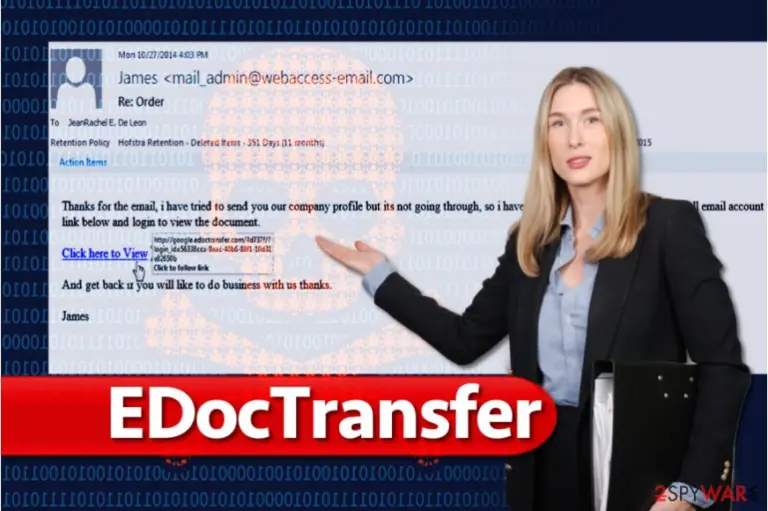
While some users might end up on the domain accidentally, others might cross paths with it once they get a phishing email inside their email inboxes. Unknown malicious actors delivered phishing campaigns that include deceptive Google Docs sharing links to victims via the EdocTransfer.com domain.[2] Soon after that, users reported redirects to this malicious website.
Name
EdocTransfer
Type
Malware
Popularity
High. The domain is being used to deliver malicious programs to users with the help of scam and phishing techniques – it has been active for several years
The loss of personal information, infiltration of a virus, system compromise
Elimination
To get rid of this virus, run a full system scan with powerful anti-malware software
System fix
If a security tool found malware on your system, it might cause crashes, errors, and other stability issues. If you are facing these problems after virus elimination, use FortectIntego to remediate the PC
Users have reported phishing emails sent by inbound-digitalfax@edoctransfer.com and heather.cole@edoctransfer.com. If you received an email from any of these senders, make sure you get rid of them immediately and don't even think about opening attached files or links that are included in the email message.
The indicated email address is known for sending fax-themed spam messages containing malware or links to EDoc Transfer phishing websites. You can run into severe cyber threats such as ransomware or Trojans by interacting with these message’s contents, so we advise staying away from them. One-click can throw you onto compromised domains, and it is only a matter of time until criminals steal your private information or contaminate your computer with malware.
EDoc Transfer virus poses a serious threat to your computer and your privacy, so make sure you avoid links associated with its name. As we have mentioned previously, you can find out that someone is trying to trick you into visiting such a domain by hovering your mouse over questionable links (buttons or ads). Once you hover the mouse over the provided link – the information pop-up shows the google.edoctransfer.com domain, which is clearly not a Google Docs link.
If you accidentally visited the previously-known domain, make sure you check your computer with an up-to-date anti-malware software immediately – SpyHunterCombo Cleaner or MalwarebytesMalwarebytes could help you. To fix your computer and leave it spotless after the infection is eliminated, try FortectIntego. Bear in mind that you should not attempt to remove EDoc Transfer virus manually as it can be a highly sophisticated malware variant.
Distribution of EDoc Transfer malware
The malware can sneak into your computer system right after clicking on a link that leads to the edoctransfer.com domain. Cybersecurity experts from Novirus.uk[3] report that users should beware of Digitalfax delivery spam and EdocTransfer James Shelton spam.
It has been discovered that fraudsters use James Shelton’s name in their email spam campaigns (this non-existent person is presented as the sender of the email);
Cybercrooks also compose “Digitalfax delivery” emails and suggest victims to open a malicious link provided in the message or a file attached to the email;
Finally, users should beware of EdocTransfer subpoena spam, which deceptively suggests opening orders to attend a court.
Remove EdocTransfer malware
Users who accidentally fell victim to the EdocTransfer virus should immediately scan their computers to find malware dropped from dangerous sites they were redirected to or malicious email attachments that the user unknowingly opened.
It is a must to remove EdocTransfer as soon as possible. You can never know what kind of malware sneaked into your computer, especially because such files tend to use names of legitimate files and programs. To cleanse the system, consider running a system scan with SpyHunterCombo Cleaner, MalwarebytesMalwarebytes, or another powerful security tool. It will finish EdocTransfer removal for you. Besides, if your machine seems to be laggy or is often crashing after malware elimination, use FortectIntego that might help you fix the damage done by the virus.



Be the first to comment