

Another under-development French ransomware is expected to encrypt entire data on the PC
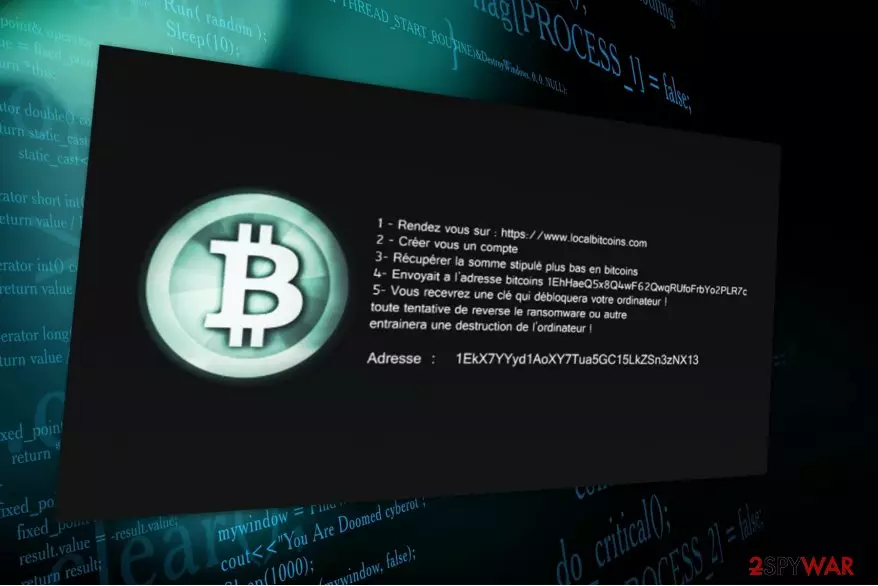
French virus is known for its encrypting abilities and easily recognized by the .lockon file extension. The ransomware is currently in the development stage and encodes files which are located in C:\testrw only. However, cybersecurity experts believe that hackers will try their best to successfully grow this file-encrypting virus and benefit from inexperienced computer users.
Thus, if the crypto-malware has already infiltrated on your PC, protect your data which is still accessible by performing French removal instantly. We aim to support ransomware victims and attach alternative methods at the end of this article which will help you to restore your files. Make sure to check them, since it is the best option to recover after such cyber assault.
Furthermore, those who are curious how the virus works should know that currently, French ransomware infiltrates on the victim’s PC via fake software updates or malicious e-mail attachments[1]. After it finishes data encryption, the victims are informed about the attack from a ransom note which is placed on the desktop.
The message is written in French and demands to pay a ransom to a personalized Bitcoin account for a decryption tool. Even though it may seem that the only way to recover encrypted data is to follow the crooks’ rules, we once again recommend you to never agree to make a transaction.

Note that you can find numerous ransomware stories when the victim has made a settlement with the criminals, and they failed to keep their promises — the decryption key was never sent. French ransomware attack is not an exception, and another possible outcome of the agreement might be that the hackers will increase the amount of the demanded money once you make a transaction.
Be aware that it is a profitable sphere and crooks won’t give access to your files without enormous financial losses. Therefore, we suggest you to remove French virus and try to retrieve your data in an alternative way. Employ FortectIntego or SpyHunterCombo Cleaner and get rid of the malicious program without further computer damage.
Spam e-mails and fake software updates — the most commonly used techniques to distribute ransomware
If you wonder how crypto-malware infected your computer or simply how to protect yourself from such attack, malicious e-mail letters and fraudulent offers to update your regular software is the answer.
Criminals attach the executable files of the ransomware to an e-mail message, which in most cases looks legitimate. Once computer users receive such letter, they do not expect it to be malicious and open the attachment which triggers an automatic infiltration of the infection.
Another method employed to spread the ransomware is placing software update pop-ups[2] on suspicious websites. Typically they are designed to imitate official upgraders of applications which are used worldwide. This way people think that they are updating their program while in reality, they manually infect their computers with the file-encrypting virus.
Therefore, we highly recommend you to do not browse in unreliable pages and definitely do not download any applications which are offered there. Additionally, avoid opening suspicious e-mail letters and delete them instead.
French ransomware can be terminated automatically
While you can eliminate various computer infections manually, French removal requires specific IT skills. Thus, you have two options — employ certified IT experts or use a professional security program to terminate the ransomware automatically.
We do believe that a vast of people want to save their time and prefer antivirus system over an IT technician. Therefore, we have collaborated with LosVirus.es[3] analysts and picked out the most efficient anti-malware programs for you.
To remove French virus, you should use FortectIntego, SpyHunterCombo Cleaner or MalwarebytesMalwarebytes since they will quickly identify the executable files of the virus and eliminate them from your computer entirely. You can start by downloading a security software of your choice and running a full system scan.
Remember that ransomware elimination does not decrypt the corrupted data. Thus, it is wise to use the instructions below which will present the alternative data recovery methods.
Did this guide help?
Be the first to comment