A step-by-step removal guide for affected devices. Follow the verified procedure below — most readers complete it in under 10 minutes.
Alice Woods· Likes to teach users about virus prevention
HrHr ransomware is a deadly crypto-virus which encrypts users’ files
HrHr ransomware is a crypto-virus which locks up users’ files and demands ransom for the decryption key. The ransom is usually demanded in Bitcoin or other cryptocurrencies. The deadly ransomware affixes “.leenapidx@snakebite.com.hrhr” extension to each file and renders them unusable. Additionally, a help.txt file is generated and placed on users’ desktop.
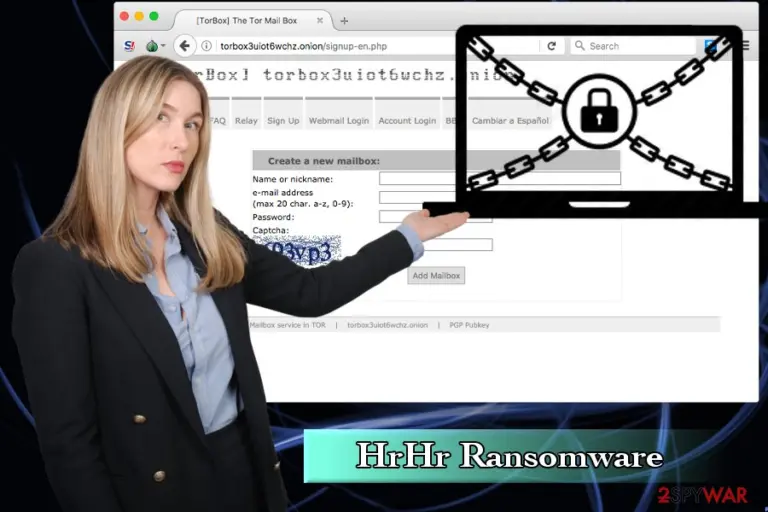
Cybercriminals urge users to contact them via email created via Tor network since other emails are not accepted at all. Hence, a user is encouraged to download Tor browser and follow the link provided. If user proceeds, HrHr virus creators might give the instruction for file decryption.
The .txt file states the following:
Hello. Your files have been encrypted. For help, write to this e-mail: leenapidx@snakebite.com Attach to the letter 1-2 files (no more than 3MB) and your personal key. If within 24 hours you have not received a response, you need to follow the following instructions: a) Download and install TOR browser: easy.ktml.en b) From TOR browser, follow the link: torbox3uiot6wchz.onion c) Register your e-mail (Sign Up) d) Write us on e-mail: rikkibarker@torbox3uiot6wchz.onion
ATTENTION: e-mail (rikkibarker@torbox3uiot6wchz.onion) accepts emails, only with e-mail registered in the TOR browser at torbox3uiot6wchz.onion. Your personal key:
HrHr ransomware encrypts a variety of files, such as .jpg, .gif, .exe, .mpeg, .mp3, .doc, .html and similar. Each victim is assigned a different decryption key which is stored on a remote server. Hence, unlocking files without it becomes almost impossible. Crooks are also offering victims to email them few files (up to 3MB) and allow them to show that data decryption is possible.
However, we do not recommend contacting these culprits. Ransomware creators are known to ignore users, even after the demanded ransom is paid.[1] Therefore, you are risking not only losing your files but money too. Additionally, you would encourage attacks developing more viruses which infect other innocent users. Instead, you should remove HrHr ransomware and then proceed with file recovery procedure.
Unfortunately, there are very few options to recover encrypted files. It can be done via backup or using alternative programs which might help (please check the instructions below this article). You should pick FortectIntego, SpyHunterCombo Cleaner or MalwarebytesMalwarebytes for HrHr ransomware removal as this security software is designed to overcome even the most dangerous malware.
Sometimes security experts manage to crack the code and create a decrypter. However, there is no known decrypter for HrHr ransomware available yet. Thus, there is a good reason to keep regular backups on an external database (or Cloud). Local backups are not that helpful – data on them is encrypted too.
Additionally, ransomware renders your computer vulnerable to additional infections as system files are compromised. You might obtain spyware[2] which records every keystroke and steal your personal information, such as personal banking details, social network passwords, email passwords, etc.
Do not carelessly open spam emails and avoid ransomware attacks
The most prevalent ransomware distribution method is via spam emails. Email providers typically have built-in security software which recognizes and marks up suspicious emails. Therefore, you should never ignore these warnings as they can disclose malicious file content.
Typically, the phishing email is sent out to hundreds if not thousands of users. Therefore, it is critical to recognize these emails and delete them immediately.
The email author usually presents himself as a representative of the influential organization, such bank or government and urges the user to open the attachment which is usually in the form of .doc, .txt or .pdf files. Never open these attachments as they instantaneously start file encryption process! Alternatively, the criminal might provide a link to unknown web address – do not click on it.
We highly advise you not to visit websites of dubious content and torrent sites. Some illegal software might have malware embedded directly into the installer. Therefore, you should download only legitimate applications.
Never attempt to eliminate HrHr ransomware manually
Security experts[3] warn that ransomware is a particularly dangerous attack which corrupts system files. Thus, we do not advise you to remove HrHr virus manually as the procedure is exceedingly complicated (you might damage system files in the process and break the whole system). You should always choose professional software which was designed to deal with most persistent viruses.
Therefore, we suggest you pick FortectIntego, SpyHunterCombo Cleaner or MalwarebytesMalwarebytes for HrHr ransomware removal. Do not forget that the virus might prevent anti-malware software from being started. Hence, you should reboot your PC in Safe Mode with Networking and start the program from there.




Be the first to comment