

SilentSpring virus – new crypto-ransomware targeting Russian-speaking users
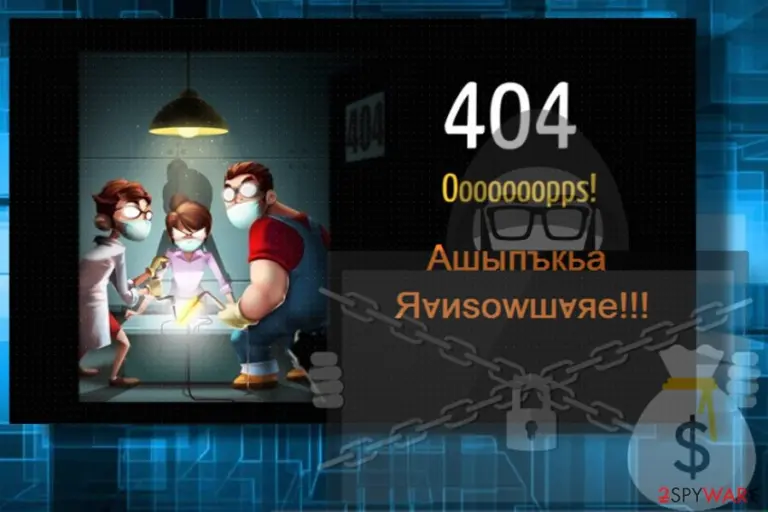
SilentSpring ransomware is yet another crypto-ransomware[1] virus which has been detected at the beginning of March 2018. It is known for appening .Sil3nt5pring file extension to the following file types: .AIF .IFF .M3U .M4A .MID .MP3 .MPA .WAV .WMA .3G2 .3GP .ASF .AVI .FLV .M4V .MOV .MP4 .MPG .RM .SRT .SWF .VOB .WMV .GPX .KML .KMZ .ASP .ASPX .CER .CFM .CSR .CSS .HTM .HTML .JS .JSP .PHP .RSS .XHTML. DOC .DOCX .LOG .MSG .ODT .PAGES .RTF .TEX/ However, the list of file types is not definitive.
The Silent Spring ransomware is mainly distributed via spam emails with infected .doc attachments. The files distributing this cyber threat carry ransomware payload,[2] which once activated executes the $_1.exe process. The latter corrupt system's files in a way to get administrative permission to the ultimate ransomware payload to start modifying Windows Registry and locking data. Upon successful infiltration, SilentSpring virus employs a complicated data encryption algorithm and renders all personal files inaccessible by changing their default file names to [random name].Sil3nt5pring.
Unlike other ransomware-type cyber infections, .Sil3nt5pring file extension virus does not expatiate on the situation, except that provides a short ransom note saying:
Ашыпъкьа Яvиsowшvяе!!!
Страница, которую вы искали в этом блоге, не существует.
Перейдите на “Введение” или используйте вкладку “Список”.
Do not understand Russian? Well then, click to this picture. 🙂
Judging from the ransom note provided, it might seem that the SilentSpring malware targets Russian-speaking users. Nevertheless, experts claim that it is oriented to English-speaking users and the usage of Russian language is just a trick to make victims follow the instructions unintentionally.
Unfortunately, the free SilentSpring decryptor is not available yet. Actually, it's not yet clear is it possible to decrypt files encrypted by this crypto-extortionist at all. Nevertheless, we do not recommend paying the ransom regardless how big or small it is. You can only lose your money for useless SilentSpring decryptor or induce cyber criminals to accelerate their attacks. Instead of that, we highly recommend you to remove SilentSpring ransomware from the system and use alternative methods to unlock inaccessible data. Our top pick products for .SilentSpring removal are FortectIntego, SpyHunterCombo Cleaner, and MalwarebytesMalwarebytes but you are free to choose any other reputable anti-malware utility.

Ransomware payload is executed once malicious spam email attachment is opened
Cybercriminals distibute ransomware payloads with the help of social engineering techniques. The most effective distribution method is malspam attacks. Crooks sign to the the spam bots, which automatically generate catchy email messages that contain a .doc, .docx, .png, .jpg, .txt, and similar popular file type. Opening the message does not execute the payload. However, less experienced PC users often fall for the trick and decide to check the attachment.
Although spam technique is evolving, most of infected email attachments require to enable Macros. If the unsuspecting user agrees to do so, the ransomware is executed and starts its malicious activities. Therefore, beware of misleading messages that contain attachments and be quick to close it if you are asked to enable Macros for document preview. Regular files do not require Macros, so it's a clear sign that the attachment is a virus.
In addition to spam, ransomware type viruses can spread via fake updates, hacked websites, or compromised Remote Desktop apps. Therefore, it's important to keep a powerful anti-virus enabled and do not interact with suspicious content.
Remove SilentSpring ransomware and decrypt files from backups
Security experts from NoVirus[3] who have tested many instanced related to ransomware attacks, urge victims NOT to pay the demanded ransom. Not only due to the loss of money. Keep in mind that crooks are trying to maximize their profit from shady activities, so the more ransom they collect, the bigger is the chances to encounter another ransomware attack.
There are many methods that can be used for data decryption and you can find explicit tutorial on each of the below. However, before initiating any data recovery steps, it's a must to remove SilentSpring virus completely. The recovery on the affected computer can fail, while unlocked files can soon be encrypted again. Manual SilentSpring removal is not possible, so download a professional antivirus and run a scan with it. In case ransoware blocks your attempts to launch a security tool, follow the instructions below:
Did this guide help?
Be the first to comment