

Sequre ransomware is a threat which uses new techniques to bypass security
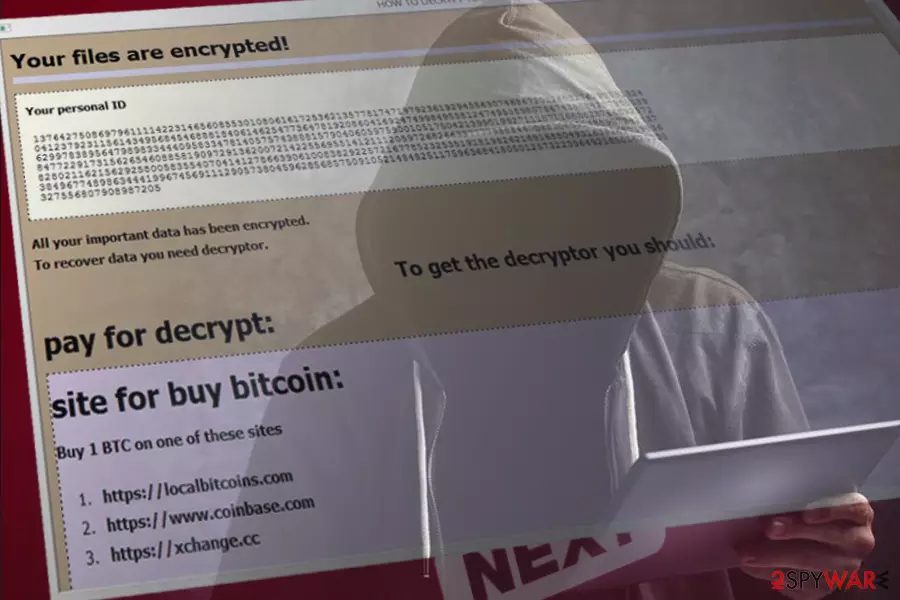
Sequre ransomware is a file encrypting virus[1] that was first noticed by security experts in April 2018. The malware encrypts all data using AES encryption algorithm. It changes the filename by using email address sequre@tuta.io_ and hex-translated file name. Then, hackers demand payment of 0.14 BTC for data decryption key.
| SUMMARY | |
| Name | Sequre ransomware |
|---|---|
| Type | File-encrypting virus |
| Cipher | AES |
| File appendix | sequre@tuta.io_ [hex] |
| Ransom size | 0.14 BTC |
| Distribution | Spam emails, malicious sites, fake updates, cracked software, Peer-to-Peer sites, etc. |
| Elimination | To get rid of Sequre ransomware download professional security software – FortectIntego, SpyHunterCombo Cleaner, MalwarebytesMalwarebytes |
As soon as the virus enters users’ machines, it strengthens its presence by modifying system settings. Sequre ransomware is unique in the regard of how it performs its function. Instead of executable file completing all the procedures, the ransomware consists of several executables encrypted by C# program which then launches directly into memory.
Sequre virus can encrypt a variety of files, including the most popular formats, like .doc, .html, .jpg, .mp3, .mpeg and similar. Thus, the file called picture.jpg would be turned into sequre@tuta.io_7654321757A6540747574612E696F5K123123L5679037303637 and become completely unusable.
To decrypt files, users need to obtain a unique key that is stored on a remote server by cybercriminals. For that, hackers demand payment of 0.14 Bitcoins (approx. $1300 at the current exchange rate). Do not pay the ransom! Instead, remove Sequre ransomware and recover your files using alternative methods.
Victims find out about all the conditions in a ransom note, which is called HOW DECRIPT FILES.hta. This file is placed into every infected folder, and the starts with the following text:
Your files are encrypted!Your personal identifier NQFWTAPP72VXJI2TKUFGN2107016WN0KDU9UYCUI A serious vulnerability in your network security has been detected. Data is not stolen and no one can do it while they are encrypted. For you, we have an automatic decryptor and instructions for correcting it.
<…>
The crooks then proceed explaining how to obtain Bitcoin cryptocurrency and how to proceed with the payment. As soon ransom is paid, victims are urged to send a screenshot of it and the personal ID to the sequre@tuta.io. Sequre authors also offer to transfer a file (up to 10MB) to make sure that decrypt actually works. Finally, they threaten that Sequre ransomware removal will result in permanent data loss.
We advise users to ignore hackers’ demands as these people cannot be trusted. Ransomware authors are known to ignore victims, even after the requirements are met. So, you risk losing not only your personal files but also a large sum of money.
Thus, you can recover your files from a backup or by using alternative methods we provide below. Before you proceed with that, you have to get rid of a Sequre virus using robust security software, such as FortectIntego, SpyHunterCombo Cleaner or MalwarebytesMalwarebytes.

The way ransomware infects users’ machines
Security experts[2] segregate the following malware infection methods:
- Contaminated spam email attachments or malicious links;
- Repacked or cracked software;
- Key generators;
- Unprotected RDP configuration[3];
- Hacked websites;
- Exploit kits and few others.
To protect yourself from harmful viruses, never open suspicious attachments (especially if they ask you to enable a macro function to open) inside emails or click on links. Additionally, avoid visiting websites of dubious content, do not click on ads and keep your OS and software up to date at all times. Finally, download and install security software with real-time protection feature.
Delete Sequre ransomware and attempt file recovery
As we already mentioned, the best course of actions would be Sequre removal and then an attempt to recover your files. Do not try to remove Sequre virus manually as it is almost impossible.
Instead, download and install anti-malware software. We recommend FortectIntego, SpyHunterCombo Cleaner or MalwarebytesMalwarebytes as these malware removal tools are designed to deal with even the most stubborn viruses. Don’t forget that ransomware typically has removal protection and will not let security software t startup properly. In this case, restart your PC and boot in Safe Mode with Networking.
Did this guide help?
Be the first to comment