

JS Downloader virus is a trojan which uses JavaScript to get into systems undetected
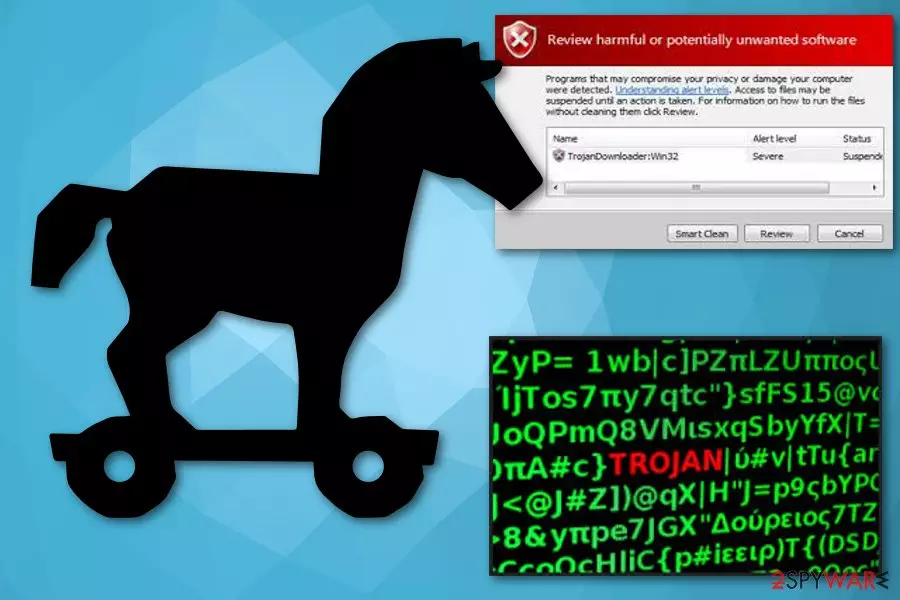
JS Downloader is a detection of the malware that uses JavaScript code execution and is often detected by AVG, Avast, and other AV vendors, under such name. Once inside the system, this trojan[1] creates autorun.inf, and other malicious files used to ensure the normal functioning of the related malware. Unfortunately, this JS Downloader Trojan can be related to any type of malware, such as worms, viruses, backdoors, and others.
To get rid of JS.Downloader virus infection, scan your system with reputable anti-spyware. However, you should also be aware that the detection name can also relate to an online activity related to various websites. In such a case, the intrusion can be stopped by the installed security program. Additionally, multiple versions of the malware (like JS:Downloader-FHY), were often found to be a false-positive,[2] and it stopped users from visiting legitimate and safe websites like official online banking.
If you are unsure whether you are infected with malware but your anti-virus is flagging a website or a file as JS Downloader, you should immediately investigate and then proceed with according actions.
| Name | JS Downloader virus |
|---|---|
| Type | Trojan horse |
| Detection names |
|
| Affected OS | Windows |
| Symptoms | Disrupting normal functionality of the device, tracking sensitive information, stopping programs, slowing down the OS |
| Main danger | Can significantly damage the system |
| Distribution | Malicious websites, email attachments, dubious software |
| Elimination | To check if it is not a false positive and delete JS Downloader virus, use FortectIntego. |
JS Downloader virus can behave in various ways, and since it came to your PC silently, you might not even notice these changes. You might experience several symptoms, such as:
- increased amount of error messages;
- general sluggishness of the system;
- trojans might access the network to download other malicious programs and files, so that it may affect the internet speed;
- the virus might also change your web browser settings and install extensions and toolbars and add several applications that run in the background;
- pop-up ads and redirects to questionable websites may disturb your browsing sessions.
To be able to perform this activity, JS Downloader modifies the Windows registry. The malware attempts to add new registry keys or alter the existing ones. A computer might crash or freeze because of this.

JS Downloader Virus removal is required because of the malicious nature of the file. Also, because trojans are sophisticated and make several changes within the system, a reliable anti-malware software is needed. Researchers[3] advise using reputable security software.
Also, do not forget that JS Downloader and similar trojans can serve as a backdoor to ransomware infections. This deadly infection can encrypt all personal files like databases, pictures, videos, audios, etc. and then demand ransom for their release. While the cyberthreat can be disabled pretty easily, the encrypted data remains inaccessible. Thus, make sure you remove JS Downloader before it can inflict even more damage to your computer.
JS:Downloader-FHY stopping users from accessing their online banking accounts
JS:Downloader-FHY is one of many JS Downloader variants and serves as a definition for malicious activity performed by the underlying JavaScript code. Generic or otherwise known as heuristic detection is something that many anti-virus engines use to determine malware or malware-related activity that was never encountered in the wild before. JS:Downloader-FHY is an exact example of the already established malware example.
Just as its predecessor, JS: Downloader-FHY is also capable of infecting most versions of Windows operating systems via infected installers, spam email attachments, software cracks, vulnerabilities, drive-by downloads, and other methods. Once inside the system, it can affect multiple vital system files and start downloading malicious files from all around the internet. Luckily, you can remove JS:Downloader-FHY easily with the help of reputable anti-malware software as soon as malware is detected.
However, because JS: Downloader-FHY is a heuristic detection, it can also mean high false-positive detection rates. Multiple users on Avast and AVG forums complained that the AV is flagging seemingly secure websites as malicious and preventing users from visiting them. In such a case, there is no need to remove JS:Downloader-FHY and include the site as exclusion.
Nevertheless, false-positives are quickly reported to the anti-malware developers, and they are immediately corrected with the next update. Thus, if you started seeing JS:Downloader-FHY pop-up messages on multiple legitimate sites, you should make sure that your anti-virus database is up to date.

Malicious websites might be designed to inject Trojans
Users might visit questionable websites if they intentionally visit them, such as torrent or porn sites. These domains can be dangerous and are more likely to hide malware. In some cases, users might also be rerouted to dubious places on the internet because of adware infection. Nevertheless, regardless of the reason, never click on any content that you are presented with and merely close down your Google Chrome, Internet Explorer, Mozilla Firefox or another browser.
Additionally, some websites might be hacked by cybercriminals and intercepted with malware. This way, some legitimate sites might include malicious JavaScripts that install the virus automatically. Therefore, avoid websites using an insecure HTTP connection and stick to sites that use HTTPS.
Trojans can also come to your system silently from infected email attachments. Often safe-looking files use malicious macros[4] and inject your PC with backdoor trojans or other types of malware immediately when you download and open them on your device.
JS Downloader virus termination requires reliable tools
To remove JS Downloader virus safely and successfully, you need to employ anti-malware tools like FortectIntego or MalwarebytesMalwarebytes. These programs can detect and delete all possible threats that are related to this trojan. Make sure that anti-malware software is set to scan the machine automatically and have a real-time protection function enabled.
JS Downloader virus removal is not that difficult, but you might have to access Safe Mode with Networking if the cyberthreat is blocking security software from operating correctly. We explain this process below. Additionally, do not try to get rid of the trojan manually, as the procedure is extremely complicated and only trained IT professions are capable of such action.
Did this guide help?
Be the first to comment