

My Mac Speedup – a rogue system program that claims to fix system issues but truly does not
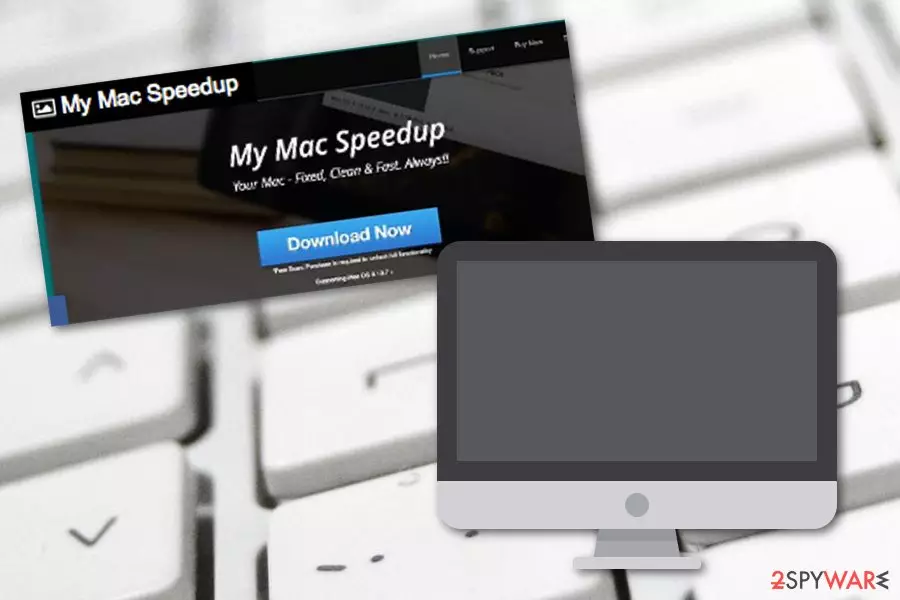
My Mac Speedup is an unreliable computer tool[1] that is created to suit Mac devices. Even though this program promises to fix all system-related issues and clean the computer, it truly does none of these things. The potentially unwanted program displays misleading alerts about computer infections and other problems that were found after the scan.
Later on, the program offers to purchase the licensed version of the tool in order to speed up, clean, and fix the system. However, all of this is just another lie and a trick to convince gullible users to purchase completely useless software. Even though this rogue computer optimization program offers you a lot of beneficially-looking features, be wise and try not to accept any offers that are provided by the PUP.
| Name | My Mac Speedup |
|---|---|
| Category | System tool |
| Sub-category | PUP |
| Target | Apple devices |
| Goal | To trick users to buy the licensed version of the program |
| Claimed features | Cache Manager, Trash Manager, Logs Manager, Uninstaller, and some others |
| Spreading techniques | Official site, bundling, unprotected links, third-party pages |
| REMOVAL PROCESS | Remove the intruder within a couple of minutes with security software |
| System health | Use FortectIntego fix any system-related inconsistencies |
It is known that the article's culprit claims to have these features:
- Cache Manager.
- Trash Manager.
- Logs Manager.
- Uninstaller.
- etc.
If you decide to pay for the licensed version of the program, it will install on your system and imitate a fix. However, no particular changes will be done to your computer. If you want to scan for real issues, you should use reliable computer programs and measure the given results with the ones that were provided by My Mac Speedup.
Additionally, the PUP will keep on posting notifications if you do not get rid of it. It will still keep on advertising the rogue tool and claim that your computer system needs fixing again. These pop-ups[2] might appear to be extremely annoying and intruding as they might cause computer work struggles while performing some important tasks.
Because of the program's uselessness and unwanted activities, we recommend proceeding with its removal. You can use specific computer tools such as SpyHunterCombo Cleaner and MalwarebytesMalwarebytes to eliminate the computer system optimization tool, or you can find some instructions below this text which show how to get rid of the potentially unwanted application from your device.
Before you remove My Mac Speedup virus, you should detect all adware-related components in the system. For this purpose, try using a computer tool such as FortectIntego. However, you can feel free to use any other software if you are likely to. Note that, fake computer programs are very likely to secretly infiltrate the system, so, be careful when you browse the web next time.

Distribution ways of rogue computer software
If you are wondering where did the odd computer tool come from, we can ensure you that there are several ways for PUP distribution to succeed. However, the most popular ones are:
- unprotected third-party[3] web pages;
- secondary downloading sources;
- regular software packages;
- official pages.
According to technology specialists,[4] all of these distribution sources can be avoided. It is very important that the user takes some actions of her/his own to protect their computer systems. First, make sure that you have antivirus protection installed on your computer as these tools will take care of the system and not let any rogue content to slip in.
Second, stay away from unprotected web pages as far as possible. Do not click on any links that you are not able to recognize or which are suspicious-looking to you. Last but not least, use the Custom or Advanced installation mode for your software. Always keep an eye on your incoming downloads and do not let any rogue components to slip in.
My Mac Speedup virus elimination techniques
If you want to remove My Mac Speedup virus from your computer, you should better lean on automatical computer security and fixing tools if you lack experience in such elimination spheres. All you need to do is choose a reputable computer program and it will complete all the work for you just in a couple of minutes.
The removal requires full attention. You need to ensure that your Mac machine is fully cleaned, that no rogue processes are running, and no suspicious-looking content is hiding in the system. Once you do that, make sure that you memorize all PUP-avoiding steps and be more careful on the Internet sphere in the nearest future.
Delete from macOS
Remove the unwanted application:
- From the menu bar, select Go > Applications.
- In the Applications folder, look for any suspicious entries, then drag them to Trash (or right-click and pick Move to Trash).


Delete leftover files and folders:
- Select Go > Go to Folder.
- Enter /Library/Application Support and remove any suspicious folders related to the unwanted program.
- Repeat the same check in the /Library/LaunchAgents and /Library/LaunchDaemons folders, deleting any suspicious entries.

- Finally, empty the Trash to permanently remove the leftovers.

Did this guide help?
Be the first to comment