

AYE ransomware – a Dharma-related virus which appends the .AYE extension to locked files
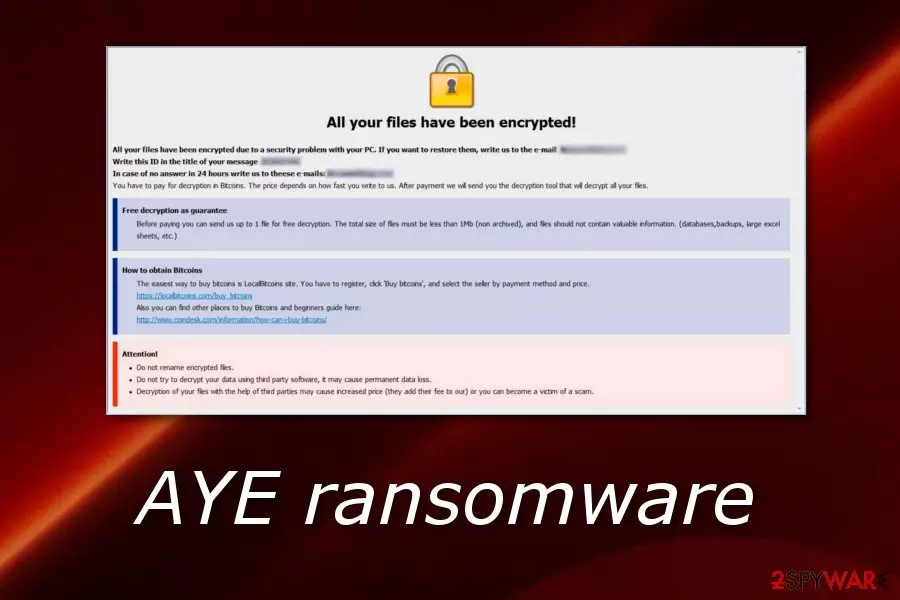
AYE ransomware is a file-encrypting cyber threat which belongs to the Dharma ransomware family. Once this dangerous virus infiltrates the targeted system, it modifies the Windows Registry[1] by creating suspicious-looking registry keys and by placing malicious files in different locations. After this kind of activity, AYE virus performs the encryption process and adds the .AYE appendix to each locked document or folder. Later on, the ransomware virus displays a Crysis/Dharma ransom message which is named “FILES ENCRYPTED.txt” and has the purpose to inform victims about the secret encryption process and explain how Bitcoins should be transferred. The crooks urge users to contact them via sebekgrime@tutanota.com email address in order to discuss all matters about the decryption tool exchange.
| Name | AYE |
|---|---|
| Type | Ransomware |
| Family | Dharma |
| Extension | .AYE |
| Message name | “FILES ENCRYPTED.txt” |
| Message from | The ransom note might belong to Dharma or Crysis ransomware |
| Email address | sebekgrime@tutanota.com |
| Distribution tips | Malicious payload that comes attached to a spam email message |
| Detection tools | FortectIntego is capable of detecting malware and its components |
AYE ransomware is a notorious cyber threat which might have the capabilities of performing other rogue and malicious activities. For example, some file-encrypting viruses are capable of updating themselves on the targeted computer system, moreover, they can damage and permanently erase Shadow Volume Copies,[2] let other malware into the system.
If you are a victim of AYE ransomware, you will possibly overcome this message:
All your files have been encrypted!
All your files have been encrypted due to a security problem with your PC. If you want to restore them, write us to the e-mail sebekgrime@tutanota.com
Write this ID in the title of your message 1E857D00
In case of no answer in 24 hours write us to theese e-mails:sebekgrime@cock.li
You have to pay for decryption in Bitcoins. The price depends on how fast you write to us. After payment we will send you the decryption tool that will decrypt all your files.
Free decryption as guarantee
Before paying you can send us up to 1 file for free decryption. The total size of files must be less than 1Mb (non archived), and files should not contain valuable information. (databases,backups, large excel sheets, etc.)
How to obtain Bitcoins
The easiest way to buy bitcoins is LocalBitcoins site. You have to register, click 'Buy bitcoins', and select the seller by payment method and price.
hxxps://localbitcoins.com/buy_bitcoins
Also you can find other places to buy Bitcoins and beginners guide here:
hxxp://www.coindesk.com/information/how-can-i-buy-bitcoins/
Attention!
Do not rename encrypted files.
Do not try to decrypt your data using third party software, it may cause permanent data loss.
Decryption of your files with the help of third parties may cause increased price (they add their fee to our) or you can become a victim of a scam.
Once AYE ransomware is installed on the targeted machine, it uses unique encryption algorithms such as AES, SHA, RSA, or others to lock up files that are found. This cyber threat is able to encrypt documents and files such as image, audio, video, text, PDF, etc. Once locked, files cannot be accessed properly anymore.
If you are a victim of AYE ransomware, we suggest not contacting the cybercriminals for any matters. Overthink everything twice before deciding to transfer your money to some random people. Usually, crooks urge for a price between $500 and $1500 in BTC. However, users are very likely to get scammed by hackers.
We suggest performing the AYE ransomware removal rather than paying the crooks. Use only reliable software to complete the process. For detection purposes, we offer to use a tool such as FortectIntego or SpyHunterCombo Cleaner. After the elimination is completed successfully, you can take a look at some data recovery methods that we have provided below this article.
You need to remove AYE virus before you try recovering your files. Otherwise, the data recovery will not be successful and the ransomware virus will renew its encryption with the next computer boot. Additionally, make sure that you take care of your files in the future, store all important data on remote servers or drives, e.g. iCloud, USB flash drive.[3]

Ransomware spreading sources mostly are spam email messages and their hazardous attachments
According to computer experts from NoVirus.uk,[4] ransomware viruses are usually distributed via malicious executables that come attached to rogue email messages. In some cases, crooks make the messages look like sent from original organizations and convince the users to open the clipped attachment which usually launches the infection straight to the computer system.
Additionally, ransomware can spread thru cracked programs which lack protection, also, thru third-party websites and their infected hyperlinks or advertisements. Make sure that you stay away from all malicious content that you might overcome on the Internet. For further computer protection, download and install automatical computer software, also known as antivirus programs, which allow performing regular scans and detecting malicious components.
You can get rid of AYE ransomware by using anti-malware software only
If you are looking for methods to remove AYE virus manually, we can inform you that manual deletion is not a good option for this case. By trying to terminate the cyber threat on your own, you might make mistakes which might cause permanent system damage and make the machine even more vulnerable to various malware-related infections.
Before the AYE ransomware removal, you should detect all malicious components in the system first. As they might be injected in different locations, use software such as FortectIntego, SpyHunterCombo Cleaner, or MalwarebytesMalwarebytes to collect all malware-laden files, registry keys, etc. Once you complete the elimination, check data recovery tips which are written below this article.
Did this guide help?
Be the first to comment