

Fast! program is a tool that claims to improve computer performance but it shows fake warnings in order to trick people into buying its paid version
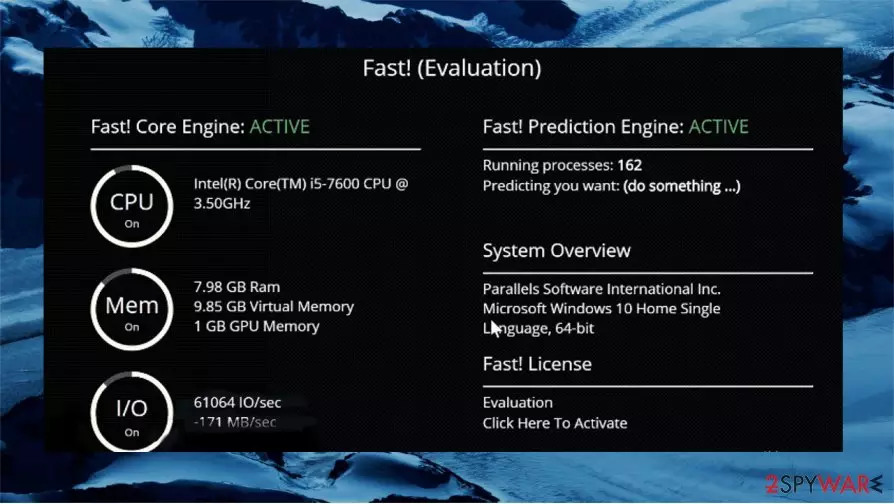
Fast! application is promoted as a useful tool for all users who want to fix errors in their devices and improve the overall computer performance. Unfortunately, this app shows fake warnings and tries to lure users into buying a premium version if they want to remove issues and fix indicated errors.
According to cybersecurity specialists, Fast! program should be categorized as a potentially unwanted application (PUA).[1] This tool not only shows deceitful warnings about issues that probably do not exist but also spreads by using questionable methods.
In most cases, Fast! application is distributed using the bundling method, so people do not recall installing the app. Moreover, you can even find an official website that promotes misleading application as a great PC tool. Many users decide to download this tool since it looks very appealing and promises to “make your PC run 2x faster”. Unfortunately, this app is just another PUP that tries to lure money from internet users.
| Name | Fast! |
|---|---|
| Type | System tools |
| Category | Potentially unwanted application |
| Claims | To improve computer performance |
| Issues | This application performs scans and shows warnings about issues that probably are fake. Fast! program asks to buy a premium version if the user wants to remove all errors |
| Distribution | Free software distributors, PUPs, fake Flash Player installers, deceptive pop-up ads |
| Detection |
Multiple AV vendors recognize the application as:
|
| Elimination | Uninstall Fast! application and clean the computer either by using the manual instructions at the bottom of this article or by removing it automatically with anti-malware software |
| Optional | The easiest way to remove virus damage and fix issues that arise due to malware infection is by using FortectIntego |
Free Fast! version only scans the computer and shows what it can do in order to improve computer performance. Unfortunately, after the alleged scan, users can't fix any issues or make a device run faster. If the user wants to optimize the system and fix all issues, the app gives only one possible solution – to pay for its full service.
If the program is reliable, it won't try to trick people into buying its licensed version. Sadly, Fast! promises a free trial of the application that is not working properly at all. It is the main reason why this app is categorized as a potentially unwanted application. However, the biggest problem is not the money but the imaginable issues.
PUAs often show fake error warnings and ask to repair the system, and this particular program is not an exception. Fast! tool shows a list of entries that are actually harmless and demonstrates the possibility to optimize the system. If you run a reliable repair tool, you will probably see that there is no issue at all. For example, use FortectIntego or any other official repair/ optimization software for this task.
If you don't want to have an untrustworthy program on your computer, you should remove Fast! as soon as possible. We provided useful removal tips at the bottom of this article. Since this program is not a virus, you should be able to get rid of it manually. But in most cases, security tools like SpyHunterCombo Cleaner or MalwarebytesMalwarebytes can help with the procedure.

Also, try to remember that very often PUAs are distributed with other potentially unwanted or even dangerous programs. Such unwanted apps also promote adware[3] and browser hijackers. It is a known issue that adware and browser hijackers can change web browser preferences, show annoying ads, or even cause unwanted downloads. Thus, after Fast! removal you should scan the system with powerful anti-malware software to make sure that the PC is virus-free.
Moreover, you should remember to fix any issues left after the Fast! program removal because system errors can make your computer work slower or force a system restart. If you want to avoid problems, you should rely on a real repair tool from a trustworthy source.
Potentially unwanted applications are spreading in different ways
Unfortunately, potentially unwanted applications spread with a help of a deceptive method called bundling. This distribution method helps developers to pass on their apps without the user noticing it at all. Many users try to download cracks, free software, or any other questionable app from torrent websites or other unsafe sources. Experts[4] say that people should download only official apps from reliable sources if they want to avoid PUAs.

Also, users should use the “Advanced/Custom” installation if they want to make sure that they won't install additional and potentially dangerous apps. During the “Advanced/Custom” installation, users can decline all offers to install additional software.
Of course, users can install potentially unwanted applications themselves too. This particular app has its website and promises a useful tool to make the system faster than before. It's not surprising if users think that this tool will help them. But it is recommended to always download programs only from reliable sources. People should search for more information about each app on different useful websites too.
You can easily remove Fast! virus from your computer
Potentially unwanted applications aren't the best option if you want to optimize your computer. In reality, programs like this one can do more harm than you think. You should remove Fast! and rely on reliable repair tools instead. For example, one of the best programs for the job could be PC optimizers. Such tools can help easily fix all issues and remove virus damage.
Fast! removal is simple, and you should be able to get rid of this program yourself by uninstalling. We provided understandable instructions below. However, if you want to check your system and remove all potentially dangerous apps, you should install reliable anti-malware software. Powerful programs will eliminate all threats from your device in just a few minutes automatically.
Moreover, you should remember to act more carefully on the internet if you want to avoid problems in the future. As we already mentioned, it's not a good idea to download software from suspicious websites since you might install Fast! PUP instead of a reliable tool.
Uninstall from Windows
Uninstall from Windows 10/8:
- Type Control Panel into the Windows search box and open the result.
- Under Programs, select Uninstall a program.


Uninstall from Windows 7/XP:
- Click on Windows Start > Control Panel (Windows XP users should click on Add/Remove Programs).
- In Control Panel, select Programs > Uninstall a program.


Remove the unwanted program:
- In the Programs and Features window, look for any recently installed suspicious entries, select them, and click Uninstall.
- If User Account Control appears, click Yes to confirm, then complete the removal.


Did this guide help?
Be the first to comment