

SillyFDC is a relatively harmless worm, which is designed only to spread and therefore does not carry any destructive payload
SillyFDC is a piece of malicious software that runs in the background and triggers unwanted processes to control the activities on an infected device. The parasite propagates mostly through floppy disks and other removable storage devices. It is distributed via malicious sites and spam emails, nowadays. Files with the code get opened, launched, and downloaded, so the infection is triggered easily. Once executed, it displays a fake error message (“File Corrupted. Re-install”) and installs itself to the system. The infection can happen quickly, but the system still performs normally until the worm launches tons of additional activities. This is why users cannot spot the infiltration for a while.
| Name | SillyFDC |
|---|---|
| Type | Worm, malware |
| Issues | The system performs poorly but other symptoms do not present themselves |
| Distribution | Spam email, malicious sites, attachments in emails, pirated software packages |
| Elimination | The threat can be removed and the system cleaned with anti-malware tools |
| Recovery | There are various issues that malware like this can trigger, so you should run FortectIntego and repair altered or damaged pieces |
SillyFDC periodically attempts to copy itself into the plugged removable storage device. If the user terminates the worm, it displays another fake error message:
This is a critical system process. Task manager cannot end this process
This is the way for the malicious piece to ensure persistence. The threat is one of the viruses that restarts itself and can even reinstall the malicious code over and over from the same piece of external storage. SillyFDC automatically runs on every Windows startup.
The worm can also alter various settings in the system, damage Windows registry entries, trigger other changes in directories, libraries, other parts of the Windows. The system can get significantly affected, so it is important to remove the virus with proper tools.
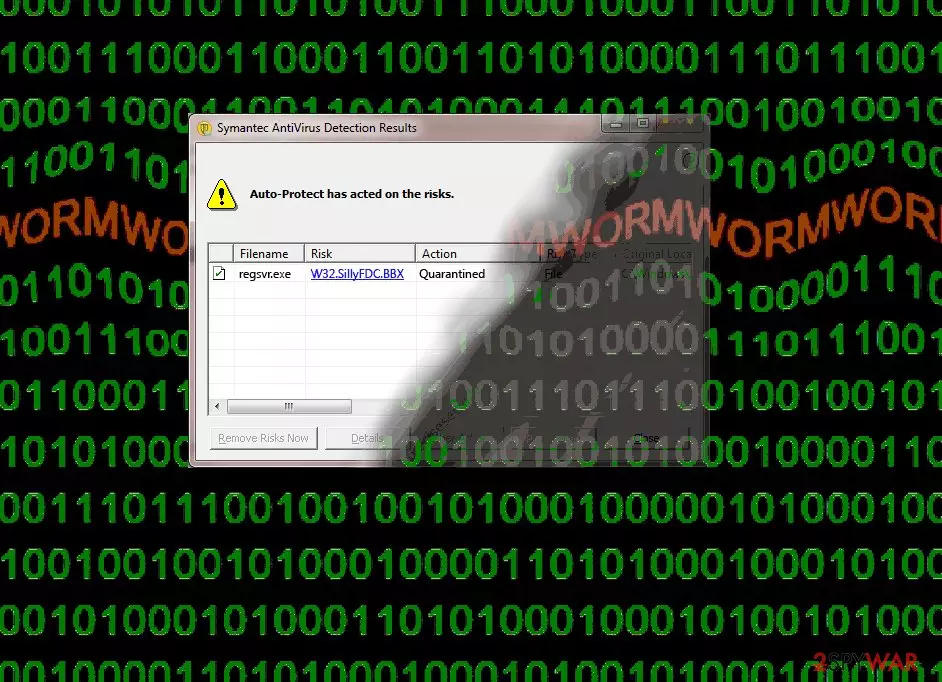
Malicious content triggers infections silently
It is known that malware like worms and other small pieces of dangerous virus code can spread via external devices when the user is not running the anti-malware tools or does not know that the machine is infected already. Pieces like this can inject malicious data repeatedly.
The worst thing about the distribution is the fact that the malware can silently infect machines and run in the background while no other symptoms get triggered. This is the thing about such infections, so your device might get affected and damaged, but the worm already left the system and moved on to another device via a USB device.
Termination instructions for worms and other silent malware like SillyFDC
It is crucial to know that malware spreads around without our knowledge and that users cannot find malicious files and remove them manually. However, SpyHunterCombo Cleaner or MalwarebytesMalwarebytes can find the malware and delete it from your machine fully will all the possible associations.
You need to rely on such tools and get rid of the infection yourself, so make sure to choose a trustworthy application or security tool. Another tip for the system infected with SillyFDC virus – tools like FortectIntego. This application can repair virus damage and help with the infection results. As for additional tips- check the guide below.
Did this guide help?
Be the first to comment