

Antispyware 2008 XP – a fictitious security tool that leaves your PC vulnerable to real threats
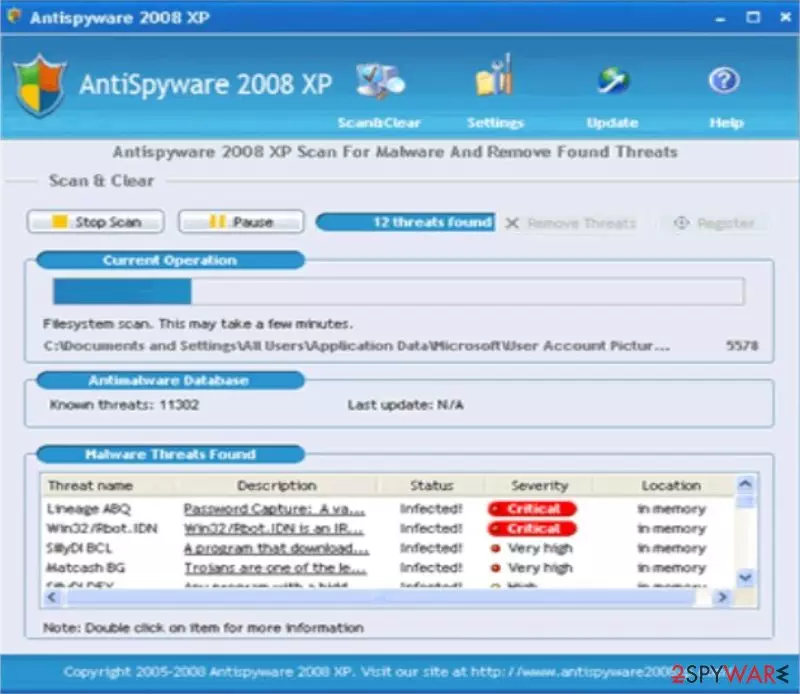
Antispyware 2008 XP is a rogue anti-spyware program – a fake spyware remover, which uses trojans, such as the infamous Zlob or Vundo, to enter the system. Unlike many of its clones, this software is targeted at the Italian-speaking part of the world, thus once again proving that the rogue business is widespread.
This malware may sometimes present itself as AntispywareXP2008 or Antispyware XP 2008. Although the name is a bit different, both the fake security tools are exactly the same. If you haven't installed this software, please don't do it. If you did, please remove it immediately.
| name | Antispyware 2008 XP |
|---|---|
| Type | Rogue antispyware, fake security software |
| Purpose | Draw out money by stating that computers are infected with numerous threats |
| Risks | Money loss, infection with real malware |
| Elimination | You can remove this rogue tool either manually with our instructions below or automatically by scanning your computer with dependable, time-proven security software |
| System repair | To restore system health, perform a system tune-up with the FortectIntego PC optimizing software |
Antispyware 2008 XP floods users with popups and fake system notifications, supposedly to “inform” them of infection or multiple ones present on the system. This is done to create a reason for users to purchase its “licensed version,” which is equally useless.
This is a scam and should be treated as such: do NOT download or buy it and block its homepage using your HOST file. If it ended up on your device, please remove it ASAP, as having such a rogue tool, and a lack of proper anti-malware software could lead to hazardous infections.
Remove the fake antispyware software by performing a full system scan with proper security tools. You could also try to remove it with our instructions below, but an automatic removal assures that no residual files are left behind. Then run system diagnostics that will resolve all system-related issues so that you could enjoy your PC anew.
Uninstall from Windows
Uninstall from Windows 10/8:
- Type Control Panel into the Windows search box and open the result.
- Under Programs, select Uninstall a program.


Uninstall from Windows 7/XP:
- Click on Windows Start > Control Panel (Windows XP users should click on Add/Remove Programs).
- In Control Panel, select Programs > Uninstall a program.


Remove the unwanted program:
- In the Programs and Features window, look for any recently installed suspicious entries, select them, and click Uninstall.
- If User Account Control appears, click Yes to confirm, then complete the removal.


Did this guide help?
Be the first to comment