

Safety Anti-Spyware – a bogus security tool spread by Trojan viruses
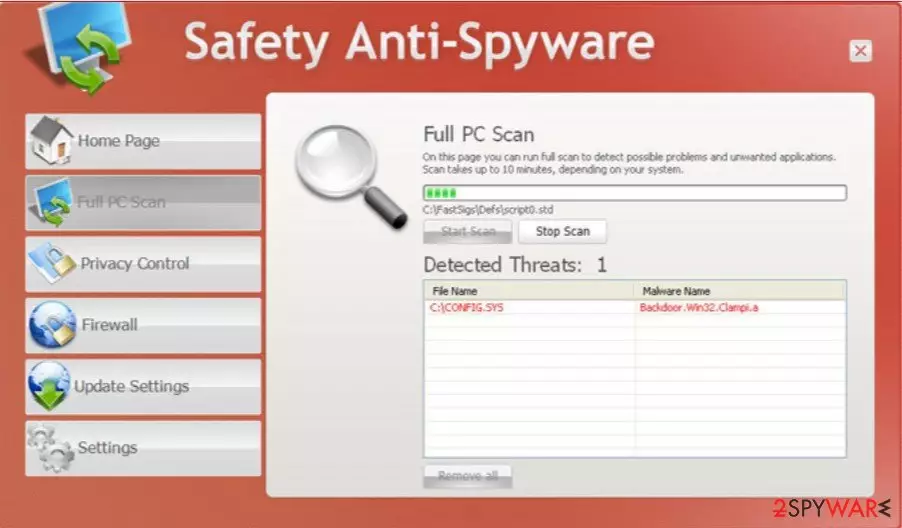
Safety Anti-Spyware is a rogue antivirus program. Use the provided removal instructions at the bottom of the article and get rid of this fake application as soon as possible. It is “pushed” through the use of Trojans. As you may already know, Trojans come mainly from fake online scanners and misleading websites that supposedly provide free online videos of well-known and popular TV shows, software, etc.
Lately, social engineering is also used to promote fake programs. Once a Trojan virus is installed, it will display fake security alerts and download Safety Anti-Spyware onto your computer. Then this bogus program will simulate a system scan and report false scan results to make you think that your computer is actually infected. Of course, that's not true. Actually, the only real infection is rogue antispyware itself. So, remove this virus upon detection manually or with an automatic removal tool.
| name | Safety Anti-Spyware |
|---|---|
| Type | Rogue antispyware |
| Purpose | Sell its worthless paid version by convincing users their computers are infected with a variety of viruses |
| Risks | Infections with real malware, money loss |
| Elimination | Remove this fake security tool either manually or automatically by scanning your computer in question with proper anti-malware software |
| System Fix | To undo the changes made by the rogue tool, use the powerful FortectIntego system diagnostics tool or similar software |
The worst thing is that Safety Anti-Spyware protects itself and makes the removal process a bit complicated. Usually, it comes up immediately after you log on into Windows and blocks almost all programs you try to launch, especially antivirus software.
Furthermore, it constantly displays fake security alerts and notifications about serious infections or computer security problems. These fake notifications are also a part of the scam campaign. And that's not all. The bogus safety software will also hijack your web browser and redirect you to misleading and harmful websites full of false information.
The main goal of this infection is to trick you into purchasing the “full” version of the program. So, most importantly, please do not pay for it. If you did, contact your credit card company and dispute the charges. Then use the instructions below to reboot your device in Safe Mode with Networking and download proper AV tools like MalwarebytesMalwarebytes or SpyHunterCombo Cleaner.
After installing and updating either of these free apps, perform a full system scan. That should locate the rogue antispyware with all its pieces and remove it. Afterward, use the time-tested FortectIntego system optimizer to resolve any system-related inconsistencies.
Did this guide help?
Be the first to comment